Plagiarism can wreck your SEO and brand trust faster than you can hit publish. In 2026, with Google cracking down on originality and AI-generated content flooding the web, having a solid plagiarism checker isn’t optional - it’s survival. But not all tools are built the same. Some are fast and free, others dig deeper but cost you. So, which one’s worth your time?
Here’s the deal: Duplichecker takes the crown for quick, no-fuss checks - perfect for marketers tackling social posts or short blogs. Need bulk scans or AI detection? Tools like Plagiarismchecker.ai or Copyleaks have your back. But heads up, accuracy and features vary wildly. From free options to premium plans, this guide breaks down five tools - Duplichecker, Plagiarismdetector.net, Plagiarismly, Plagiarismchecker.ai, and SmallSEOTools - so you can pick what fits your workflow.
Quick Takeaways:
- Duplichecker: Best for fast, free scans (1,000 words max). Struggles with paraphrased content and AI detection.
- Plagiarismdetector.net: Decent for beginners, but slow and basic. Annual plan starts at $96.
- Plagiarismly: Lacks detailed features and AI detection. Pricing info is vague.
- Plagiarismchecker.ai: Solid AI detection baked into every scan. Great for freelancers and agencies.
- SmallSEOTools: Free with ads, but accuracy is meh. Better for casual users.
Bottom line? If you're juggling quick tasks, Duplichecker’s free tier is your go-to. For deeper checks or AI content flags, you’ll need to invest in a premium tool. Let’s dive into the details.
Review of 20 Free Plagiarism Checkers + Paid Ones
sbb-itb-b3cfc51
1. Duplichecker
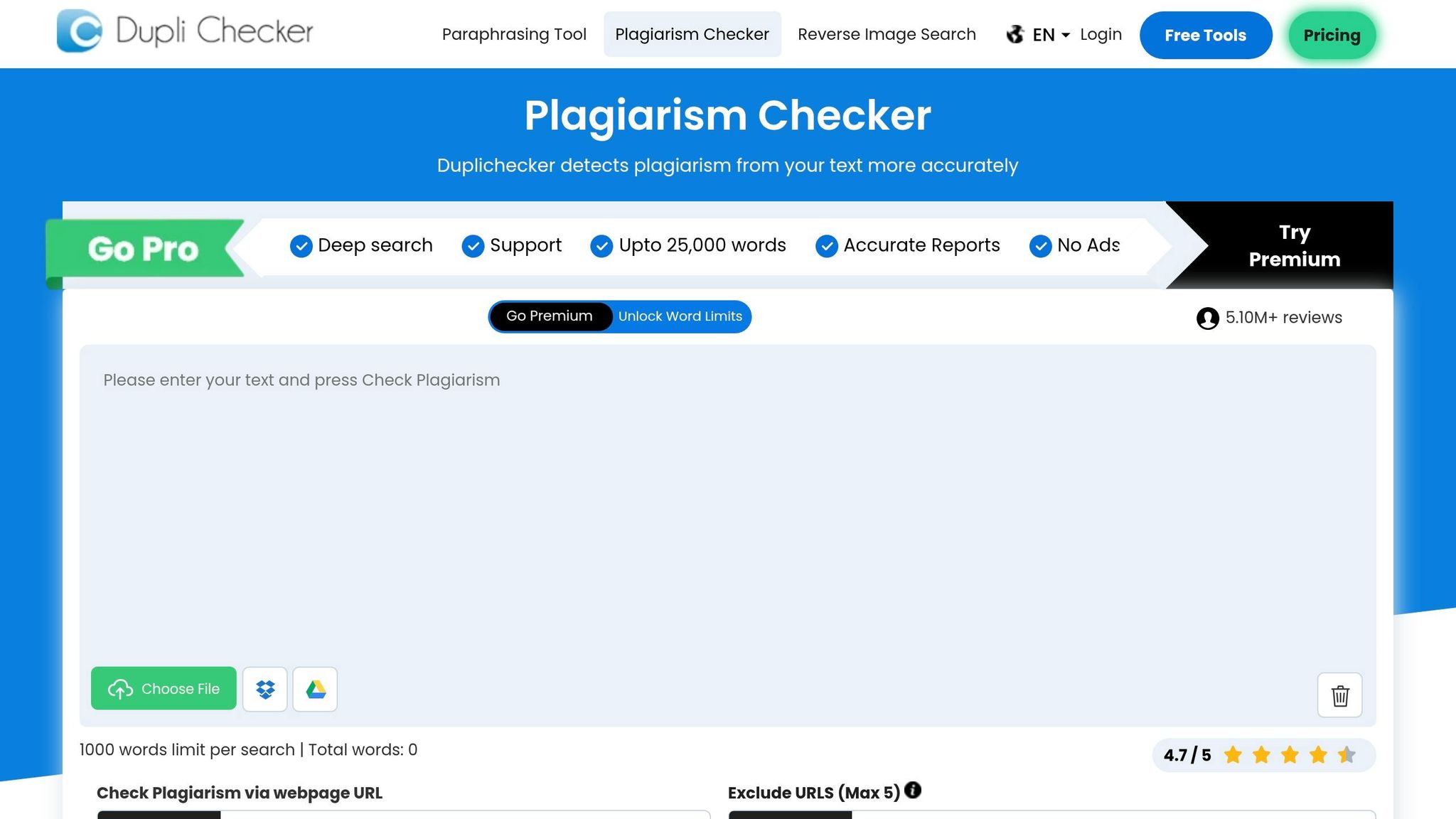
Duplichecker stands out as a go-to tool for marketers needing quick plagiarism checks on short-form content. Whether it’s social media captions, email subject lines, or blog intros under 1,000 words, this tool delivers fast, straightforward results without any fuss. Just paste your text, hit check, and you’re good to go - ideal for a quick once-over before publishing.
Accuracy
When it comes to catching exact copy-paste matches, Duplichecker performs well. However, it falters with paraphrased or reworded text, scoring about 70% accuracy in tests. This makes it great for spotting blatant plagiarism, but not for in-depth content analysis. Hugh Kumar, an AI reviewer, summed it up perfectly:
"Duplichecker is fine for a quick, free once-over on short texts, but it's not something you'd use if you're turning in a big project or sending content to clients".
Since it relies on public web indexes like Google, it may miss content hidden behind paywalls or in academic databases.
Free Word Limit
One of Duplichecker’s strongest features is its generous free word limit. Without even creating an account, you can check up to 1,000 words per search. Register for free, and that limit jumps to 1,500 words. For marketers working on Instagram captions, LinkedIn posts, or short email copy, this is a huge plus.
AI Detection
Here’s where Duplichecker stumbles. Its AI detection is seriously lacking. In tests conducted during 2025–2026, it flagged 100% AI-generated ChatGPT content as entirely human-written. Graeme Whiles, a content marketer, highlighted this issue:
"With each example where we pulled 100% AI-generated content from ChatGPT without changing it, Duplichecker believed each piece of content was 100% human-written".
If verifying AI-generated content is a priority, you’re better off using specialized tools like GPTZero or Copyleaks.
Bulk Check
For marketers managing large-scale content, the Pro plan ($19.99/month) is a game-changer. It allows bulk scanning of over 1,000 documents at once, increases the per-search limit to 25,000 words, and includes API access for custom workflows. This makes it a solid choice for teams juggling multiple campaigns or client projects. Plus, it integrates with cloud storage platforms like Google Drive and Dropbox, simplifying content validation workflows.
Integrations
Duplichecker’s integrations are basic but helpful. You can connect it with Google Drive and Dropbox to import documents directly for plagiarism checks. However, it doesn’t support LMS integrations or offer advanced workflow tools, which might be a drawback for enterprise users.
Pricing
Here’s a breakdown of Duplichecker’s pricing options:
- Free: 1,000 words per search (1,500 with free registration)
- Basic: $9.99/month for 100 searches and 30,000 total words
- Pro: $19.99/month for 240 searches, 72,000 total words, bulk checking, and 2 user seats
- Basic V: $25/month for 310 searches and 93,000 words
- Weekly Plans: Starting at $13 for up to 33,800 words
While the free version is packed with ads and frequent CAPTCHAs, it’s still a solid option for quick checks on short content like social media posts or blog snippets. If you can tolerate the interruptions, it’s a handy tool that doesn’t cost a dime.
2. Plagiarismdetector.net
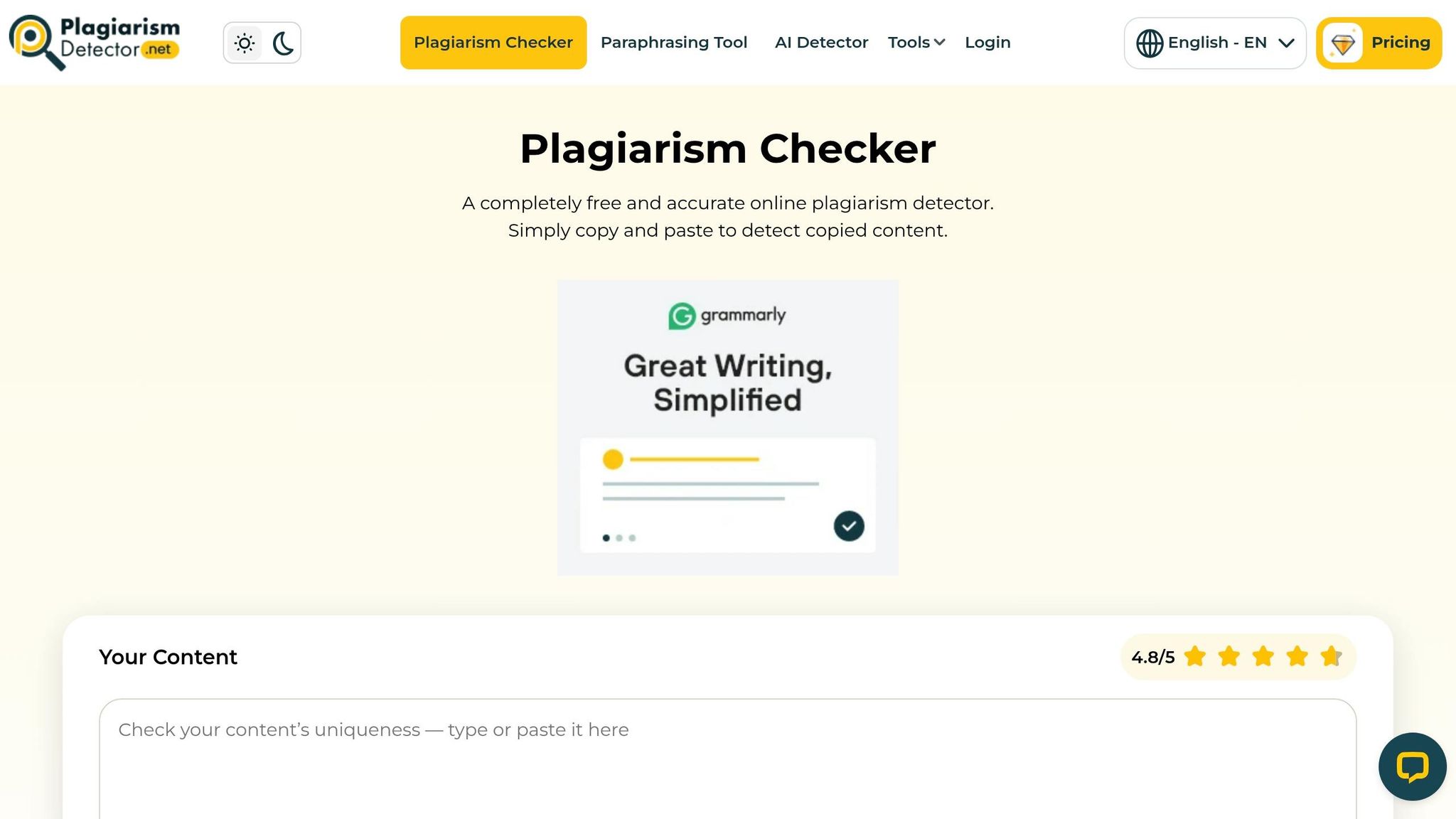
Plagiarismdetector.net caters to beginners, SEO professionals, and content creators looking for basic plagiarism checks, especially for short-form content like social media captions or email copy. While it gets the job done for simpler tasks, it’s slower and less precise compared to leading tools. Let’s break down its key features and how it stacks up.
Accuracy
Plagiarismdetector.net leans toward users with minimal needs, offering moderate accuracy for spotting duplicate content. It’s reliable for exact matches but struggles to catch paraphrased text. Tools like Duplichecker and SmallSEOTools deliver better performance in this area, making them a better choice for more thorough analysis. The tool does provide a handy color-coded system - green for unique content, blue for partial matches, and red for exact duplicates - to make results easier to interpret. However, its speed lags behind competitors like Quetext and Copyleaks, especially when processing lengthier documents.
Free Word Limit
The free version allows up to 1,000 words per scan. That’s fine for marketers or writers checking short pieces, but anything longer will require upgrading to a paid plan.
AI Detection
This tool doesn’t include AI detection capabilities. It focuses solely on identifying copied content from the web. If you need to flag AI-generated text, you’ll need a specialized tool like Copyleaks.
Bulk Check
Bulk scanning isn’t available in the free version. For users managing multiple campaigns or handling numerous documents at once, this limitation can be a dealbreaker.
Integrations
The tool supports file uploads from Google Drive, Dropbox, local storage, and even URLs. It accepts file formats like PDF, DOC, and plain text. However, it lacks advanced integrations with LMS platforms or workflow automation tools, which might be a drawback for more complex setups.
Pricing
The free plan’s 1,000-word limit might suffice for casual users, but the paid plans start at $96 per year - breaking down to $8 per month if billed annually. For those on a budget who don’t mind slower performance, this could be a practical option.
3. Plagiarismly
Plagiarismly is a straightforward tool aimed at identifying duplicate content, but detailed comparisons with other platforms are hard to come by. Whether it fits your needs really depends on the type of content you handle. If you're considering giving it a shot, you might need to test it out yourself to see how well it performs for your specific projects.
Accuracy
Not much is known about how well Plagiarismly catches paraphrased content. If that's a priority for you, it’s worth running your own tests to gauge its performance.
Free Word Limit
The exact free word limit isn’t clearly listed anywhere. If you’re planning to use this tool, it’s a good idea to check the official documentation to figure out what’s included in the free tier.
AI Detection
When it comes to spotting AI-generated content, Plagiarismly falls short. With AI-created materials becoming more common, you might want to look into tools that specialize in this area if that’s a dealbreaker for you.
Pricing
Details about Plagiarismly's pricing are sparse. If you’re planning to use it regularly, make sure to visit the official website for the latest pricing info. Compare those costs with other tools to see how it stacks up in terms of value for frequent use.
4. Plagiarismchecker.ai
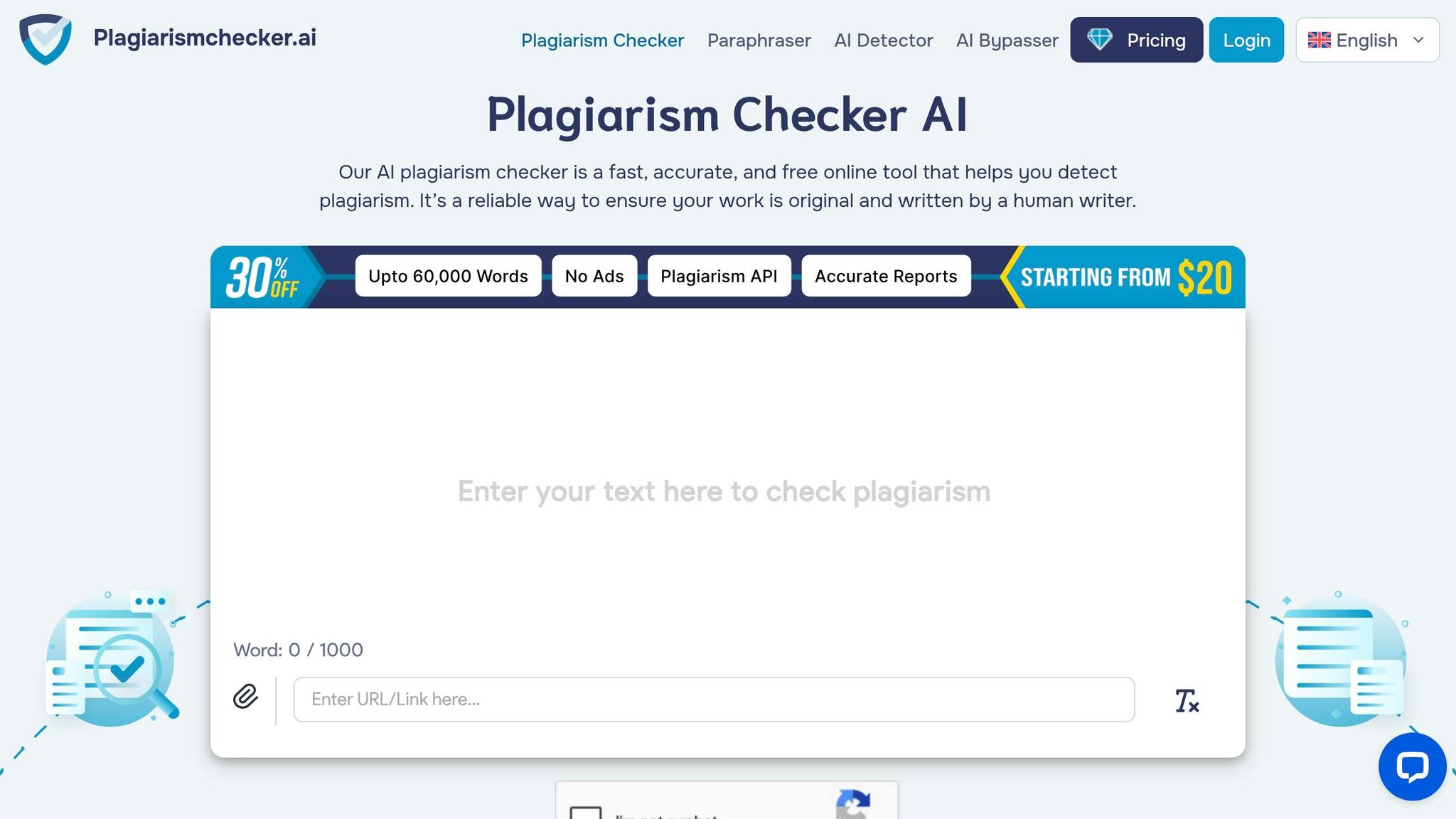
Plagiarismchecker.ai brings AI content detection straight into every scan - a must-have in a world where AI-generated content is everywhere. For marketers, ensuring both originality and understanding AI's role in content creation is key to maintaining credibility. This tool flags text from sources like ChatGPT and Claude and even catches hybrid content that blends human and AI writing.
Accuracy
The platform generates similarity reports that highlight matching text and link directly to the sources, making it simple to trace overlaps. However, there isn’t much data comparing its detection rates to major players like Copyleaks. If paraphrase detection is a priority for you, it’s worth testing its capabilities. Don’t forget to dive into its AI detection feature as well - it’s a standout.
AI Detection
One of its strengths is weaving AI detection into every single scan, so you don’t need extra tools or steps. For marketers working with freelancers or agencies, this feature is a game-changer. It lets you confirm whether the content you’re getting is human-written, AI-generated, or a mix of both, all without complicating your workflow. This seamless integration makes it a solid choice for safeguarding content authenticity.
Free Word Limit
The free version allows up to 1,000 words per search, which is pretty standard for plagiarism checkers in 2026. This limit works well for smaller tasks like social media posts or short blog intros. For longer pieces, though, you’ll need to split the text or upgrade to a paid plan.
Pricing
Pricing details aren’t widely available, so it’s best to check their official website for the latest. What’s worth noting is that AI detection is included in the base plan, not as an extra feature. If you’re frequently checking content for originality, this bundled approach could save you money compared to tools that charge separately for AI detection. It’s a smart option for marketers who need to stay on top of AI-driven content.
5. SmallSEOTools
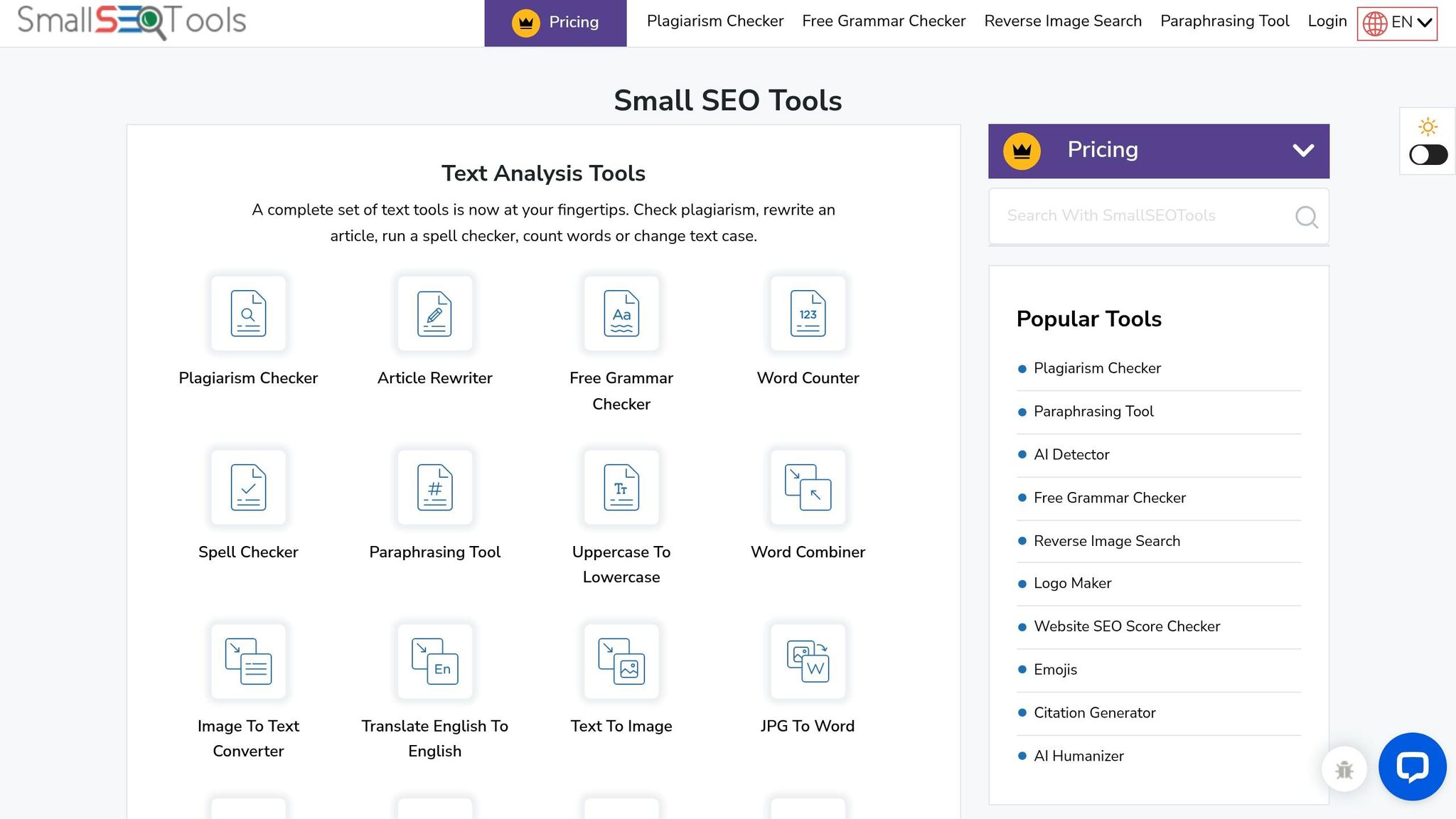
SmallSEOTools is a no-frills option for quick content checks, offering over 100 free SEO tools in its suite. It’s handy for fast scans of blog drafts or social posts, but its plagiarism checker is pretty basic. Like any tool, it has its strengths and weaknesses, making it suitable for specific workflows.
Accuracy
This tool compares your text against billions of web pages, delivering a similarity percentage along with source URLs. It’s decent at catching outright copy-paste cases but struggles with paraphrased content. In 2026, it scored a 3.3/5 rating, falling behind heavyweights like Turnitin (4.8/5) and Grammarly (4.7/5). While it works for casual content, it’s not the best choice for critical documents.
That said, its accuracy leans on direct matches, and the free version comes with standard limitations.
Free Word Limit
The free tier supports scans of up to 1,000 words. However, it’s ad-heavy and includes CAPTCHAs, which can be a bit of a hassle.
AI Detection
SmallSEOTools also offers an AI Content Detector that checks up to 2,000 words in over 50 languages. But in 2026 tests, it misclassified fully AI-generated text as human-written. It also struggles with detecting blended content that mixes AI and human edits. One user shared their frustration:
"It needs immediate and rapid improvement to detect AI-related content. Because AI is rapidly evolving... otherwise, Small-seo tools will certainly become useless." – Arham Ali
If spotting AI-generated content is a top priority, this might not be your best bet.
Bulk Check
The tool supports multiple file formats like .doc, .docx, and .pdf, and integrates with cloud services like Google Drive and Dropbox. Premium users can also access a WordPress plugin for direct checks within their dashboard. For larger-scale needs, the Enterprise plan includes a Plagiarism Checker API for real-time, multi-article scans.
Pricing
Paid plans start at $9.80/month for the Basic plan (30,000 words per search, up to 35,000–40,000 total words), $14.80/month for the Advanced plan (60,000 total words), and $49.80/month for the Premium plan (210,000 total words). Annual subscriptions typically shave off 20%, but credits don’t roll over. Customer support can also be hit-or-miss, as one user warned:
"Never get a subscription! Purchased one - no function to cancel it, support is not answering." – Fiona (GB)
For budget-conscious marketers who only need occasional checks, the free version might suffice. But if you’re eyeing a paid plan, the lack of rollover credits and patchy support could be deal-breakers.
This wraps up our review of SmallSEOTools, paving the way for a deeper dive into feature comparisons and workflow tips.
Pros and Cons
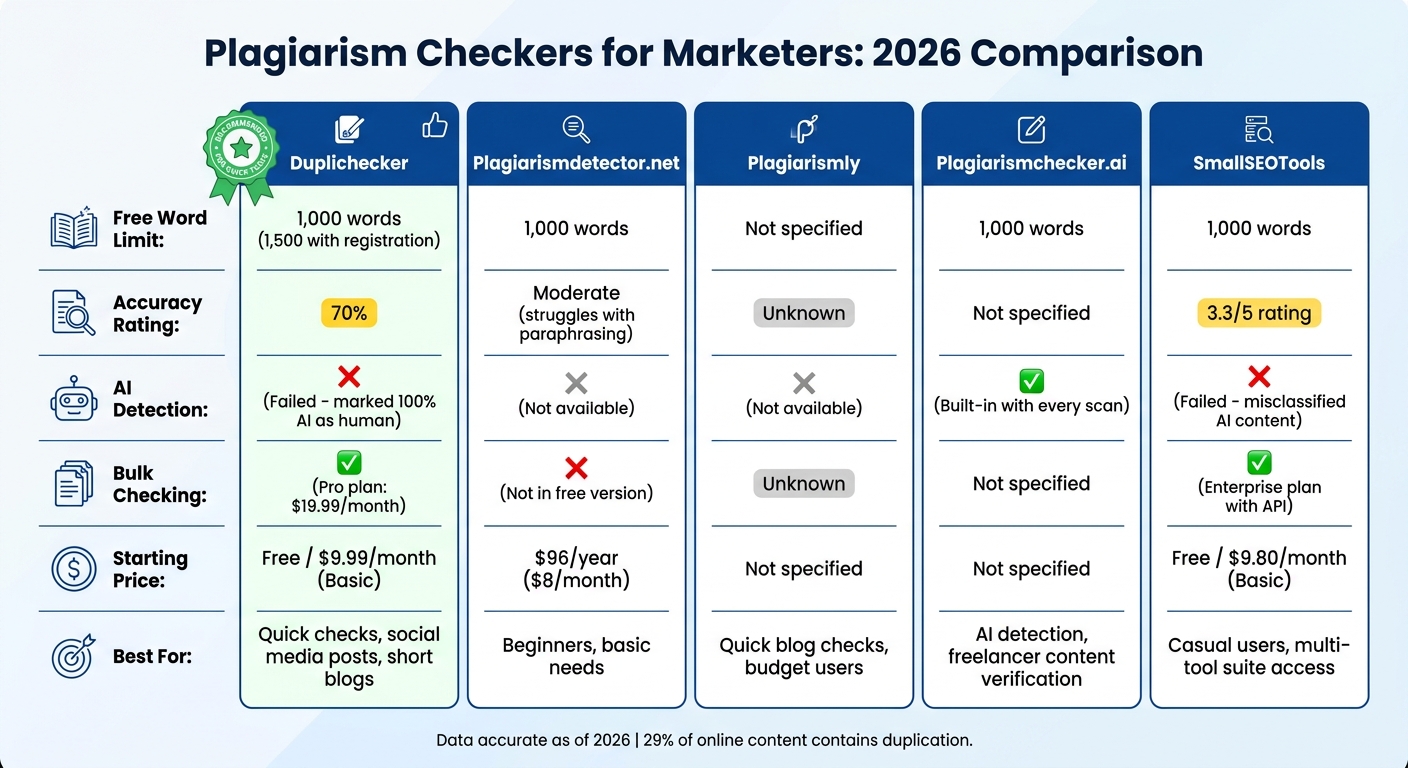
Plagiarism Checker Tools Comparison: Features, Pricing & Accuracy 2026
After digging into each tool, here's a clear breakdown of what they bring to the table - and where they fall short.
| Tool | Pros | Cons |
|---|---|---|
| Duplichecker | • No signup required for instant checks • 1,000-word free limit per search • Includes Reverse Image Search • Quick "paste-and-go" setup |
• Accuracy hovers around 70%, struggles with deeply paraphrased content • No AI detection capabilities • Free version bombarded with ads |
| Plagiarismdetector.net | • Easy-to-read, color-coded reports • 1,000-word free tier • Annual plan priced at $96/year |
• Limited to basic features • Struggles with paraphrased text • Few integration options |
| Plagiarismly | • User-friendly interface • Great for quick blog checks • Budget-friendly pricing |
• Smaller database coverage • No AI detection feature • Lacks advanced functionality |
| Plagiarismchecker.ai | • Focused on AI detection • Sleek, modern interface • Fast scanning speed |
• Spotty AI detection accuracy • Limited free usage • Newer tool, less proven track record |
| SmallSEOTools | • Comes with over 100 SEO tools • 1,000-word free limit |
• Accuracy rated at 3.3/5, falling behind leading competitors |
Duplichecker shines for its no-frills, fast checks - perfect for quick 1,000-word scans without the hassle of creating an account. Its simplicity makes it a go-to for bloggers and social media managers.
"DupliChecker remains one of the best free plagiarism checkers available, especially for users who want quick originality checks." – Textify Analytics
For most day-to-day needs, Duplichecker's free tier is a solid choice. But if you're after more precision or advanced features, paid tools might be worth the investment. Whether you're juggling blog posts or managing a content-heavy workflow, these tools offer a range of options to fit your strategy.
When and How to Use Plagiarism Checkers in Your Content Workflow
Timing matters when it comes to plagiarism checks. Before you publish or schedule any blog or social media post, run a scan to dodge duplicate content penalties. For quick tasks like verifying short captions or intros, tools such as Duplichecker - offering a no-signup option - are super handy and won't disrupt your workflow. This little step can save you big headaches later.
Got content from freelancers or agencies? Check it as soon as they deliver. Why? Because 36% of writers paraphrase without proper citations - and that can put your brand's credibility on shaky ground. If you're working with AI writing tools, step it up by pairing your plagiarism checker with an AI detection tool. AI-generated content has its own quirks, so double-checking is non-negotiable.
Repurposing old content? Don’t skip the scan. Whether you're revamping a blog post or tweaking material for a fresh campaign, run the updated version through a plagiarism checker. This ensures it’s distinct enough from the original. During drafting, text comparison tools can help you catch "mosaic plagiarism" - that sneaky mix of copied phrases and original writing - before it becomes an issue. Remember, even small lapses here can hurt your SEO and your reputation.
Conclusion
Duplichecker stands out as the go-to tool for marketers in 2026. Its hassle-free, no-signup setup, generous 1,000-word free limit, and lightning-fast interface make it perfect for quick scans of social media captions or blog intros.
For more advanced needs, like bulk content checks or verifying AI-generated text, you might want to explore additional tools or premium plans. Duplichecker's Platinum plan, priced at $9.99/month, allows searches of up to 25,000 words - ideal for managing content from multiple freelancers. And if you're diving into AI detection, pairing Duplichecker with a tool like Copyleaks (which hit an 81.8% detection rate in 2026 tests) is a smart move. This combo is especially useful when ensuring human-written originality.
"DupliChecker remains one of the best free plagiarism checkers available, especially for users who want quick, no-friction originality checks." - Textify Analytics
With 29% of online content containing some level of duplication, running regular plagiarism checks isn't just a good idea - it’s essential. Protect your SEO rankings and brand reputation by making originality scans a non-negotiable step in your publishing process. Choose the tool that fits seamlessly into your workflow and keeps your content clean.
FAQs
Is Duplichecker free?
Yes, Duplichecker is completely free to use. It provides a simple and hassle-free way to check for plagiarism without charging a dime, making it a handy tool for both marketers and content creators.
What is the difference between plagiarism and duplicate content?
Plagiarism happens when someone takes another person's work and passes it off as their own without giving credit. It's dishonest and can lead to serious consequences. Meanwhile, duplicate content is when nearly identical or identical material shows up in multiple places, often on the same site. This can mess with search engine rankings, making it harder for content to perform well online.
Can these tools check social media posts?
Yes, these tools are built to dive into social media posts. Designed with marketers and content creators in mind, they can sift through a range of online content, including everything from tweets to Instagram captions and beyond.