PostSyncer Logo
PostSyncer
Social Media Scheduler

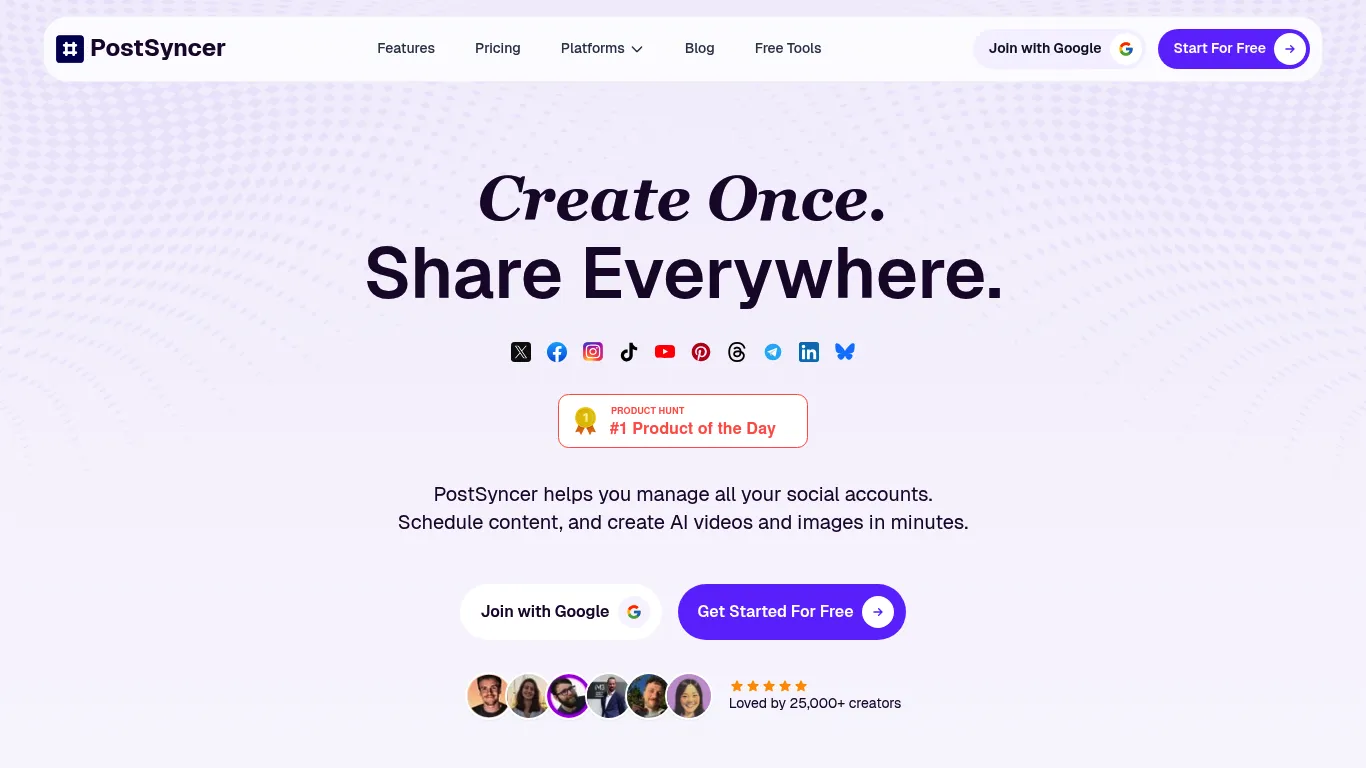
The tool simplifies content scheduling and management for a streamlined, organized, and consistent online presence.
PostSyncer Screenshot

PostSyncer Review

Social Media Management All Categories
DEAL%
3.7 /5
PostSyncer Social Media Scheduler scored 3.7 out of 5 Points in the Social Media Management Tools category. See how we rate πŸ”Ž
This solution helps users effortlessly manage and schedule content across various platforms. It offers scheduling, AI video and image creation, and content management. Focused on saving time through automation and AI-driven insights, it connects content efforts, team workflows, and scheduling in a single workspace. Users can create content once and distribute it widely, with features designed for both individual creators and teams. It aims to boost engagement and growth through smart automation.

Main Focus

Social Media Management; Analytics & Reporting; Content Creation; Engagement & CRM; Collaboration; Automation

Made for

Influencer;Social Media Manager;Agencies;Startups;Solopreneurs;Professionals;Marketers;Small Business

Supported Platforms

X (Twitter);Facebook;Instagram;TikTok;YouTube;Pinterest;Threads;Telegram;LinkedIn;Bluesky
πŸ“’
Sponsored

Key Features

One Click Posting - Schedule content once and publish it across multiple social platforms simultaneously; Visual Content Calendar - Organize and visualize content strategy with drag-and-drop functionality; AI Content Agent - Generate text and media content from various inputs like URLs, PDFs, images, videos, and text; AI Video Creator - Produce high-performing videos quickly from ideas or blog posts; Unified Comment Box & Moderation - Manage and filter comments from all platforms within a single dashboard; CRM Contact Management - Build and manage contacts, track interactions, and nurture relationships; Smart Analytics Engine - Understand content performance across platforms, types, and time zones; AI Content Studio - Generate captions, hooks, and hashtags tailored to brand voice

Pricing

Users can start with a 7-day free trial. Paid plans include Starter ($19 monthly or $15 annually); Pro ($49 monthly or $39 annually); and Pro Plus ($99 monthly or $79 annually). Users wishing to add workspaces can do so for an additional $19 per workspace per month.
URLs; PDFs; Images; Videos; Text; REST API; Google
Schedule Content;AI Videos;AI Images;Manage Accounts;Easy Create;Built-in Analytics;Create Queue;Post Everywhere;Visual Calendar;Reels Scheduling;Shorts Scheduling;Carousel Posts;Approved Workflow;Manage Brands;Tag Sort;Filter Content;Text Generation;Media Creation;Research Analysis;AI Video;AI Studio;Media Library;Unified Comment Box;Moderation Comments;CRM Management
Get tool updates, deals & reviews

Join our newsletter for fresh tool discoveries, hand-picked deals and practical reviews for creators, marketers and growth teams.

Tool Info

Listed since
Last updated
Vendor [Not found]
Verified FALSE

Disclosure: This page may contain affiliate links. If you use these links to buy something we may earn a commission to keep this service free for you. This does not affect our ratings. See Affiliate Disclosure.

What can PostSyncer do and why should you use it?

The platform provides a unified workspace for managing all connected accounts. Users can plan content using a visual calendar, scheduling posts days, weeks, or months in advance. This includes support for various content formats like short-form videos and multi-image posts. Collaboration features allow for unlimited team member invitations, role assignments, and content approval workflows. Workspaces help organize multiple brands or clients. Content can be tagged, sorted, and filtered for easy navigation. An AI content agent assists in generating both text and media from diverse inputs, including URLs, PDFs, images, videos, and text, creating captions and visuals. A media library stores and organizes content assets, including an AI video creator and an AI-powered content studio for generating captions and ideas. Engagement tools include a unified comment inbox for managing conversations across platforms, with AI-powered auto-replies and CRM contact management to track interactions. The smart analytics engine helps users understand what performs best across different contexts. It is designed to be affordable and provides strong support.

Which Support is available?

Documentation is available via an API docs link, detailing rate limits. Support includes live chat and email options, indicating accessible assistance for users.

Why should you try it?

You should test this tool for its multi-platform scheduling across 10 networks, AI content generation including video, and team collaboration features, along with robust analytics.

How does it help you?

The tool saves time by enabling content scheduling once for multiple platforms, freeing up hours weekly. It also offers a 7-day money-back guarantee for initial cost assessment.
The Social Media Tools Directory

Your Shortcut to the Best Social Media Tools

500+ hand-verified tools, updated every week. Find reviews, side-by-side comparisons, the top courses & communities β€” and never miss a great deal again.

  • 500+ tools β€” reviews & verified ratings
  • Weekly updates & new tool discoveries
  • Side-by-side comparisons & alternatives
  • Exclusive deals & discount codes
  • Top courses & communities curated
  • Newsletter β€” best picks to your inbox

Join the community β€” get updates & discuss tools:

Free to join & explore. Browse the full directory β†’

Built on Unicorn Platform
English πŸ‡ΊπŸ‡ΈπŸ‡¬πŸ‡§
