AI-powered tools are simplifying social media management in 2026, saving marketers over 10 hours weekly by automating content creation, scheduling, and analysis. This guide ranks the top 7 AI workflow automation suites based on features, platform support, and pricing:
- Ocoya: Best for full automation, combining content creation, scheduling, and e-commerce tools for $19/month.
- SocialPilot: Ideal for agencies managing multiple accounts, with team collaboration features starting at $30/month.
- Buffer: Affordable and simple, great for solopreneurs at $6/month per channel.
- PostQuickAI: Focused on content creation and scheduling, priced at $8/month.
- Hootsuite: Advanced tools for enterprise needs, starting at $99/month.
- ContentStudio: Strong content discovery and automation features, priced at $25/month.
- FeedHive: Specializes in content repurposing and engagement predictions, starting at $19/month.
Quick Comparison
| Tool | Best For | Starting Price | Platforms Supported | Key Features |
|---|---|---|---|---|
| Ocoya | Full automation | $19/month | 8 platforms | AI writing, image generation, e-commerce triggers |
| SocialPilot | Agencies | $30/month | 10 platforms | Team approvals, bulk scheduling, multi-language AI |
| Buffer | Solopreneurs | $6/month/channel | 9 platforms | AI captions, optimal timing, hashtag suggestions |
| PostQuickAI | Content creation focus | $8/month | 8 platforms | Proofreading, tone analysis, AI image generation |
| Hootsuite | Enterprise-level management | $99/month | 9 platforms | CRM integration, AI DM replies, bulk scheduling |
| ContentStudio | Content discovery | $25/month | 8 platforms | RSS automation, AI content discovery and content idea generation |
| FeedHive | Content repurposing | $19/month | 8 platforms | Predictive engagement, automated recycling |
These tools cater to different needs, from solopreneurs to large teams, and can help marketers boost efficiency while reducing costs. Choose based on your budget, platform needs, and workflow complexity.
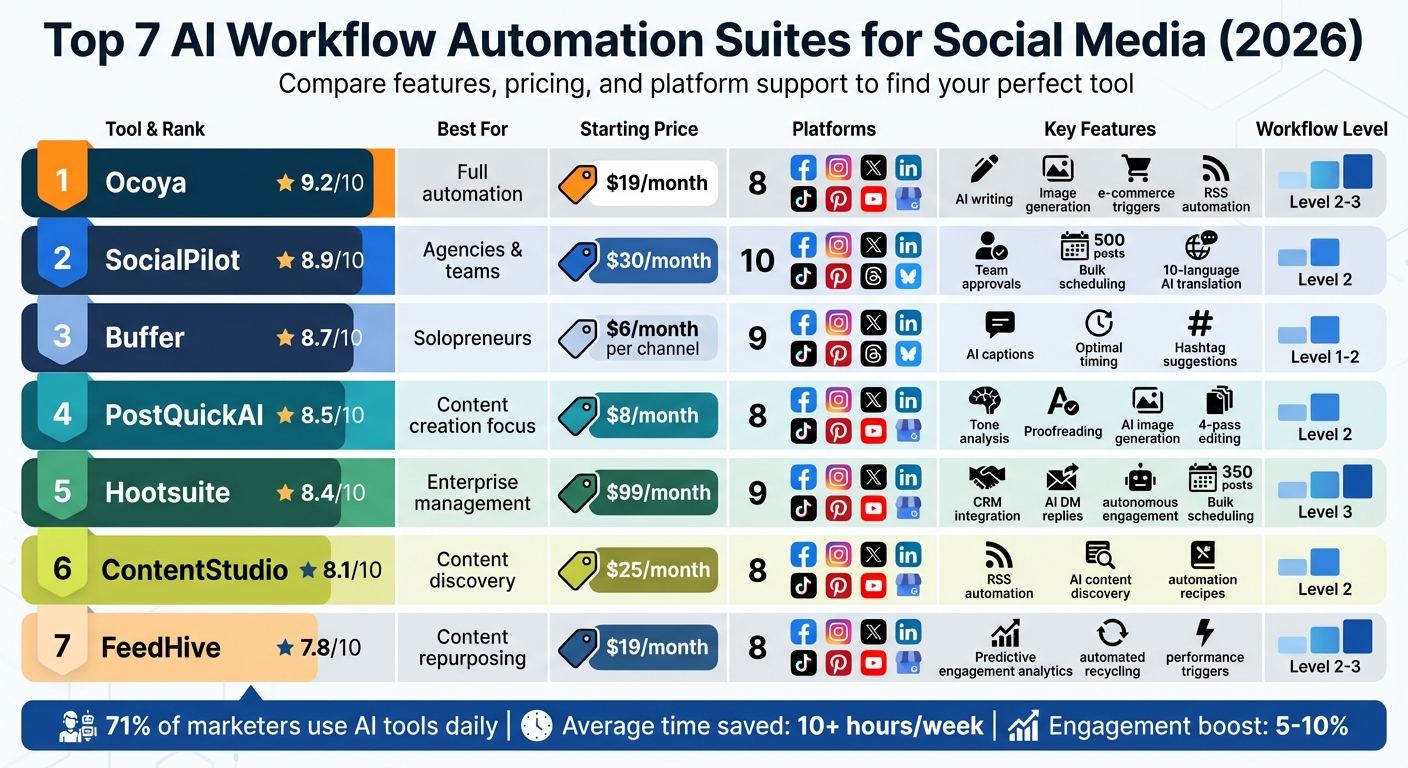
AI Social Media Automation Tools Comparison: Features, Pricing & Platform Support 2026
How to Automate Social Media Content With AI (Save Hours)
What Are AI Social Media Workflows and Why Use Them in 2026
AI social media workflows are automated processes designed to manage every stage of your content lifecycle - from brainstorming ideas and creating drafts to scheduling posts, analyzing performance, and repurposing content. Picture it like a production line: you input a topic, and the system delivers ready-to-go posts, schedules them at the best times, and monitors their performance.
The 2026 approach to these workflows combines "human direction + AI acceleration + human QA". This means you define the strategy and tone, AI takes care of tasks like writing captions or resizing visuals, and you review the final output before publishing. This collaborative setup ensures the quality issues of earlier AI tools are avoided. Workflows now operate at three levels: Level 1 handles basic scheduling and calendar tasks, Level 2 adds AI-generated captions and cross-platform repurposing, and Level 3 includes AI-driven engagement, such as drafting replies to LinkedIn comments and direct messages.
The benefits are clear: companies report 59% faster content creation, a 77% boost in output, and a 42% cut in production costs. Social media managers who used to spend 5 hours a week on manual tasks now save 10+ hours weekly by automating repetitive jobs like formatting content for different platforms or creating caption variations. Even AI-optimized posting times can increase engagement by 5-10%, outperforming manual scheduling. These improvements pave the way for advanced tools like predictive scheduling and automated content repurposing.
Predictive scheduling and automated repurposing are game-changers in 2026 workflows. Predictive scheduling uses machine learning to analyze your audience's activity patterns, rather than relying on generic "best times." This is especially valuable for platforms like Instagram and TikTok, where content visibility declines rapidly. Automated repurposing takes a single piece of content - like a blog post, webinar, or podcast - and transforms it into multiple formats tailored for different platforms, such as LinkedIn carousels, X threads, TikTok scripts, or Instagram Reels. This approach solves the challenge of producing enough content without requiring more staff.
With 71% of marketers now using AI tools daily, choosing the right workflow suite is critical. The question isn't whether to automate but which tool best fits your needs - whether you're managing multiple clients, prioritizing video content, or needing enterprise-level analytics. The evolution of these workflows is what drives the success of the leading AI tools reviewed in the next section.
1. Ocoya
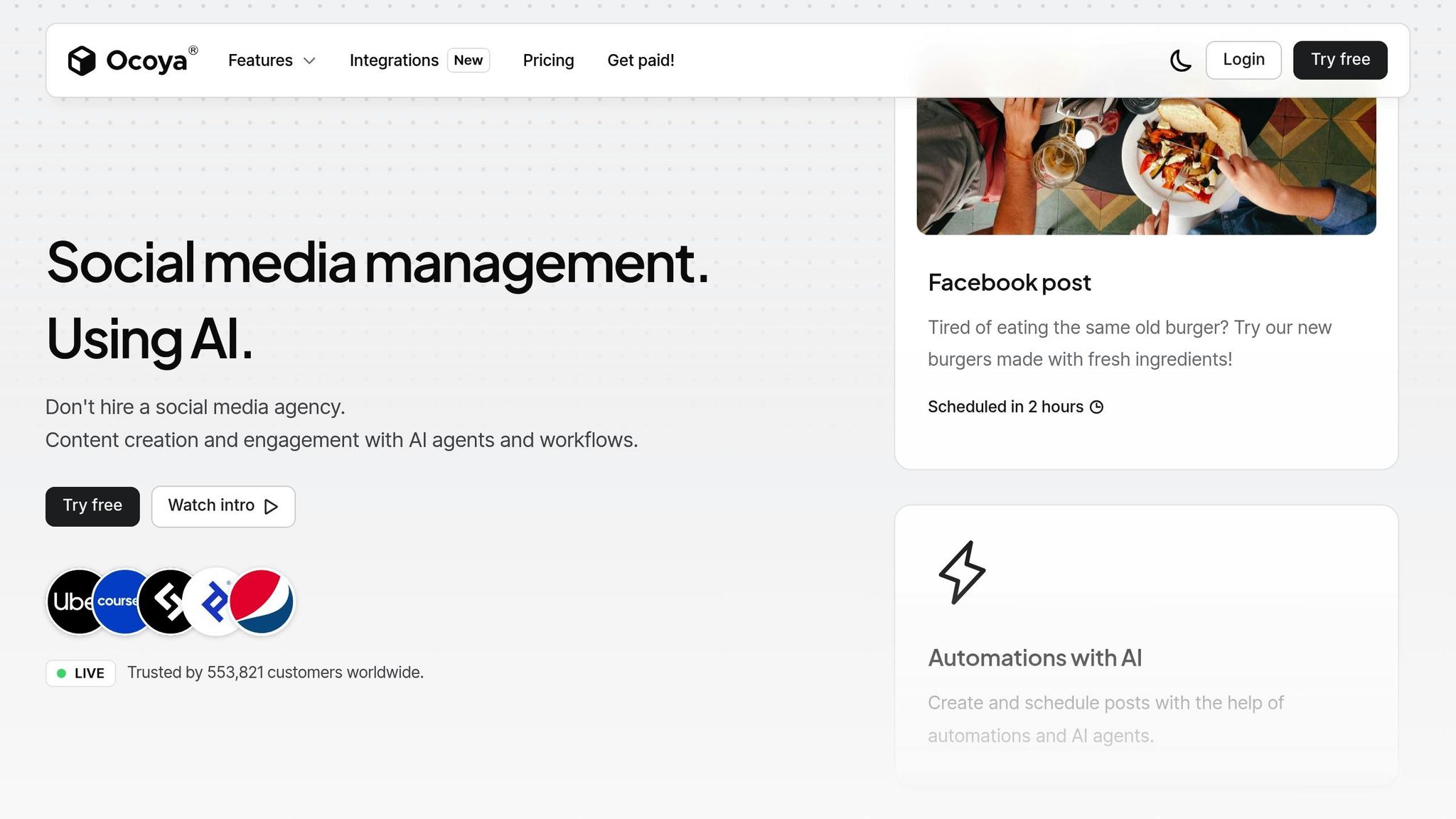
Ocoya takes the top spot with its ability to seamlessly connect content ideation, creation, and scheduling through smart automation. By combining AI tools for social media content creation, copywriting, design, scheduling, and AI-powered content tools into a single platform, Ocoya simplifies the entire process for social media managers and teams.
Workflow Chaining Capabilities
One of Ocoya's standout features is Travis AI, which handles tasks like writing captions, researching hashtags, crafting ad copy, and generating product descriptions - all within one interface. The platform also includes an AI Content Calendar that suggests posts based on past performance and engagement metrics. Plus, with native Canva integration, users can design visuals and send them directly to the scheduling queue - no need to download files or switch between tools.
AI-Powered Features
Ocoya’s e-commerce integration connects directly to your online store, making it easier to create product-focused social media posts. This integration can boost workflow efficiency by 3-5x, making it a game-changer for social media managers looking to save time and effort in 2026.
Platform Coverage and Pricing
Ocoya supports Facebook, Instagram, X (formerly Twitter), and LinkedIn, covering the major platforms for social media campaigns. With pricing starting at just $19/month, it’s a budget-friendly option for solo creators and small teams who want to streamline their social media management. Its affordable price, combined with advanced workflow automation and built-in design tools, makes Ocoya an excellent choice for those aiming to simplify and consolidate their processes effectively. To ensure your transition is seamless, follow a social media automation checklist when setting up your new workflows.
2. SocialPilot
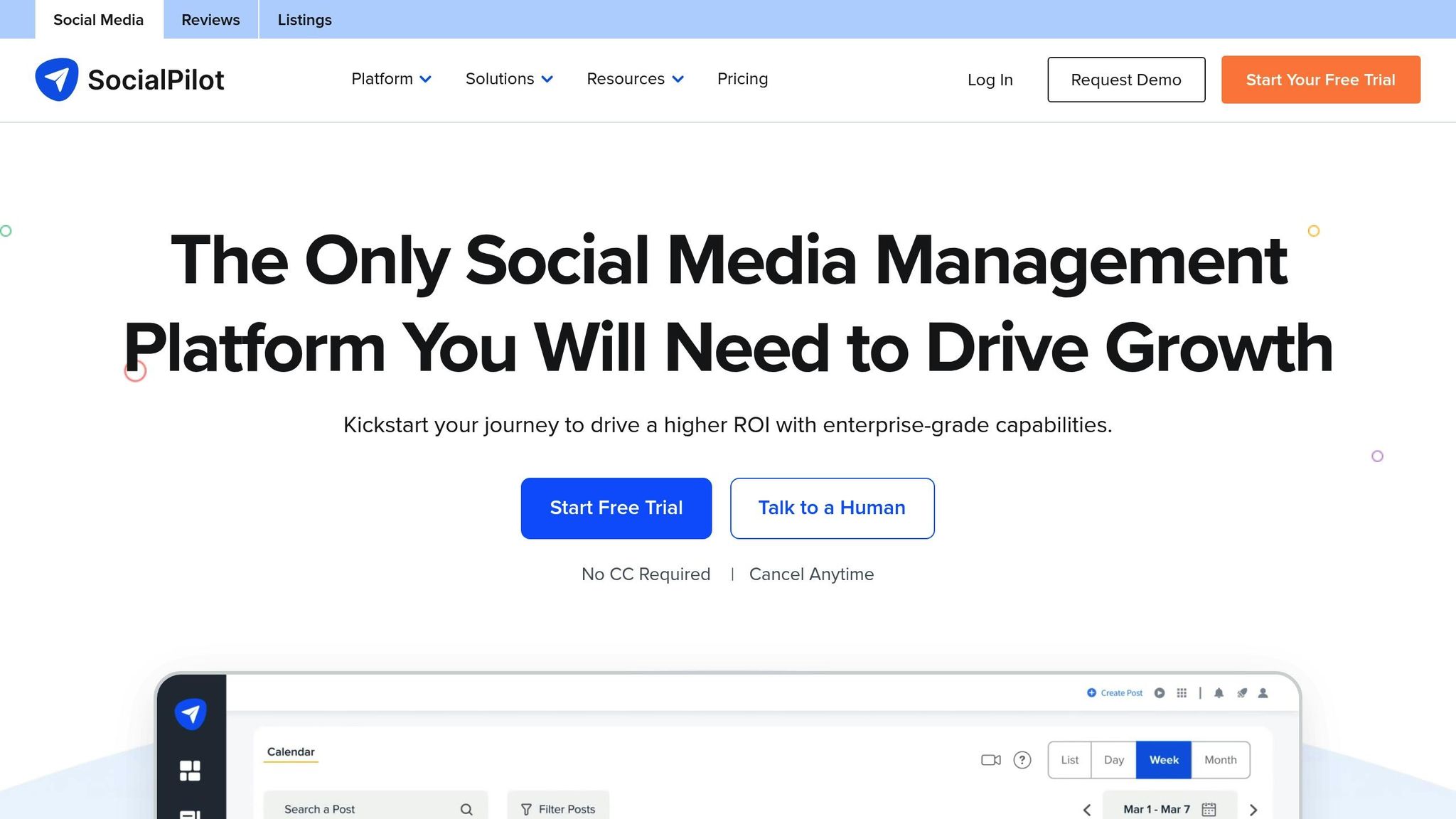
SocialPilot takes the second spot for its balance of cost-effectiveness and high-volume automation, making it a go-to choice for agencies and small businesses managing 10 or more accounts. With pricing starting at just $30/month (or $25.50/month when billed annually), it offers enterprise-level features at a fraction of the cost of comparable tools. The platform boasts a 4.5/5 rating on G2, with users frequently highlighting its user-friendly calendar and affordability for managing multiple accounts. Let’s dive into some of its standout capabilities.
Workflow Chaining Capabilities
SocialPilot doesn’t just save money - it saves time. Its bulk automation feature allows users to upload a CSV file containing up to 500 posts, which the platform then schedules across your chosen time slots automatically. To put that into perspective, Hootsuite caps at 350 posts, and ContentStudio handles 200.
Another time-saving feature is mobile approvals via magic links. Clients can review and approve content without needing to log into the platform, cutting down on delays in the approval process. For evergreen content, the repeat posts feature ensures your top-performing content stays in rotation without requiring constant manual updates.
AI-Powered Features
SocialPilot’s AI-Pilot assistant bridges the gap between content creation and execution. It generates platform-specific captions, hashtags, and even translates content into 10 different languages. It also adjusts tone and rephrases content to fit character limits for various platforms seamlessly.
G2 reviewer Kathleen M. shared her experience:
"Everything about SocialPilot makes scheduling your content from articles to post easy. The formatting of your calendar and scheduled activities with multiple social accounts could not be more clear or intuitive".
Additionally, the platform automates reporting by generating PDF reports and scheduling them for direct delivery to clients’ inboxes - another feature designed to simplify workflows.
Platform Coverage and 2026 Pricing
SocialPilot supports an impressive range of platforms: Facebook, Instagram, X (Twitter), LinkedIn, TikTok, YouTube, Pinterest, Google Business Profile, Instagram Threads, and Bluesky. It even includes unique tools like auto-converting images into PDFs for LinkedIn carousels and advanced TikTok analytics and trends.
The 2026 pricing structure is straightforward, with four tiers: Essentials ($30/month), Standard ($50/month), Premium ($100/month), and Ultimate ($200/month). All plans include a 14-day free trial, and no credit card is required to get started. Annual billing comes with a 15% discount, bringing the Essentials plan down to just $25.50/month.
With its range of features and competitive pricing, SocialPilot firmly establishes itself as a top option for social media management in 2026.
3. Buffer
Buffer secures its spot as a top choice for solopreneurs and small businesses thanks to its affordability and straightforward design. With over 190,000 creators and marketers relying on it monthly, Buffer has built a reputation as a go-to platform for anyone looking to dip their toes into AI-driven social media management. Pricing starts at just $6/month per channel for the Essentials plan, and there's even a free tier for users with basic scheduling needs.
Workflow Chaining Capabilities
Buffer serves as a complete toolkit that streamlines six essential social media tasks into one seamless workflow. It all starts in the "Create" space, where users can quickly jot down and organize content ideas. From there, the AI Assistant steps in to draft post variations and suggest hashtags directly in the composer. Teams benefit from approval workflows, where creators upload drafts and managers review and provide feedback before scheduling. Posts are then queued with "Optimal Timing" recommendations, which use historical engagement data to boost performance by 5–10% compared to manual scheduling. The process wraps up with a unified inbox for managing comments and DMs, paired with automated performance insights to highlight top-performing content.
AI-Powered Features
Buffer’s AI Assistant is baked right into the post composer, offering caption suggestions, hashtag recommendations, and fresh content ideas based on topics or URLs. It uses machine learning to analyze past engagement data , a key part of how AI is revolutionizing social media management, tailoring posting times for each connected channel instead of relying on generic recommendations. For repurposing content, the AI Assistant can break down long-form pieces into shorter, shareable posts and even translate captions to help users reach audiences worldwide.
"AI is a force multiplier for creative expression".
This quote from David Raichman, Creative Director at Ogilvy, underscores the transformative role AI plays in content creation.
Platform Coverage and 2026 Pricing
Buffer supports a wide range of platforms, including Facebook, Instagram (Feed, Carousels, Reels), LinkedIn, X (Twitter), TikTok, YouTube, Pinterest, Threads, and Bluesky. Known for its early adoption of new networks, Buffer was among the first to offer Threads API support and scheduling for Bluesky, even before these platforms introduced native scheduling options. However, it does not support Instagram Stories or LinkedIn/X thread features.
The 2026 pricing options include:
- Free Plan: For basic scheduling needs.
- Essentials: $6/month per channel, ideal for individuals and small teams.
- Team: $12/month per channel, offering collaboration tools and advanced analytics.
- Agency Plan: Around $120/month for managing up to 10 channels.
4. PostQuickAI
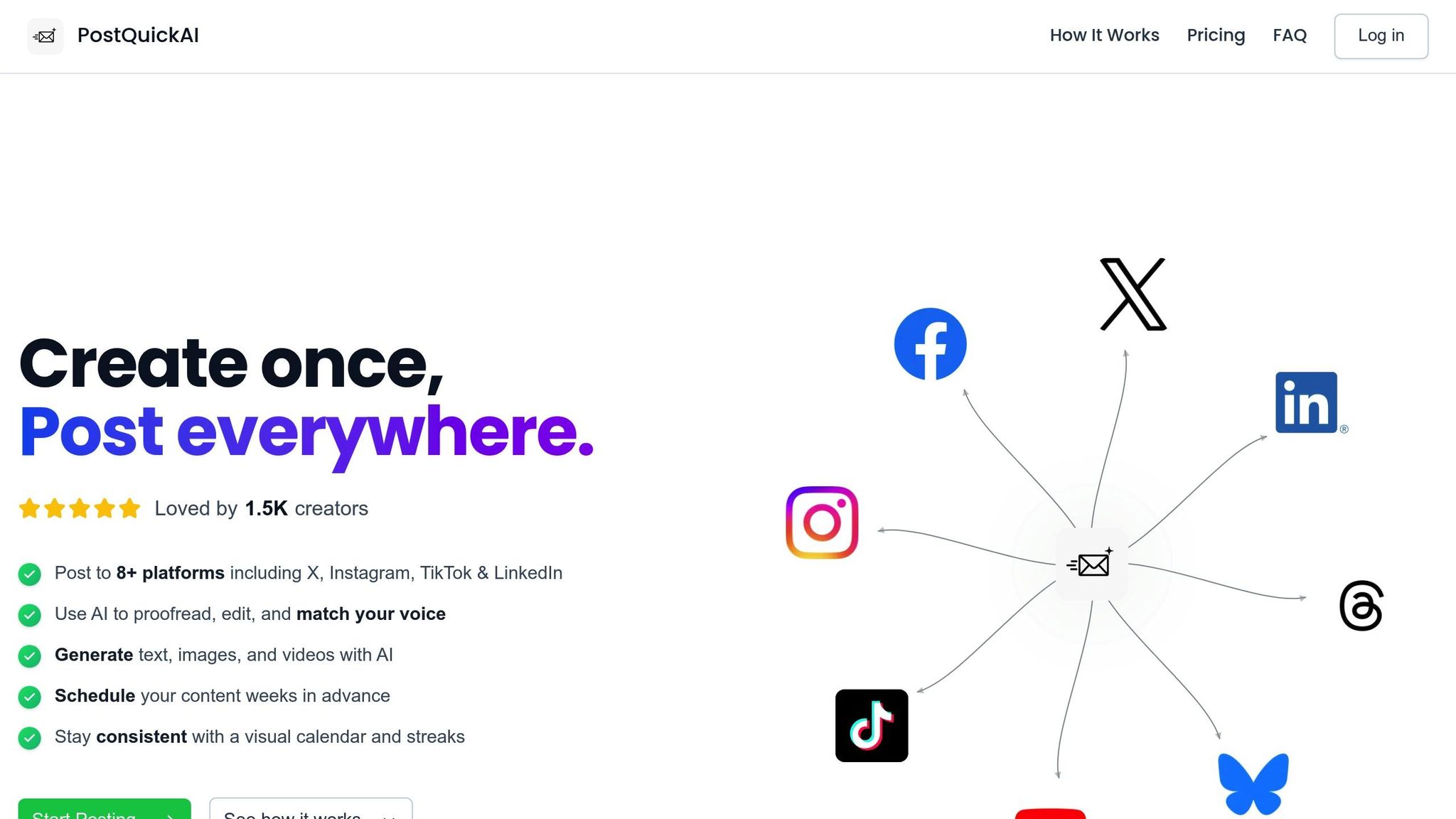
PostQuickAI puts creators first, offering a platform tailored for high-quality content creation. Starting at just $8/month for the Starter plan, it’s ideal for solopreneurs and small teams looking for AI-powered workflows without paying extra for features like analytics dashboards or social inboxes they might not need. Plus, there’s a 7-day free trial available on monthly plans. This tool is all about simplifying social media workflows as we move through 2026.
Workflow Chaining Capabilities
The workflow begins with a Brand Voice and Claims setup - a centralized document that outlines audience details, positioning statements, and verified facts. This ensures the AI generates content that’s precise and avoids generic or incorrect information. From there, you can transform one central idea into platform-specific content. For example, a LinkedIn thought leadership post can be repurposed into a snappy X (Twitter) post or even a TikTok script.
To streamline planning, the platform encourages a weekly "Idea Bank" session, where the AI can generate 2–4 weeks of content ideas in one go. These ideas are organized by content pillars and the assets needed to bring them to life. Posts then go through a 4-Pass AI Editing Stack:
- A proofread pass for clarity
- A concise pass to eliminate fluff
- A voice pass to align with brand tone
- A specificity pass to add relatable, real-world details
Finally, everything wraps up with server-side scheduling, which ensures posts go live on time, even if your device is offline.
This chaining system not only saves time but also boosts the quality of your content through advanced AI tools.
AI-Powered Features
PostQuickAI comes with AI image generation and scheduling tools, allowing you to create visuals directly within the scheduling process. No need to jump between tools - it’s all in one place. Content quality is a top priority, with a 10-Point Quality Rubric ensuring only posts scoring at least 16/20 are published. The workflow also includes "Proof Needed" columns, requiring manual evidence to maintain authenticity.
For teams worried about AI detection, the platform suggests a "human-in-the-loop QA" process. This involves adding one sentence or example that only a human could write, ensuring the content feels natural and avoids sounding robotic.
These thoughtful features make PostQuickAI a strong contender for teams focused on content creation and scheduling.
Platform Coverage and 2026 Pricing
PostQuickAI supports a wide range of platforms, including Instagram (Feed, Carousels, Reels), Facebook Pages, LinkedIn, TikTok, X (Twitter), Threads, YouTube, and Bluesky. It was one of the first platforms to offer native support for Threads and Bluesky, filling gaps left by older tools. However, the platform is focused solely on creation and scheduling, so features like Instagram Stories, LinkedIn Polls, X thread publishing, DM automation, comment auto-replies, social inboxes, and analytics dashboards are not included.
Pricing for 2026 is straightforward: the Starter Plan costs $8/month, while the Pro Plan is priced at $20/month. With 71% of social media marketers already using AI tools and 65% of organizations integrating generative AI into their workflows, PostQuickAI aligns with the growing demand for automated solutions. The platform also ensures compliance with AI labeling requirements, such as Meta’s “Made with AI” tags and TikTok’s AIGC disclosures. By reducing manual tasks, PostQuickAI contributes to a smooth, automated social media workflow, making it a valuable tool for creators.
5. Hootsuite
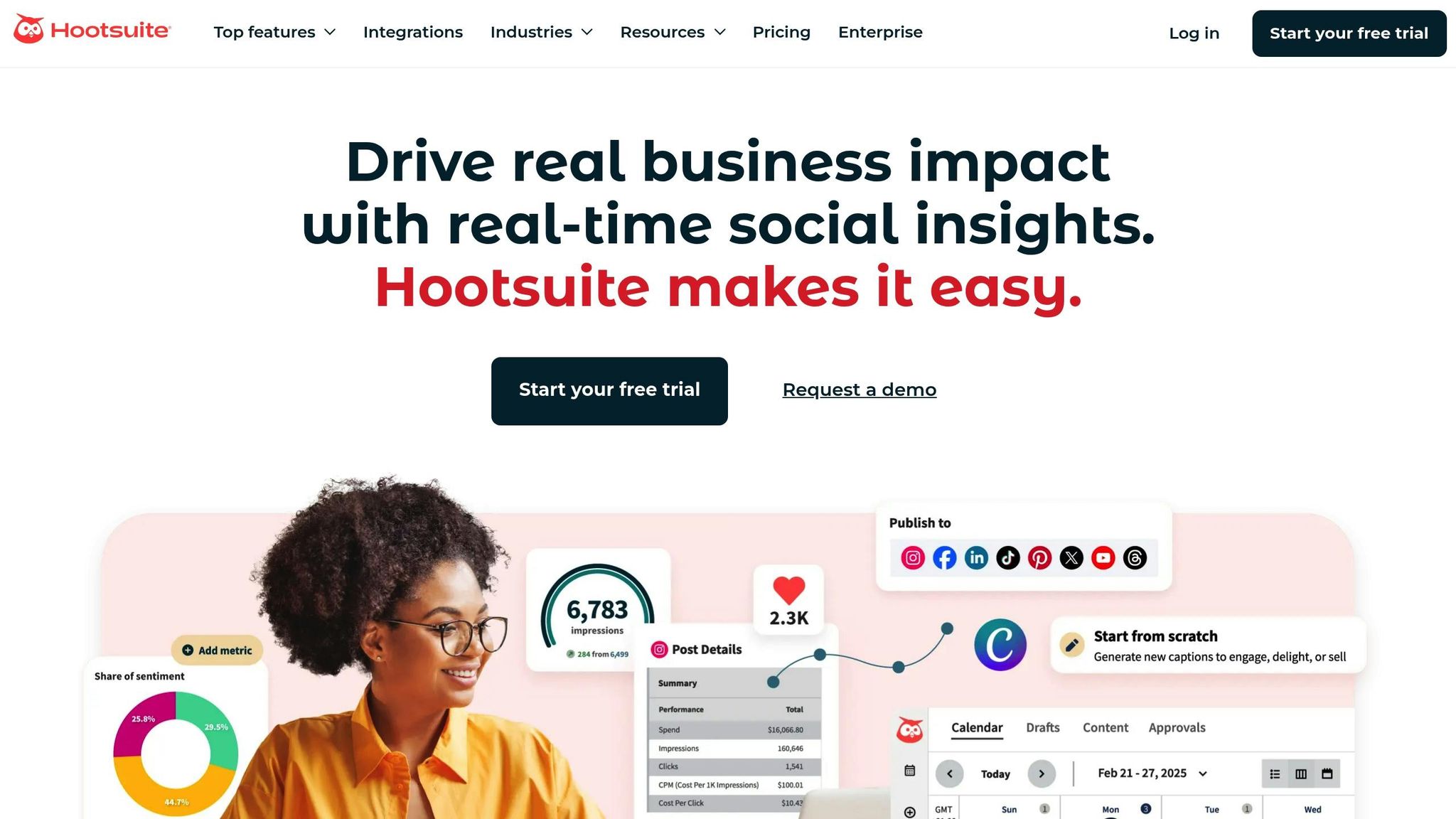
Hootsuite serves as a control hub for teams managing intricate, multi-platform social media strategies. With pricing starting at $99/month for the Professional Plan, it’s tailored for mid-sized teams that require advanced tools like scheduling, CRM integration, and content governance. Globally, the platform supports over 18 million users.
Workflow Chaining Capabilities
Hootsuite seamlessly connects social media activity with broader business processes. For example, it integrates directly with Salesforce and HubSpot, allowing teams to sync social data with CRMs to track leads from the first interaction to conversion. Enterprise users benefit from its approval workflows, ensuring every piece of content goes through proper oversight before being published across multiple channels.
The platform also includes a Canva integration, enabling users to design visuals and schedule posts without leaving the dashboard. Hootsuite Amplify takes things further by turning employees into brand advocates, automating corporate content sharing to their networks. Add to that the Auto-DM feature, which engages new followers automatically, bridging the gap between social interaction and lead management.
These integrations are enhanced with AI tools that focus on making content creation and management more efficient.
AI-Powered Features
Hootsuite’s OwlyWriter AI simplifies content creation by generating captions, suggesting hashtags, and repurposing top-performing posts for different platforms. It can even distill long articles into bite-sized social posts and apply established copywriting frameworks like AIDA or PAS. The "Best Time to Post" feature analyzes historical data to schedule content when engagement is likely to peak, reportedly increasing interaction by 5–10%.
TalkwalkerAI adds another layer by offering real-time trend predictions and sentiment analysis, transforming social data into actionable insights. Hootsuite Heyday automates replies to comments and direct messages, delivering a high level of engagement automation expected to set the standard by 2026. For bulk scheduling, the platform can handle up to 350 posts at once, saving professionals over 130 hours annually through automation. Together, these AI tools aim to multiply efficiency by automating repetitive tasks in content creation and engagement.
"AI tools are now table stakes - but authenticity is the differentiator for successful brands and powerful consumer connections." – Hootsuite 2026 Social Trends Report
Platform Coverage and 2026 Pricing
Hootsuite supports a wide range of platforms, including Facebook, Instagram, X (Twitter), LinkedIn, TikTok, YouTube, Pinterest, Threads, and Google Business Profile. Pricing starts at $99/month for the Professional Plan (1 user, 10 social accounts). The Team Plan, designed for 3 users managing up to 20 accounts, costs $249/month, while the Enterprise Plan offers custom pricing for organizations needing advanced features. A 30-day free trial is available for new users.
Rated 4.2/5 on G2 and 4.4/5 on Capterra, Hootsuite is often praised for its content scheduling tools and analytics. However, some users note that premium features, like sentiment analysis, may incur additional costs. Even so, Hootsuite remains a solid choice for teams in need of CRM integration and enterprise-level workflow oversight.
sbb-itb-b3cfc51
6. ContentStudio
ContentStudio is built for teams that need a steady flow of social content without the hassle of manual creation. It starts with a free trial and offers paid plans designed to scale. Powered by AI, it highlights trending, industry-specific content. This aligns with the growing trend of workflow automation found in many top-performing AI tools. It's a go-to solution for agencies and brands that often struggle to keep their content calendars full.
Workflow Chaining Capabilities
One of ContentStudio's standout features is its Automation Recipes. These workflows take care of routine tasks like pulling content from RSS feeds, recycling evergreen posts, and distributing videos across platforms. They even include collision detection to prevent team members from responding to the same message simultaneously. For instance, you can create a recipe to automatically share your latest blog posts from an RSS feed to Facebook, LinkedIn, and X (Twitter) within minutes of publication.
The platform also features a drag-and-drop calendar for quick rescheduling and a unified inbox that routes conversations to team members based on keywords or topics. It even offers canned responses for frequently asked questions. This setup streamlines the entire process - from discovering content to publishing it and engaging with audiences - all in one place. These connected workflows enable seamless AI-driven content customization.
AI-Powered Features
ContentStudio's AI tools simplify content creation and repurposing. The AI composer generates captions and social copy directly within the platform, while its repurposing tool transforms long-form blog posts into updates ready for various platforms. The discovery engine goes a step further by ranking content based on its engagement potential, ensuring you're sharing material likely to connect with your audience.
This combination of content discovery and creation tools can save significant time otherwise spent searching for shareable material or brainstorming ideas. However, the platform does come with a steeper learning curve and supports fewer platforms in its social inbox compared to some competitors. Still, for teams focused on automation and efficient content strategies, ContentStudio delivers a powerful mix of tools to streamline workflows and reduce manual effort.
7. FeedHive
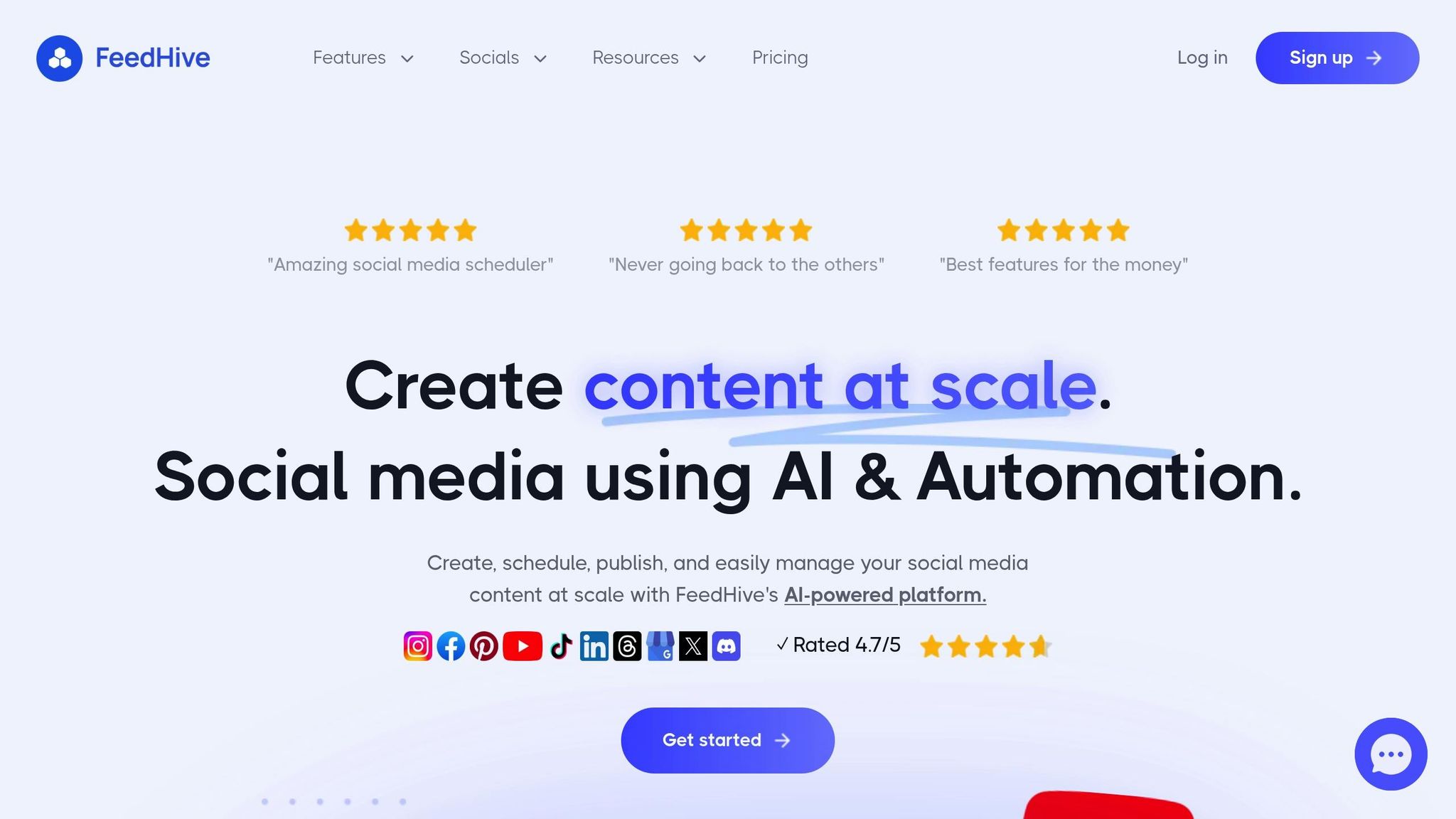
FeedHive is all about content multiplication - maximizing the reach and impact of every idea. Unlike tools that only handle scheduling, FeedHive is built for creators and small teams to work smarter. It operates at what’s called the "reuse and optimization layer", transforming a single strong post into multiple platform-ready variations without starting from scratch every time. With a 4.6/5 rating based on 25 days of testing in 2026, it’s been praised for its speed and ability to maintain a consistent brand tone.
Workflow Chaining Capabilities
FeedHive takes content reuse to another level with its workflow chaining features. You can assign posts to specific themes - think "Motivation Monday" or "Product Tips" - and the platform will automatically schedule them throughout the week. Once scheduled, posts queue up automatically, and if a post performs well (based on engagement thresholds), the AI triggers follow-up actions. For example, it might post a comment with a link or a discount offer. This ensures that performance data directly drives your next steps.
Another standout feature is its ability to recycle high-performing evergreen content. FeedHive brings your best posts back into circulation at the right times without you having to lift a finger. Plus, its platform-aware adaptation ensures that your messaging is tailored for each social network. From creating variations to distributing content across platforms, FeedHive handles it all seamlessly.
AI-Powered Features
FeedHive’s AI Writing Assistant uses advanced natural language processing to generate posts from simple prompts while offering advice on how to boost social media performance. One of its most impressive tools, the Predictive Performance Engine, analyzes your content before it’s published, estimating engagement rates—similar to how tools like Sociable AI predict viral content—so you can fine-tune posts for better results. Additionally, its AI-powered recycling tool takes past posts and remixes them into fresh variations, ready for use on the same or different platforms.
The platform supports 10+ social networks, including Facebook, Instagram, LinkedIn, X (Twitter), TikTok, Threads, and Bluesky. However, features like AI hashtag suggestions and performance predictions are only available on higher-tier plans. By combining predictive analytics with content recycling, FeedHive simplifies and supercharges your social media workflow.
2026 Pricing Plans
FeedHive’s pricing reflects its focus on creators and small teams. The Creator Plan starts at $15/month when billed annually or $19/month if you go month-to-month. This plan covers up to 4 social accounts, making it an affordable choice for solo creators and small businesses prioritizing content repurposing. While the entry-level plan includes core AI writing and scheduling tools (comparable to CreativAItor’s automation features), access to more advanced features like predictive analytics and hashtag optimization requires an upgrade to a higher-tier plan.
Side-by-Side Comparison Table
Here's a breakdown of seven AI workflow suites, highlighting their core features, platform compatibility, and pricing. This comparison is designed to help you pinpoint the best option for your budget and social media strategy in 2026.
One key difference lies in automation levels. For example, Buffer and PostQuickAI stick to basic scheduling and AI-assisted content creation (Levels 1–2), while Hootsuite stands out with autonomous engagement (Level 3). Ocoya offers a "set it and forget it" approach with AI writing, design, and RSS/ecommerce triggers, while SocialPilot focuses on team collaboration through built-in approval systems.
Platform support also varies. SocialPilot supports the most platforms, covering 10 networks, including Threads and Bluesky. FeedHive and Buffer support 9+ platforms, while Ocoya and ContentStudio each cover 8, with ContentStudio emphasizing content discovery.
AI capabilities range from simple caption generation to advanced analytics. FeedHive’s Predictive Performance Engine estimates engagement rates before posting. Hootsuite’s OwlyWriter can turn URLs into social posts and even manage DM replies with AI assistants. Ocoya supports text-to-image generation in 28 languages, while SocialPilot fine-tunes content tone across 10 languages.
Here’s a quick comparison of each suite's workflow, platform reach, AI tools, pricing, and overall score:
| Rank | Tool | Workflow Steps | Platforms Supported | AI Capabilities | Starting Price | Score |
|---|---|---|---|---|---|---|
| #1 | Ocoya | AI Writing → Image Gen → RSS/Ecommerce Triggers → Auto-Schedule | 8 (FB, IG, X, LI, TT, Pin, YT, GBP) | Text-to-image, 28 languages, RSS automation | $15/month | 9.2/10 |
| #2 | SocialPilot | Content Gen → Tone Adjust → Team Approval → Publish | 10 (FB, IG, X, LI, TT, YT, Pin, GBP, Threads, Bluesky) | AI Pilot, 10-language translation, tone control | $30/month | 8.9/10 |
| #3 | Buffer | AI Caption → Optimal Timing → Schedule → Analytics | 9 (FB, IG, X, LI, TT, Pin, YT, Threads, Bluesky) | AI Assistant, personalized timing, hashtag suggestions | $6/month per channel | 8.7/10 |
| #4 | PostQuickAI | Caption Gen → Tone Analysis → Proofread → Image Gen | 8 (IG, FB, LI, X, TT, YT, Threads, Bluesky) | Tone analysis, proofreading, AI image creation | $8/month | 8.5/10 |
| #5 | Hootsuite | OwlyWriter → URL-to-Post → Auto-Publish → AI DM Replies | 9 (FB, IG, X, TT, LI, YT, Pin, Threads, GBP) | Level 3 autonomous engagement, AI comment/DM replies | $99/month | 8.4/10 |
| #6 | ContentStudio | Content Discovery → AI Caption/Image → RSS Import → Schedule | 8 (FB, IG, X, GBP, LI, TT, YT, Pin) | Content discovery AI, automated RSS feeds | $25/month | 8.1/10 |
| #7 | FeedHive | AI Write → Predict Engagement → Auto-Variations → Recycle | 8 (FB, IG, LI, X, TT, YT, Pin, GBP) | Predictive analytics, automated recycling, performance triggers | $19/month | 7.8/10 |
Buffer offers the most affordable entry point at $6 per channel monthly, while Hootsuite caters to enterprise needs with features starting at $99/month. Mid-range tools like ContentStudio ($25/month) and FeedHive ($19/month) strike a balance between cost and functionality.
How to Build Your First AI Social Workflow in 8 Steps
Creating an AI-powered workflow transforms tedious manual tasks into an automated system that turns raw ideas into ready-to-post content.
Start by crafting a Brand Voice + Claims Pack - a concise document (one to two pages) outlining your audience, positioning, and 3–10 verified facts to keep AI-generated content accurate and free of errors like "hallucinations". Then, define 3–5 content pillars to guide the AI's focus. Use tools like Notion or Airtable to collect and organize ideas in one place. Next, integrate these tools with AI models (such as GPT-4 or Claude) and communication platforms like Slack to streamline the process of turning ideas into content.
Once an idea's status changes to "Ready", the system can automatically trigger content drafting. From there, tailor the content for each platform.
A key step is implementing a human review process. Use Slack or email to review drafts for errors and ensure the content feels genuine. Only after approval should the content move to a scheduling platform like Buffer, SocialPilot, or Hootsuite for publishing. This strategy has proven effective - take the Fort Worth Report, for example. By using Social News Desk's automation tools in January 2026, they cut their cost per lead by 30% and increased subscribers by 43%.
Here's a YAML template that outlines this workflow:
workflow:
  name: AI Social Media Foundry
  trigger:
    platform: Notion
    condition: status_change == "Generate Posts"
  steps:
    - action: generate_content
      model: GPT-4o
      prompt: "Use {{core_idea}} to write a LinkedIn post and X thread based on {{brand_voice_pack}}."
    - action: generate_visual
      tool: DALL-E-3
      prompt: "Create a professional graphic for {{pillar}}."
    - action: notify_approval
      platform: Slack
      channel: "#social-approvals"
      content: "{{draft_content}} and {{image_url}}"
    - action: schedule_post
      platform: Buffer
      condition: on_approval == true
Avoiding Common Pitfalls
To make this workflow effective, steer clear of these mistakes:
- Publishing raw AI output: Always include at least one human-written sentence to add a personal touch.
- AI making up statistics: Add a "Proof Needed" column in your database to ensure claims are verified before content generation.
- Over-automating engagement: While drafting replies can be automated, manually send them to keep interactions authentic.
Advanced Strategies and User Success Stories
Once you've mastered foundational workflows, advanced techniques can take automation results to the next level.
One powerful approach is connecting multiple AI systems within your automation suite. This creates a compounding effect on efficiency. For example, marketers often link AI tools for brainstorming, refining, and scheduling, transforming a single idea into ready-to-post content for platforms like LinkedIn, Instagram, and X in under five minutes. Some setups go even further with conditional posting, where AI monitors engagement levels and automatically triggers follow-up actions when specific thresholds are met.
A/B testing has also become more dynamic with automation. Tools like AdCreative.ai can now generate 10–30 variations of hooks - ranging from curiosity-driven to contrarian styles - and automatically adjust schedules based on performance. The best-performing creative is then repurposed as organic content across multiple channels, boosting ROI without requiring manual effort.
Predictive AI for content repurposing is another game-changer. By analyzing historical performance data, these systems suggest fresh ways to reframe or redistribute existing content. Some platforms even use visual AI to assign "viral potential scores" to posts before they go live, while others apply insights from previous campaigns to fine-tune future content themes. One marketer reported cutting content creation time by 70% in 2026 using this method.
Real-world examples highlight how these strategies deliver results. Instacart's CEO, Fidji Simo, shared:
"Gumloop has been critical in helping all teams at Instacart - including those without technical skills - adopt AI and automate their workflows, which has greatly improved our operational efficiency".
David Phelps, VP at Albert, added:
"With Gumloop, any team member can now identify a manual process and turn it into an automated workflow without writing a single line of code".
The benefits extend across industries. For instance, the Fort Worth Report reduced its cost per lead by 30% and increased subscribers by 43% in January 2026, thanks to Social News Desk's automation tools.
Conclusion
| Business Type | Recommended Tool | Monthly Investment | Primary Benefit |
|---|---|---|---|
| Solopreneur | Buffer / PostQuickAI | $6–$8 | Lowest cost; simple AI drafting |
| SMB / Agency | SocialPilot / ContentStudio | $30–$49 | Bulk scheduling; client workflows |
| Mid-Market | Hootsuite | $99+ | Social listening; team collaboration |
| Enterprise | Sprout Social | $199+ | CRM integration; sentiment analytics |
AI workflow automation in 2026 presents diverse solutions tailored to different needs. For instance, Ocoya provides full automation, while SocialPilot is ideal for agencies managing intricate workflows. On the other hand, solopreneurs might prefer budget-friendly options like Buffer or PostQuickAI, priced at $6–$8 per month. Teams looking for advanced analytics often turn to Hootsuite.
With 71% of social media marketers already using AI tools and reporting time savings of around five hours per week, these tools can also enhance engagement by 5–10%.
When choosing the right platform, keep these factors in mind: your budget, the platforms you need to support (such as Threads or Bluesky), and the complexity of automation required. Solopreneurs often benefit from straightforward tools like Buffer, while agencies may rely on features like bulk scheduling and approval workflows offered by SocialPilot or ContentStudio. Teams that prioritize data-driven strategies should explore Hootsuite's analytics capabilities.
The industry has evolved significantly, moving beyond simple scheduling to AI-powered engagement. These tools now operate on three levels: Level 1 covers basic scheduling, Level 2 includes AI-driven content creation and repurposing , such as automated reel creation, and Level 3 focuses on autonomous engagement. Select a tool that aligns with your current needs but also allows for growth as your automation demands increase.
To make an informed decision, take advantage of free trials from your top two choices. Use your most complex content formats - such as multi-image carousels, automated video Reels, or LinkedIn posts - to evaluate how well each tool fits your workflow and supports your team.
FAQs
What should I look for in an AI workflow tool for social media?
When picking an AI workflow tool for social media, it’s important to focus on features that match your goals while saving you time. Start by looking into the tool’s automation features, like scheduling posts, creating content, and tracking analytics. Some tools even come with extras like multi-platform auto-repurposing or predictive content suggestions, which can make your workflow much smoother.
You’ll also want to check the tool’s platform compatibility. Does it support both well-known platforms and newer ones? Look for features like auto-clipping for videos or easy publishing for Reels to ensure it fits your needs. Another key factor is AI customization - tools that can match your brand’s style or create visuals tailored to your audience can help maintain consistency and engagement.
Lastly, think about pricing and scalability. Go for a tool that fits within your budget, offers flexible plans, and can grow with your needs. By keeping these points in mind, you’ll find a tool that not only simplifies your workflow but also delivers results you can measure.
How can AI-powered workflows improve social media efficiency and engagement?
AI-powered workflows make managing social media a breeze by automating repetitive tasks like content creation, scheduling, and performance tracking. These workflows connect processes seamlessly - think generating captions, designing visuals, and even recommending the best times to post. The result? Teams can save up to 60% of their time, allowing them to post more consistently and focus on strategy. That’s crucial, especially since people spend over 2 hours a day scrolling through social media.
On top of that, AI tools take engagement to the next level. Features like auto-repurposing content for various platforms, running A/B tests to fine-tune posts, and providing real-time replies to comments or messages all contribute to creating meaningful, timely interactions. These personalized touches not only strengthen relationships with your audience but also build loyalty. By turning social media management into a strategy-focused, ROI-driven process, AI workflows can boost efficiency by 3 to 5 times while driving better engagement.
What sets Level 1, Level 2, and Level 3 AI workflows apart in social media automation?
The differences between Level 1, Level 2, and Level 3 AI workflows come down to how much complexity and automation they bring to the table.
- Level 1 workflows handle the basics, like scheduling posts across different platforms. Think of this as the entry point for AI in social media - a simple yet effective way to streamline posting.
- Level 2 workflows step things up by using AI to create content. This includes generating captions, designing visuals, and even repurposing old content. It’s a big time-saver, cutting down on manual work and speeding up the content creation process.
- Level 3 workflows take automation to the next level. At this stage, AI can respond to comments and direct messages, analyze trends as they happen, and fine-tune how content is distributed. Essentially, it can manage nearly every aspect of social media with very little human involvement.
These levels show how AI evolves from handling simple tasks to running entire social media operations almost independently, with Level 3 providing the most advanced automation and efficiency.