LinkedIn is the B2B goldmine in 2026 with 1.2 billion members, but let’s face it - manually sending connection requests and follow-ups? Total time sink. That’s where LinkedIn lead gen tools come in, automating outreach, follow-ups, and data extraction. But here’s the kicker: automation isn’t risk-free. 23% of users get hit with account restrictions within 90 days, thanks to LinkedIn’s strict policies and detection systems.
The good news? The best tools today are smarter and safer. Think AI personalization, cloud-based setups, and dedicated residential IPs that mimic human behavior. Whether you’re solo, running an agency, or part of a big sales team, there’s a tool for every budget - from $10/month browser extensions to $1,999/month enterprise platforms.
Quick takeaway? Cloud-based tools like Expandi are safer (9/10 safety rating), while budget-friendly browser extensions like Dux-Soup come with higher detection risks. Want multi-channel outreach? Waalaxy mixes LinkedIn with email for under $35/month. Bottom line: prioritize safety, scale, and budget to find your perfect fit.
Here’s a quick comparison of standout tools:
| Tool | Best For | Price | Safety Rating | Key Features |
|---|---|---|---|---|
| Expandi | Agencies, high safety | $99/month | 9/10 | Dedicated IP, LinkedIn + Email |
| Dripify | Solo users, easy automation | $39/month | 7/10 | Drag-and-drop builder, 800 conn/mo |
| SalesRobot | Security + personalization | $59/month | 10/10 | AI messaging, mobile API |
| Waalaxy | Budget multi-channel | $33/month | 7/10 | LinkedIn + Email, free tier |
| Dux-Soup | Low-cost automation | $14.99/month | 6/10 | Profile visits, endorsements |
Ready to scale your LinkedIn game? Let’s break down the top tools reshaping outreach in 2026.
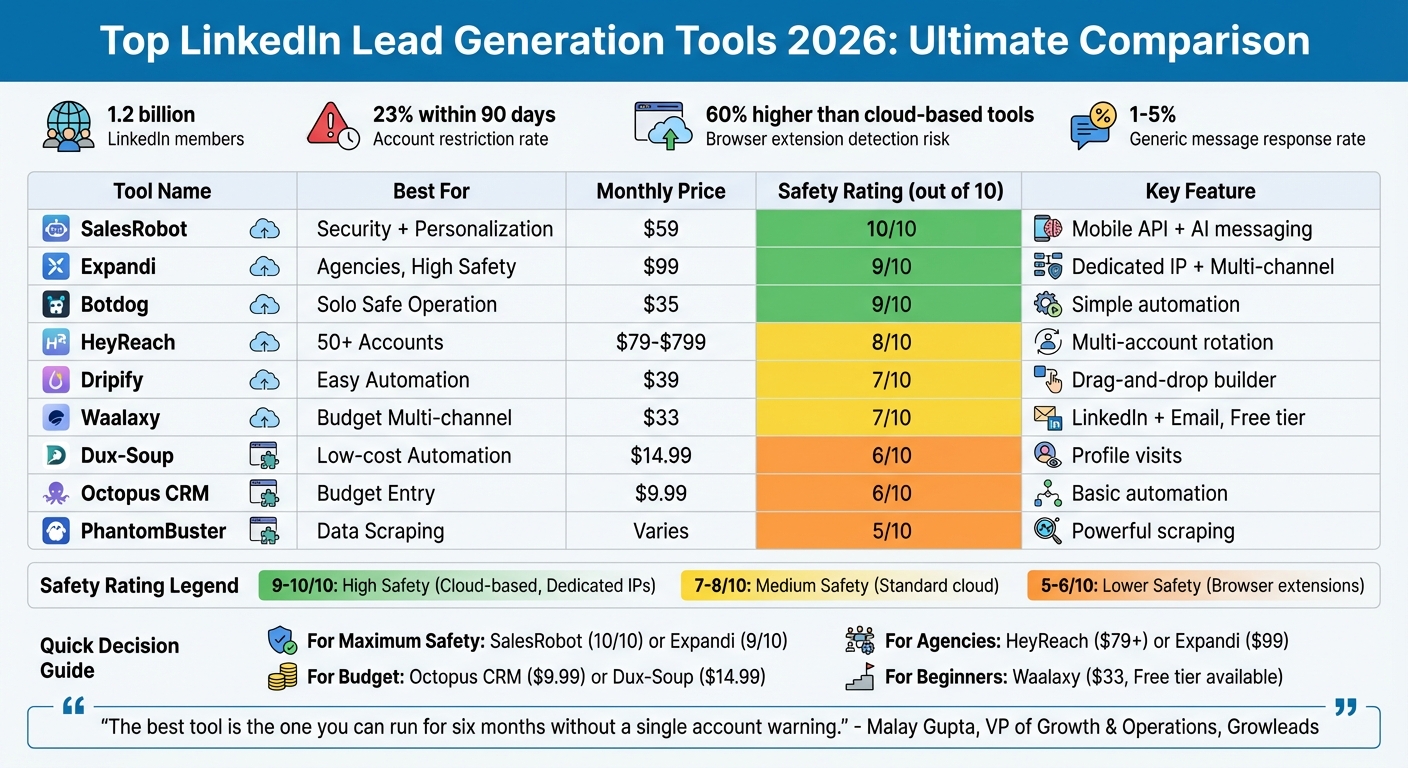
Top LinkedIn Lead Generation Tools 2026: Safety Ratings, Pricing & Features Comparison
I Ranked 16 LinkedIn Automation Tools From Best To Worst - (Lemlist, HeyReach, Expandi, Dripify)
sbb-itb-b3cfc51
Quick Comparison Table
When it comes to picking the right LinkedIn lead generation tool, a side-by-side comparison can save you a ton of time. Below, you'll find a quick table breaking down key features, pricing, and safety ratings to help you zero in on the best fit for your needs.
Here's a key takeaway: cloud-based tools like Expandi and Dripify tend to rank higher in safety thanks to their use of dedicated residential IPs. On the other hand, browser extensions like Dux-Soup come with a 60% higher detection risk. If keeping your LinkedIn account secure is a top concern, stick to tools with a safety rating of 9/10 or higher.
Multi-channel platforms like Waalaxy also stand out by blending LinkedIn outreach with email sequences, even switching channels automatically if a prospect doesn’t respond.
| Tool | Ideal For | 2026 Price | Main Features | Safety Rating | Integrations | User Rating |
|---|---|---|---|---|---|---|
| Dripify | Full automation | $39/mo | 15+ actions, email, 800 conn/mo | 7/10 (Medium) | Zapier, CRM | 4.5/5 |
| Waalaxy | AI prospecting | ~$33/mo | LinkedIn + Email, Free tier | 7/10 (Medium) | HubSpot, Salesforce, Pipedrive | 4.6/5 |
| Expandi | Safe cloud outreach | $99/mo | Dedicated IP, Smart sequences | 9/10 (High) | Zapier, Webhooks, CRMs | 4.8/5 |
| Dux-Soup | Budget automation | $14.99/mo | Profile visits, Endorsements | Medium | Salesforce | 4.4/5 |
| La Growth Machine | Multichannel | $60/mo | All-in-one cold outreach | High | 100+ apps | 4.8/5 |
"The best tool is the one you can run for six months without a single account warning." - Malay Gupta, VP of Growth & Operations, Growleads
Pricing for these tools ranges from free options to $99 per month, with most falling between $29 and $99. While tools like Expandi may cost more, their dedicated residential IPs cut restriction risks by over 50%. If you're serious about LinkedIn outreach, investing in safer, cloud-based options might be worth the extra cost.
Top 5 LinkedIn Lead Generation Tools – Detailed Reviews
Below are reviews of five standout LinkedIn lead generation tools shaping 2026.
1. Expandi
Best for: Agencies and SDRs focused on account safety and multi-channel campaigns.
Expandi takes LinkedIn safety seriously by assigning each user a dedicated residential IP, which mimics real browsing behavior and avoids detection risks. Unlike tools that share IP pools, this feature ensures a more secure experience. Its multi-channel capabilities allow LinkedIn and email to work together seamlessly, switching between them if a prospect doesn’t respond. You can even set up detailed if/then workflows. For example, if someone accepts your connection but doesn’t reply within three days, the system can automatically send a follow-up email.
Pricing: Plans start at $99/month per seat with full access to all features from the beginning.
Key Features:
- Dedicated residential IPs for each user
- LinkedIn + Email sequences with smart automation
- Webhook integrations with HubSpot, Salesforce, and Zapier
Who It's For: Outbound teams, agencies managing client accounts, and anyone prioritizing security over cost.
Pros:
- High safety standards with dedicated IPs
- Operates 24/7 in the cloud (no need to keep your computer on)
- Advanced multi-channel sequences
Cons:
- Steeper learning curve compared to simpler tools
- Higher monthly cost than browser-based extensions
- No free trial; requires upfront payment
User Rating: 4.8/5 on G2 (121 reviews)
Next, let’s dive into Dripify, a tool designed for effortless automation.
2. Dripify
Best for: Solo entrepreneurs and busy professionals who want automation without the hassle.
Dripify’s drag-and-drop campaign builder makes creating outreach sequences a breeze. Visualizing the entire customer journey - everything from connection requests to follow-ups - is simple and intuitive. Since it’s cloud-based, it works 24/7 without needing your computer to stay on, making it a lifesaver for multitaskers.
Pricing: Starts at $39/month (billed annually) for the Basic plan. Pro and Advanced plans are $59/month and $99/month, respectively. A 7-day free trial is included.
Key Features:
- Drag-and-drop campaign builder
- Up to 800 connection requests per month on premium plans
- Integrations with Zapier and major CRMs
- Works with all LinkedIn account types (Free, Premium, Sales Navigator)
Who It's For: Founders, consultants, and small teams needing a simple yet effective automation tool.
Pros:
- One of the easiest visual campaign builders available
- Cloud-based, so it runs continuously without manual input
- Free trial lets you explore before committing
Cons:
- Costs rise quickly when adding team members
- Basic plan limits you to one active campaign
- Customer support response times can be slower
User Rating: 4.5/5 on G2 (322 reviews)
Now, let’s look at SalesRobot, which blends AI-powered personalization with top-notch security.
3. SalesRobot
Best for: Teams prioritizing security and personalized outreach.
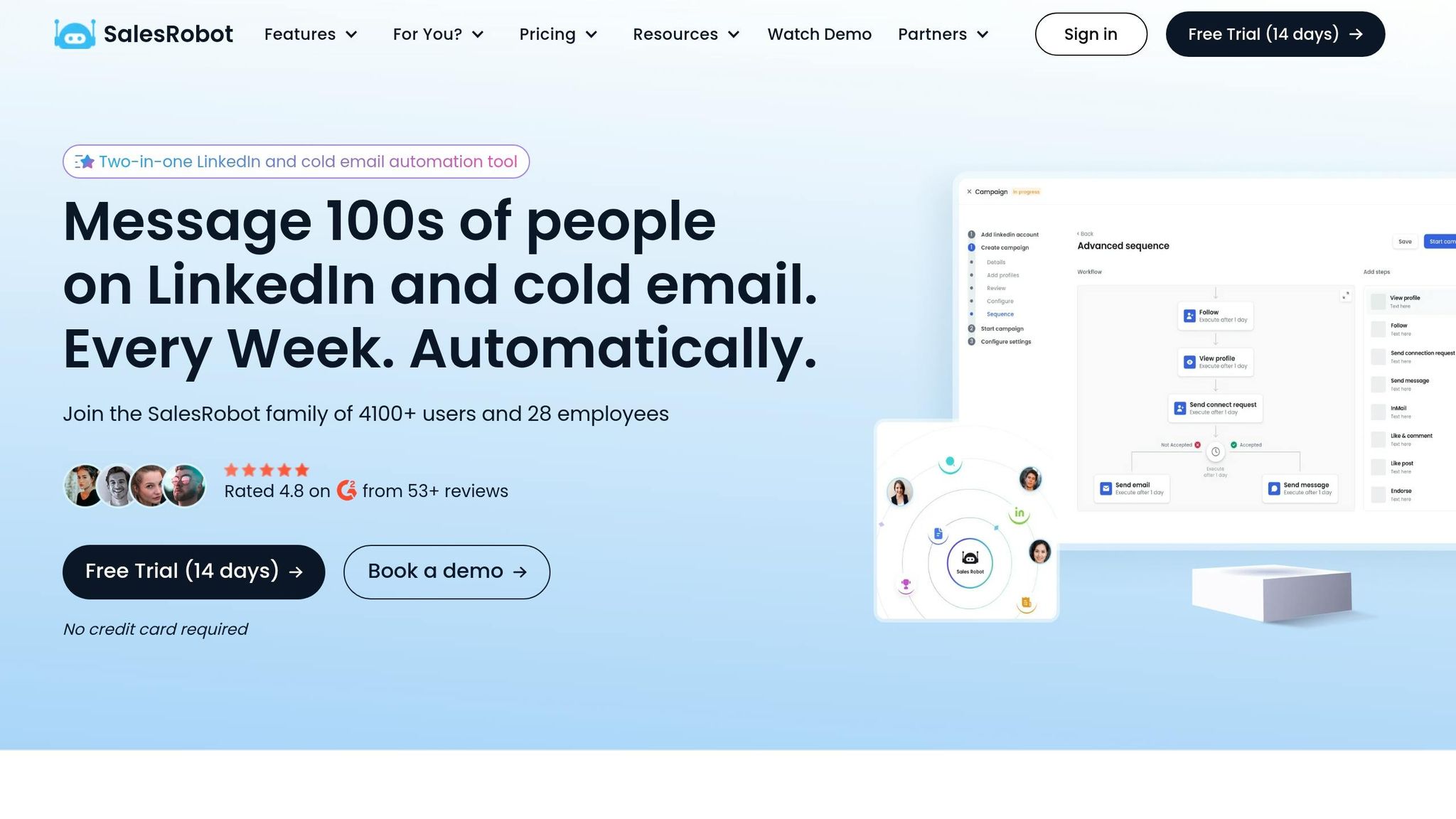
SalesRobot leans into safety with mobile API integration and dedicated residential IPs, simulating how real users interact with LinkedIn via mobile devices. On top of that, its AI-driven personalization tools craft tailored messages by analyzing a prospect’s recent activity - like posts, job updates, or company news. To maintain authenticity, all AI-generated messages require human approval before being sent.
Pricing: Starts at $59/month, with a Professional plan at $99/month.
Key Features:
- Mobile API integration for added security
- AI-generated personalized messages (human review required)
- Dedicated residential IPs
- Multi-channel support for LinkedIn and Email
Who It's For: Sales teams and agencies that need both security and advanced personalization.
Pros:
- Strong customer support and excellent safety features
- Combines mobile API and residential IPs to avoid detection
- AI personalization can boost reply rates significantly (e.g., from 12% to 23%)
Cons:
- Higher price compared to entry-level tools
- Manual review for AI messages can slow down workflows
- Not ideal for users seeking fully automated outreach
In January 2026, Jeremy Dixon from Elevate Clients reported a 44% reply rate on cold outreach campaigns using SalesRobot’s automation and safety features.
For those on a budget, Waalaxy offers an affordable option.
4. Waalaxy
Best for: Freelancers, solopreneurs, and startups looking for cost-effective tools.
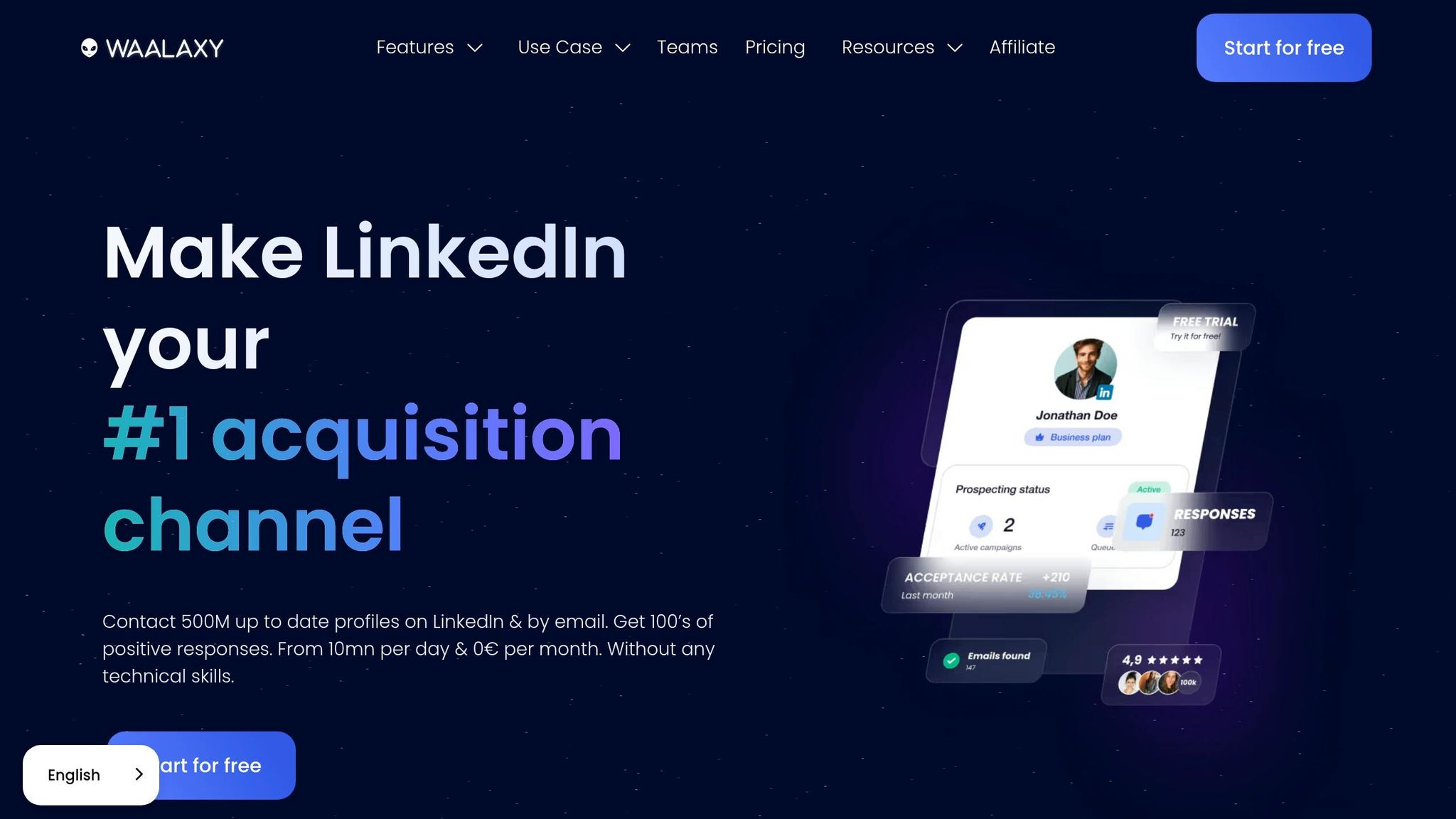
Waalaxy keeps things simple with a beginner-friendly Chrome extension and a free tier that allows up to 80 invites per month. It automatically switches to email if a prospect doesn’t respond on LinkedIn, ensuring consistent follow-ups. However, since it’s a browser extension, it requires your computer to stay on during operation.
Pricing: Free tier available; paid plans start at $33/month, with an Advanced plan at $112/month.
Key Features:
- Free tier with 80 LinkedIn invites per month
- Multi-channel sequences integrating LinkedIn and Email
- Integrations with HubSpot, Salesforce, and Pipedrive
- User-friendly interface for beginners
Who It's For: Freelancers, consultants, and small businesses seeking an affordable and easy-to-use tool.
Pros:
- Risk-free entry with the free tier
- Simple interface requiring no technical expertise
- Budget-friendly multi-channel automation
Cons:
- Requires your computer to stay on while running
- Higher detection risk (about 60%) compared to cloud-based tools
- Lacks the advanced features of premium platforms
User Rating: 4.6/5 on G2 (536 reviews)
Finally, HeyReach tackles the challenges of managing multiple accounts for agencies.
5. HeyReach
Best for: Agencies juggling multiple LinkedIn accounts.
HeyReach solves the problem of LinkedIn’s daily connection limits by letting you connect multiple accounts to a single campaign. It automatically rotates between accounts, so you can scale outreach without exceeding individual limits. For example, managing 10 accounts allows you to send 200 connection requests per day (20 per account) while staying within safe boundaries.
Pricing: Starts at $79 per seat per month for individual users. Agency plans begin at $799/month for managing up to 50 accounts.
Key Features:
- Multi-account rotation to bypass daily limits
- Centralized dashboard for managing multiple accounts
- Collaboration tools for teams
Who It's For: Agencies needing to manage and scale multiple LinkedIn accounts efficiently.
These reviews showcase how each tool balances automation, safety, and affordability to meet different outreach goals. From solo entrepreneurs to large agencies, there’s a solution for everyone.
Pros and Cons
Breaking down the reviews, let's dive into what each tool gets right - and where they fall short.
Every tool comes with its own set of trade-offs. Cloud-based tools shine when it comes to reliability and safety, thanks to their use of dedicated IPs. On the flip side, browser extensions lag in security, demand an active computer, and carry a 60% higher detection risk due to browser fingerprinting.
Inbound tools, as mentioned earlier, align perfectly with LinkedIn's goals by emphasizing engagement and content sharing. This approach nearly eliminates restrictions but requires patience - results typically take 2–4 months to build up. In contrast, outbound tools deliver leads much faster but come with a 23% restriction rate within 90 days.
Agency tools stand out for handling multiple accounts effectively. They rotate connection requests across profiles using a centralized dashboard, ensuring each account stays within LinkedIn's daily limits. Pricing starts at $79/month and can scale up to $1,999/month for larger teams. For solo users, mid-tier options like Dripify ($39/month) and Botdog ($35/month) are budget-friendly, though they lack features for managing multiple accounts.
"The tool that keeps your account alive for 12 months is more valuable than the one with 50 features you'll never use." - Growleads
Premium tools are also upping their game with AI-driven personalization, such as AI-powered personalized introductions, to tackle the declining response rates in cold outreach, which now hover between 1–5% for generic messages.
Here's a quick table summarizing the key strengths and weaknesses of each tool:
| Tool | Primary Advantage | Primary Disadvantage | Safety Rating |
|---|---|---|---|
| SalesRobot | Industry-leading safety (Residential IPs) | Limited customization compared to Dripify | 10/10 |
| Expandi | Advanced multi-channel sequences | Steep learning curve; pricey | 9/10 |
| Dripify | Best visual drag-and-drop builder | No team discounts; cost scales linearly | 7/10 |
| ConnectSafely.ai | Zero ban risk (Inbound approach) | Takes 2–4 months for results | 10/10 |
| HeyReach | Best for managing 50+ accounts | High entry price for solo users | 8/10 |
| Waalaxy | Affordable multi-channel for beginners | Browser-based (higher detection risk) | 7/10 |
| Dux-Soup | Lowest price point ($14.99) | Requires computer to stay on | 6/10 |
| PhantomBuster | Powerful data scraping | High ban risk without careful use | 5/10 |
| Botdog | Simple, safe solo operation | Lacks multi-channel or team features | 9/10 |
Bottom line? The right tool depends on your priorities - whether it's safety, speed, or cost-effectiveness.
Conclusion
When it comes to picking the perfect LinkedIn lead generation tool in 2026, it all boils down to three key factors: safety, scale, and budget. Your decision should align with your specific goals, and the tools we've covered above cater to a variety of needs.
If account safety is your top priority, SalesRobot ($59/month) and Expandi ($99/month) are the clear frontrunners. SalesRobot employs mobile APIs and residential IPs to replicate genuine app behavior, earning it a stellar 4.8/5 rating on G2 for its robust safety features. Meanwhile, Expandi sets the bar for agencies with its dedicated IPs, perfect for managing multichannel campaigns.
For those watching their budget, tools like Octopus CRM ($9.99/month), Dux-Soup ($14.99/month), and Linked Helper ($15/month) provide affordable entry points for solo users. However, keep in mind that browser-based options come with a 60% higher detection risk compared to cloud-based platforms.
Agencies juggling multiple accounts may find HeyReach (starting at $79/month) invaluable, as it efficiently rotates connections across profiles from a single dashboard. On the other hand, if your team is all about intent-based outreach, Konnector.ai ($69/month) leads the pack in 2026, leveraging real-time social signals like likes and comments to engage prospects effectively.
The bottom line? Weigh safety, scale, and budget carefully to find the tool that aligns perfectly with your outreach ambitions.
FAQs
How can I automate LinkedIn outreach without getting restricted?
To keep your LinkedIn outreach automation safe, stick with tools designed to act like a real person and protect your account from unnecessary risks. Platforms like Expandi and SalesRobot come packed with features like dedicated or residential IPs, smart throttling, and behavior simulation to keep things looking natural.
Start small - limit yourself to around 50 actions a day at first, then slowly ramp up activity over time. Steer clear of aggressive settings or browser extensions that scream "bot." And here's a pro tip: mix in manual engagement alongside automation. This combo not only keeps your account under the radar but also makes your outreach feel more genuine.
What are safe daily and weekly LinkedIn outreach limits in 2026?
In 2026, the safe zone for LinkedIn outreach is sticking to about 50 actions per day per account during the first two weeks. This helps dodge restriction risks while warming up the account. Once you're past that phase, weekly limits usually land between 100 to 200 connections or actions, though this varies based on the tool you're using and how well it handles safety protocols.
How do I choose between a cloud tool and a browser extension?
When deciding between a cloud-based tool and a browser extension, it boils down to safety, simplicity, and the risk to your account. Cloud tools, such as Expandi, offer a safer option. They operate with dedicated IPs and simulate human actions, which helps lower the chances of getting banned. On the other hand, browser extensions like Dux-Soup are easier to install and get started with but come with higher risks. Shared IPs and predictable activity patterns make them more likely to trigger platform restrictions. If keeping your account secure is a priority, cloud-based tools are the smarter choice.