Tracking your brand's buzz online? It’s not just smart - it’s survival.
Here’s the deal: Social media analytics tools are no longer optional in 2026. With 91% of marketers claiming social media boosts brand exposure, only 41% know how to measure ROI. That gap? It’s bleeding time and money. The market for these tools is expected to skyrocket from $16.53 billion in 2025 to $61.95 billion by 2032. Translation? You need tools that do more than count likes - they predict trends, analyze sentiment, and streamline reporting.
We’ve rounded up 9 top tools that tackle these challenges head-on. Whether you’re a solo marketer, agency pro, or enterprise team, here’s the cheat sheet:
- BrandMentions: Real-time sentiment tracking and crisis alerts.
- Social Insider: Competitive benchmarking with AI-driven insights.
- Keyhole: Real-time hashtag tracking plus 10 years of historical data.
- Rival IQ: Spy on competitors’ boosted posts and ad strategies.
- Facelift Data Studio: Sync social metrics with business intelligence tools.
- Mentionlytics: Affordable sentiment analysis across social and web.
- SocialSignal AI: Budget-friendly lead generation from social buzz.
- Social Status: Automated analytics for agencies managing ads and influencers.
- Buzzabout: AI-driven trend spotting (details still emerging).
Quick takeaway: The right tool doesn’t just save time - it saves money. Agencies report slashing reporting time by 80% and saving $16K annually with better tools. Ready to find your match? Let’s break it all down.
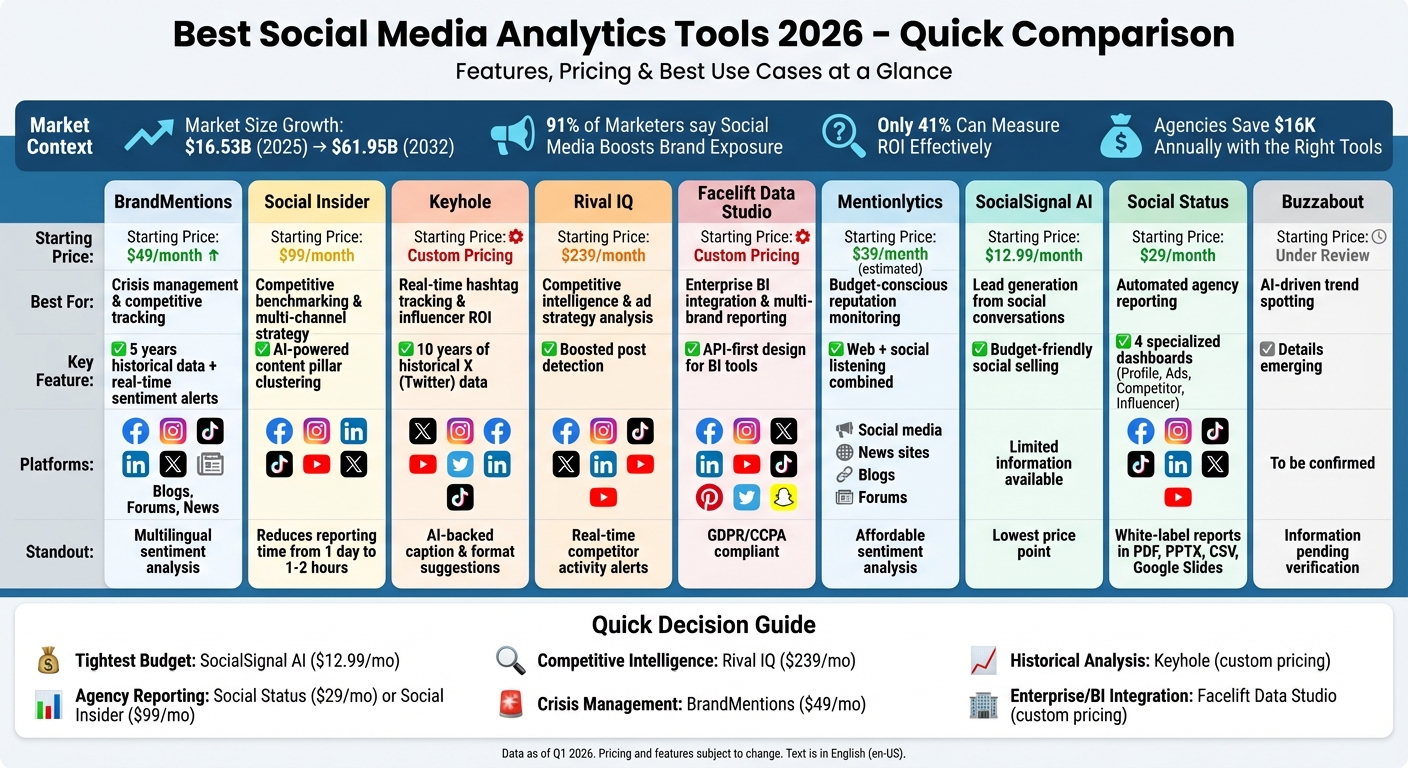
Social Media Analytics Tools 2026: Feature and Pricing Comparison
1. BrandMentions
Keeping up with online buzz is no small feat, but BrandMentions makes it a whole lot easier. This tool doesn’t just track mentions - it dives deep to figure out why people are talking about your brand. Whether it’s praise, sarcasm, or potential issues brewing, the platform’s AI-powered sentiment analysis cuts through the noise to give you the full picture in real time. It even handles tricky situations where brand names double as everyday words, like "Apple" or "Target".
Another standout feature? Access to years of historical data. This lets you map out long-term reputation trends and see how sentiment shifts over time. Whether you’re managing a PR crisis or sizing up the competition, BrandMentions delivers insights that go beyond surface-level chatter.
Best Use Case
When it comes to crisis management and competitive tracking, BrandMentions shines. PR teams can set up instant alerts for sudden sentiment changes, giving them a head start on damage control. Marketing pros can keep tabs on competitors by tracking mentions alongside industry buzzwords. And for agencies juggling multiple clients? The platform’s multilingual sentiment analysis is a lifesaver, breaking down brand health across different markets without the hassle of manual translations.
Pricing (2026)
Here’s the breakdown:
- The New Business plan costs $49/month for one user. It includes 3,000 mentions and basic sentiment tracking - perfect for small teams.
- The Company plan is $299/month for up to 10 users. It offers unlimited mentions, white-label reporting, and is ideal for agencies running reputation audits.
- Need more? Enterprise pricing is tailored to your needs, with perks like dedicated account management and API access for integrations with heavy hitters like Tableau and Google Data Studio.
Platform Support
BrandMentions doesn’t miss a beat. It covers all the big social platforms - Facebook, Instagram, TikTok, LinkedIn, and X (Twitter) - plus blogs, forums, review sites, and news outlets. It even digs into comment threads and niche communities where brands often get discussed without direct tagging. If it’s out there, BrandMentions finds it.
Key Integrations
The tool plays well with others, offering flexible export options in PDF, Excel, and API formats. You can automate sentiment reports straight to Slack or embed live mention feeds into client dashboards. Got a CRM like HubSpot? No problem - BrandMentions integrates seamlessly, making it easier for sales teams to follow up on glowing mentions. These integrations make it a powerful addition to any workflow.
| Pros | Cons |
|---|---|
| Access to up to 5 years of historical data | Higher costs for enterprise-level features |
| Real-time alerts with AI-driven sentiment analysis | No built-in scheduling tools for social posts |
| Multilingual tracking for global brands | Steep learning curve for users without technical experience |
Ready to see it in action? [brandmentions.com]
sbb-itb-b3cfc51
2. Social Insider
If you're juggling multiple social platforms and need to see how your content measures up against competitors, Social Insider has you covered. It pulls data from Facebook, Instagram, LinkedIn, TikTok, YouTube, and X (Twitter) into a single dashboard, giving you a bird’s-eye view of your cross-channel performance. One standout feature? The AI content creation tools. It automatically groups posts by themes - like "educational" or "promotional" - making it easier to spot which content types are driving the best engagement.
This tool doesn’t just save time - it saves money. Dorra Lunet from Hanging Gardens Agency shared how reporting time dropped from a full day to just 1–2 hours. For agencies like Create Media, that kind of efficiency translated to annual savings of over $16,000 by automating complex monthly reports. Like BrandMentions, Social Insider sharpens your analytics game, focusing on competitive insights and cross-platform performance.
Best Use Case
Social Insider shines when it comes to competitive benchmarking and multi-channel strategy analysis. Marketing directors can group competitor profiles across platforms into a single "brand" view, making it easy to track their overall market presence, follower growth, and engagement trends over time. Its AI companion feature is a game-changer - just ask plain-English questions like "Which hashtags worked best for our competitors last quarter?" and get instant answers, no Excel deep dives required.
Victor Mukubvu, a Digital Marketing Analyst at Mitsubishi Electric, put it simply:
"The competitor analysis helped in creating visibility on how we are performing in the market".
For agencies looking to up their competitive benchmarking game, Social Insider is a must-have.
Pricing (2026)
The Standard plan starts at $99/month, covering up to 20 social media accounts - perfect for smaller agencies or brands managing a limited number of profiles. Need more? The $149/month plan supports 30 accounts, while $239/month handles up to 40 accounts for larger client rosters. Custom enterprise pricing is available for even bigger operations. Plus, every plan includes a 14-day free trial, so you can test the waters before diving in.
Platform Support
Social Insider supports all the heavy hitters: Facebook, Instagram, LinkedIn, TikTok, YouTube, and X (Twitter). Unlike native analytics tools that keep data siloed, Social Insider centralizes everything into one dashboard. It also tracks historical data, letting you analyze trends over time instead of just focusing on short-term snapshots.
Key Integrations
Rather than direct integrations, Social Insider emphasizes data export flexibility. You can download full reports, raw data, or customizable charts to include in client presentations or team discussions. It’s designed to complement tools like Buffer or Hootsuite by filling in the analytics gaps they leave behind. For agencies, the white-label reporting option is a bonus, allowing you to brand reports as your own.
3. Keyhole
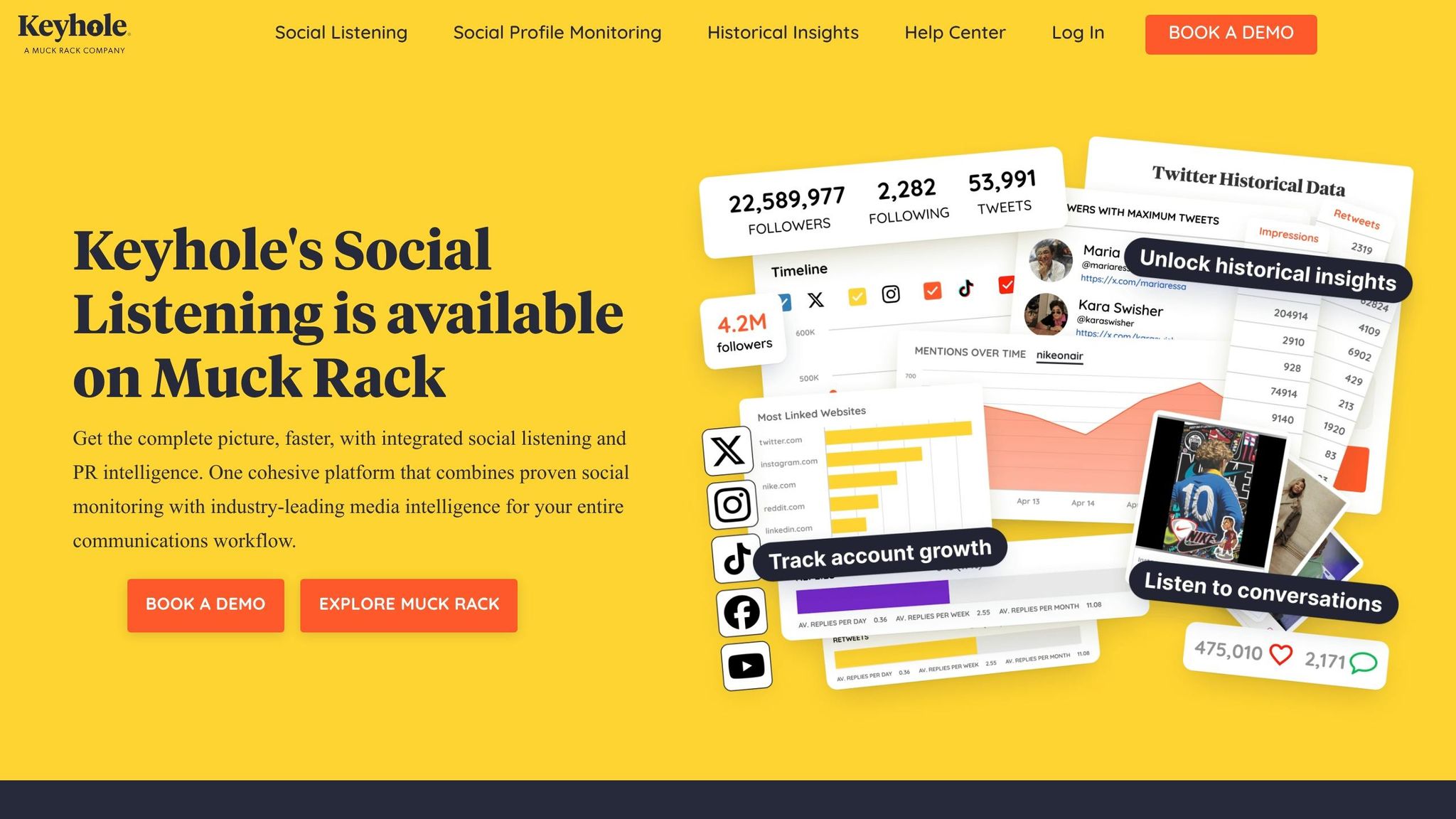
When it comes to keeping tabs on real-time hashtag campaigns and brand performance, Keyhole is a standout. It tracks mentions, hashtags, and campaigns as they unfold across X (Twitter), Instagram, Facebook, YouTube, LinkedIn, and TikTok. But Keyhole doesn’t stop at just showing you numbers - it digs deeper, offering actionable tips like the best caption lengths or post formats for each platform. Forget generic advice like "post at 3 PM"; this tool gets specific about what works where.
Keyhole goes beyond surface-level engagement metrics. It tracks sentiment shifts over time, flags top linking websites, and even spots emerging trends using machine learning. And if you’re looking to find influencers who actually deliver results (not just followers), Keyhole’s influencer discovery tool has you covered.
Best Use Case
Keyhole shines brightest in real-time hashtag tracking and influencer ROI analysis. For those needing to scale these efforts, using an AI-powered influencer platform can further accelerate the discovery process. Whether you’re rolling out a product campaign or keeping tabs on a live event, it offers a detailed view of how your hashtags are performing, who’s driving the buzz, and how your share of voice stacks up against competitors - all in real time.
One standout feature? Access to historical X (Twitter) data going back up to 10 years. This deep archive is a goldmine for market research teams. It’s perfect for analyzing long-term shifts in audience sentiment or tracking how brand perception has evolved. If you need this historical reporting, it’s available as an add-on starting at $50, with pricing tied to post volume.
With its mix of live tracking and historical insights, Keyhole is built for both immediate campaign needs and long-term strategy, justifying its premium pricing.
Pricing (2026)
Keyhole operates on a custom pricing model, meaning you’ll need to schedule a demo to get a quote tailored to your needs. This approach works well for agencies, B2C brands, nonprofits, and media companies dealing with complex requirements. However, smaller teams might find the lack of upfront pricing a bit frustrating. On the flip side, it ensures you’re only paying for the features you’ll actually use.
Platform Support
Keyhole covers all the major platforms - X (Twitter), Instagram, Facebook, YouTube, LinkedIn, and TikTok - but skips over niche options like Pinterest, Threads, or Bluesky. Its unified dashboard aggregates data from all your profiles, streamlining performance tracking across platforms without the need to juggle multiple tools.
Key Integrations
Rather than relying on direct API integrations, Keyhole focuses on flexible data-sharing options. You can export reports as images or spreadsheets, or share live, custom-branded URLs that update in real time. This setup makes it easy to include insights in client presentations or provide stakeholders with live data access - without giving them full platform control.
4. Rival IQ
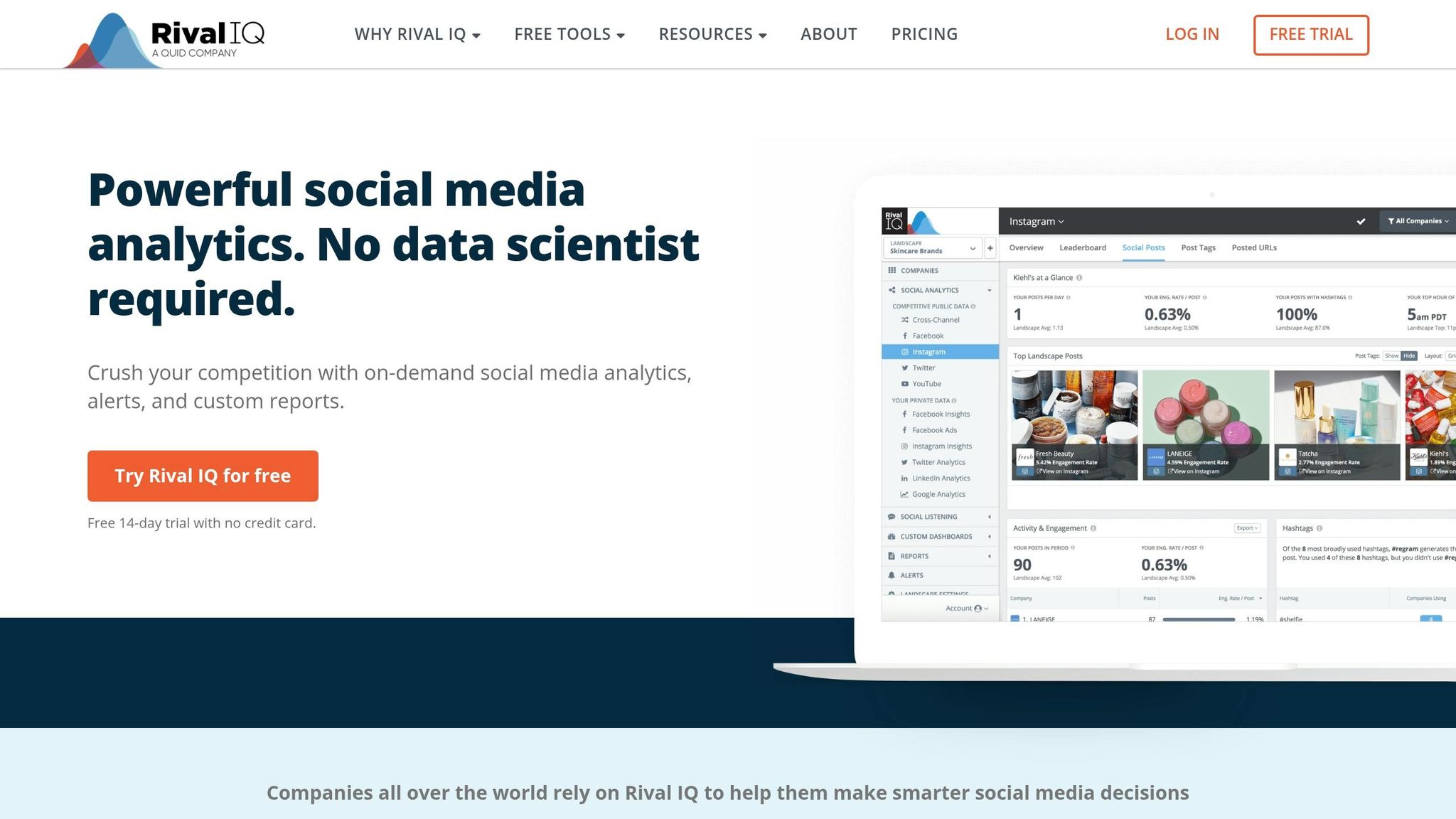
Rival IQ takes a sharp turn from general social media monitoring, homing in on competitive intelligence to help you outsmart the market. It dives deep into platforms like Facebook, Instagram, TikTok, X (Twitter), LinkedIn, and YouTube, delivering insights that explain why your competitor’s content is thriving - whether it’s a viral post or a strategic ad push. If you’ve ever wondered what’s driving a rival’s sudden success, this tool connects the dots.
One standout feature is "Boosted Post Detection", which alerts you when a competitor backs an organic post with paid ads. You’ll also get real-time notifications for activity spikes, giving you a heads-up when a competitor’s campaign goes live. Armed with this intel, you can adjust your tactics and reallocate your budget to stay ahead of the curve.
Rival IQ doesn’t just monitor existing players - it also spots new ones entering your market. You can build custom competitor landscapes to benchmark performance metrics like engagement rates and posting frequency, all presented through clear, actionable visuals.
Best Use Case
This platform shines brightest for large agencies, enterprise marketing teams, and brands conducting in-depth competitor audits. If you’re tasked with presenting competitive analysis, Rival IQ’s boosted post alerts and detailed content insights make it a go-to tool for staying on top of your rivals’ ad strategies.
Pricing (2026)
Rival IQ offers tiered plans to fit different needs:
- Drive Plan: $239/month for tracking up to 10 companies. It’s a great starting point but lacks X (Twitter) analytics and some advanced features.
- Engage Plan: $349/month, supports tracking for 20 companies and unlocks full platform features.
- Engage Pro Plan: $559/month, designed for enterprise teams, allows tracking up to 40 companies and includes custom exports.
A 14-day free trial lets you test the waters before committing. However, smaller teams might find themselves leaning toward higher-tier plans due to limitations in the entry-level option.
| Plan | Price/Month | Companies Tracked | Key Features |
|---|---|---|---|
| Drive | $239 | 10 | Basic benchmarking, boosted post detection |
| Engage | $349 | 20 | Full platform support, advanced insights |
| Engage Pro | $559 | 40 | Enterprise features, custom exports |
Platform Support
Rival IQ covers all the big names - Facebook, Instagram, LinkedIn, TikTok, X (Twitter), and YouTube. Beyond its benchmarking tools, it also offers social media listening and influencer tracking. Plus, it analyzes profile attributes and bios to help you compare brand positioning across competitors.
Key Integrations
Unlike some platforms that focus on direct integrations, Rival IQ leans heavily into data visualization and reporting. You can export reports or share sleek, custom-branded dashboards with your team or stakeholders. That said, it doesn’t include native publishing or scheduling tools, so think of it as a specialized intelligence weapon to complement your existing social media toolkit.
This laser-focused approach fills the gap between broad analytics platforms and targeted competitive strategies.
5. Facelift Data Studio
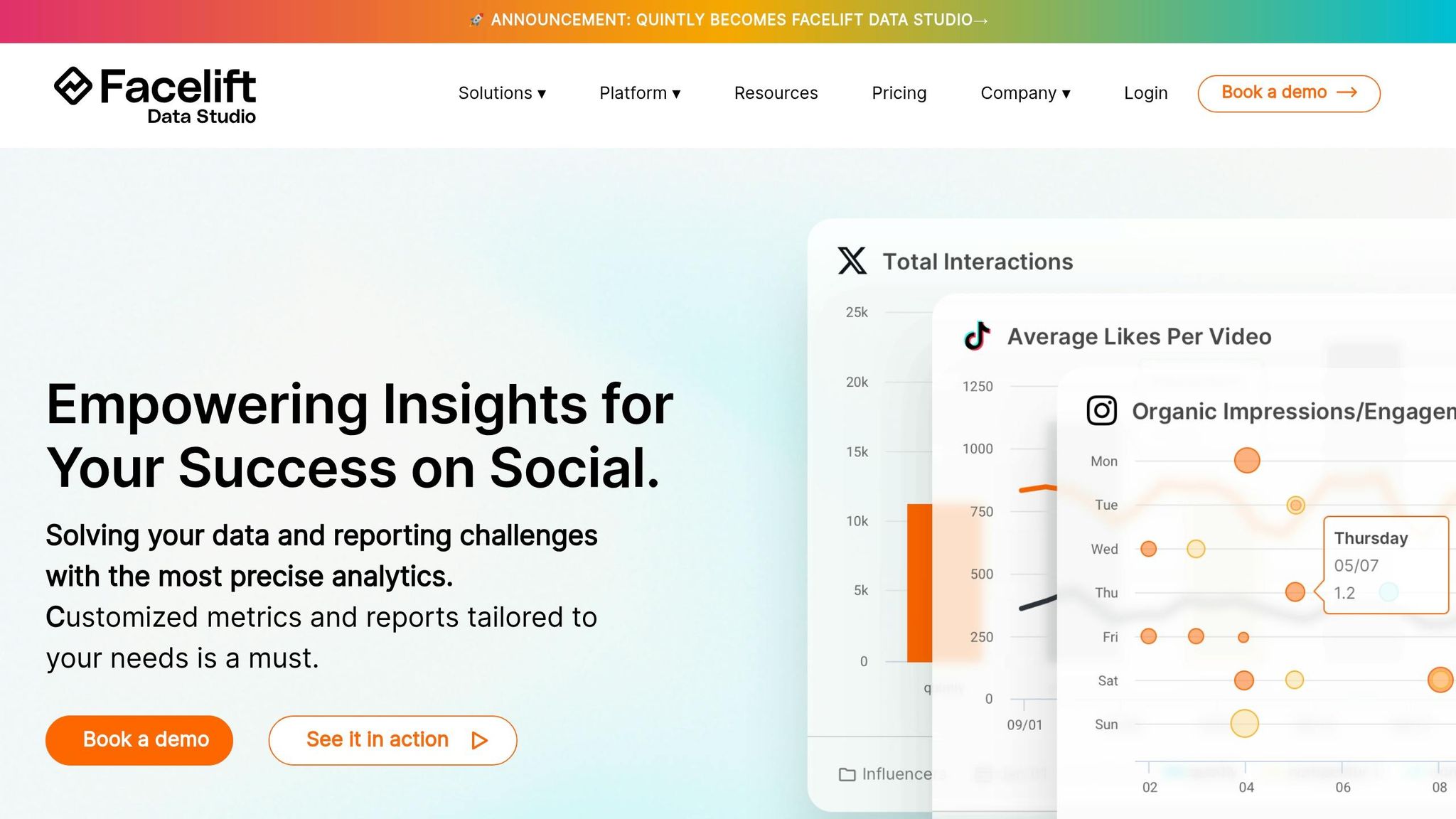
Facelift Data Studio isn’t just about crunching numbers - it’s about weaving social media data into the bigger picture of business intelligence. Think of it as the glue that connects your social media metrics to powerhouse tools like Google Data Studio and Tableau. For organizations juggling multiple data streams, it acts as the central hub, bridging social analytics with broader business insights.
It works seamlessly with all the major players: Facebook, Instagram, X (Twitter), LinkedIn, YouTube, TikTok, Pinterest, and Snapchat. Plus, its ability to handle large-scale benchmarking and competitive analysis makes it a go-to for companies managing multiple brands or regions.
Best Use Case
If you’re part of a massive enterprise, a global brand, or an agency with a maze of reporting requirements, Facelift Data Studio is built for you. It’s especially handy for teams relying on BI tools to create executive dashboards or those navigating strict data privacy rules like GDPR and CCPA. Whether you’re syncing social media metrics with sales data, CRM insights, or other business drivers, this platform ensures everything sits neatly in one unified reporting system. For businesses that demand precision and scalability, it’s a smart investment.
Pricing (2026)
Facelift Data Studio offers custom pricing based on your specific needs - profiles, users, and export volumes all factor in. While the exact numbers depend on your setup, you can test the waters with a 7-day free trial.
Platform Support
Facelift’s standout feature is its API-first design. Beyond supporting the eight major social networks, it lets you pipe social metrics directly into tools like Google Data Studio or Tableau. Already have an analytics setup? No problem - this platform integrates seamlessly, letting you keep your existing tools while adding a robust social data layer.
Key Integrations
Facelift doesn’t try to be an all-in-one tool. Forget about publishing or scheduling features - it’s laser-focused on analytics and benchmarking. The platform prioritizes clean, structured data exports, feeding your BI tools or data warehouse with precision. By acting as the dedicated social media data layer, it complements the tactical tools you’re already using, rather than replacing them. This makes it a perfect partner for businesses with established analytics ecosystems looking to level up their social media insights.
6. Mentionlytics
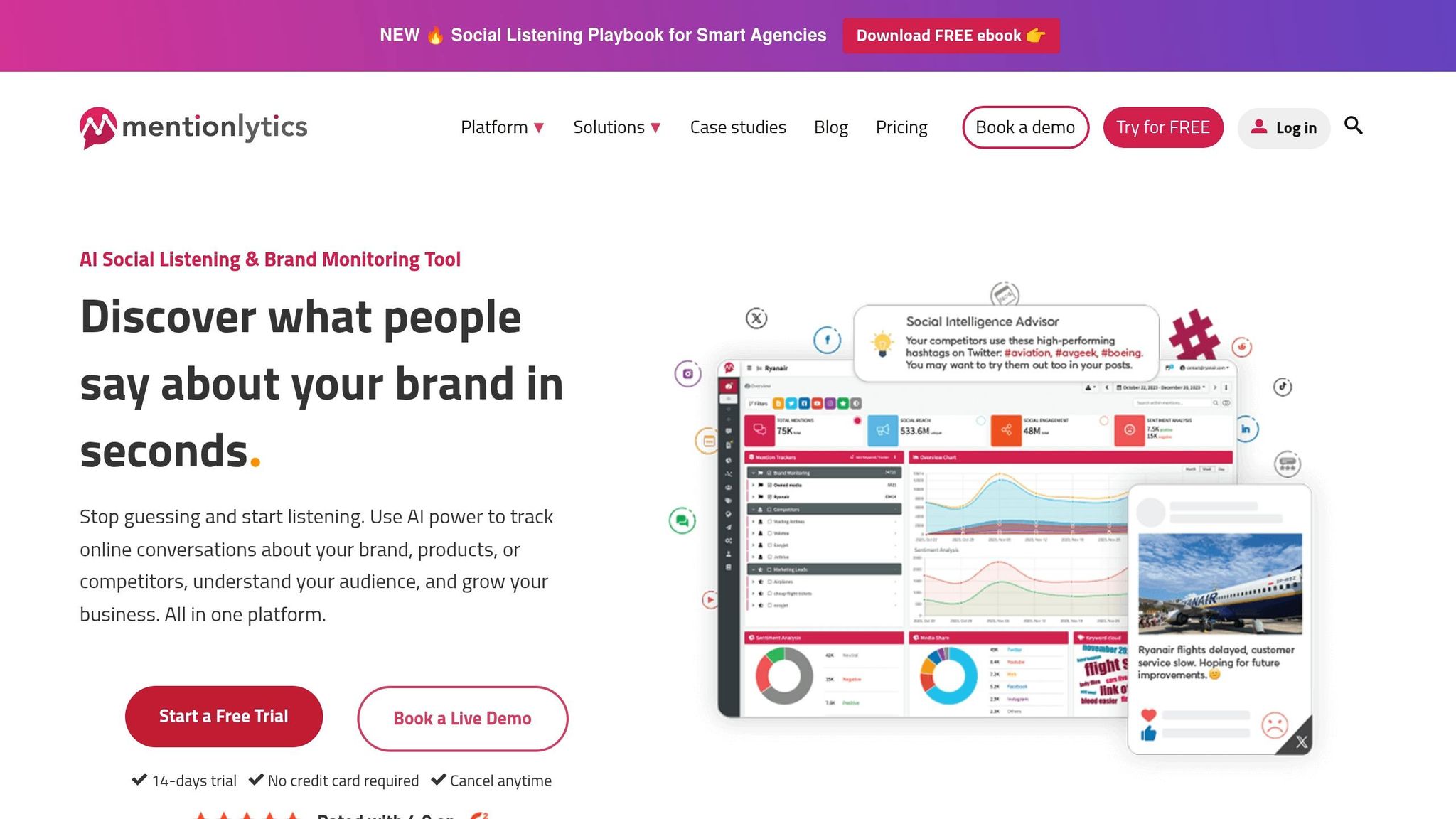
Mentionlytics keeps tabs on your brand's mentions across social media and the web, pulling all the data into one easy-to-navigate dashboard. With real-time alerts and sentiment analysis, it helps you spot problems before they blow up.
Fast forward to 2026, and social listening isn’t just a nice-to-have - it’s a must. But counting mentions alone doesn’t cut it anymore. Brands need to know the why behind the chatter. Mentionlytics steps in with AI-driven sentiment detection, breaking down whether people are frustrated, thrilled, or just indifferent. Plus, its ability to track both social platforms and the broader web gives you a fuller picture, so you’re not caught off guard by shifts in online sentiment.
Best Use Case
This tool works best for small to mid-sized businesses and PR teams that need to act fast on public sentiment. Whether it’s managing your reputation or keeping tabs on competitors, Mentionlytics offers a solution that’s both efficient and thorough. It’s especially handy in industries where public opinion can swing quickly - helping you fine-tune your messaging or adjust campaign strategies on the fly. For brands looking for more than just raw social metrics, Mentionlytics delivers a broader, web-wide perspective.
Pricing (2026)
Mentionlytics hasn’t released its 2026 pricing details yet. If you’re interested, check their website for the latest plans and trial options.
Platform Support
This platform doesn’t just stick to social media - it monitors news sites, blogs, and forums too. By covering all these bases, Mentionlytics ensures you’re catching a wide range of online conversations, not just the ones happening on Twitter or Instagram.
Key Integrations
Mentionlytics offers API access so you can seamlessly integrate its data into your existing systems. Whether you’re building client reports or syncing alerts with your CRM, the platform focuses on giving you clean, exportable data that fits right into your workflow.
7. SocialSignal AI
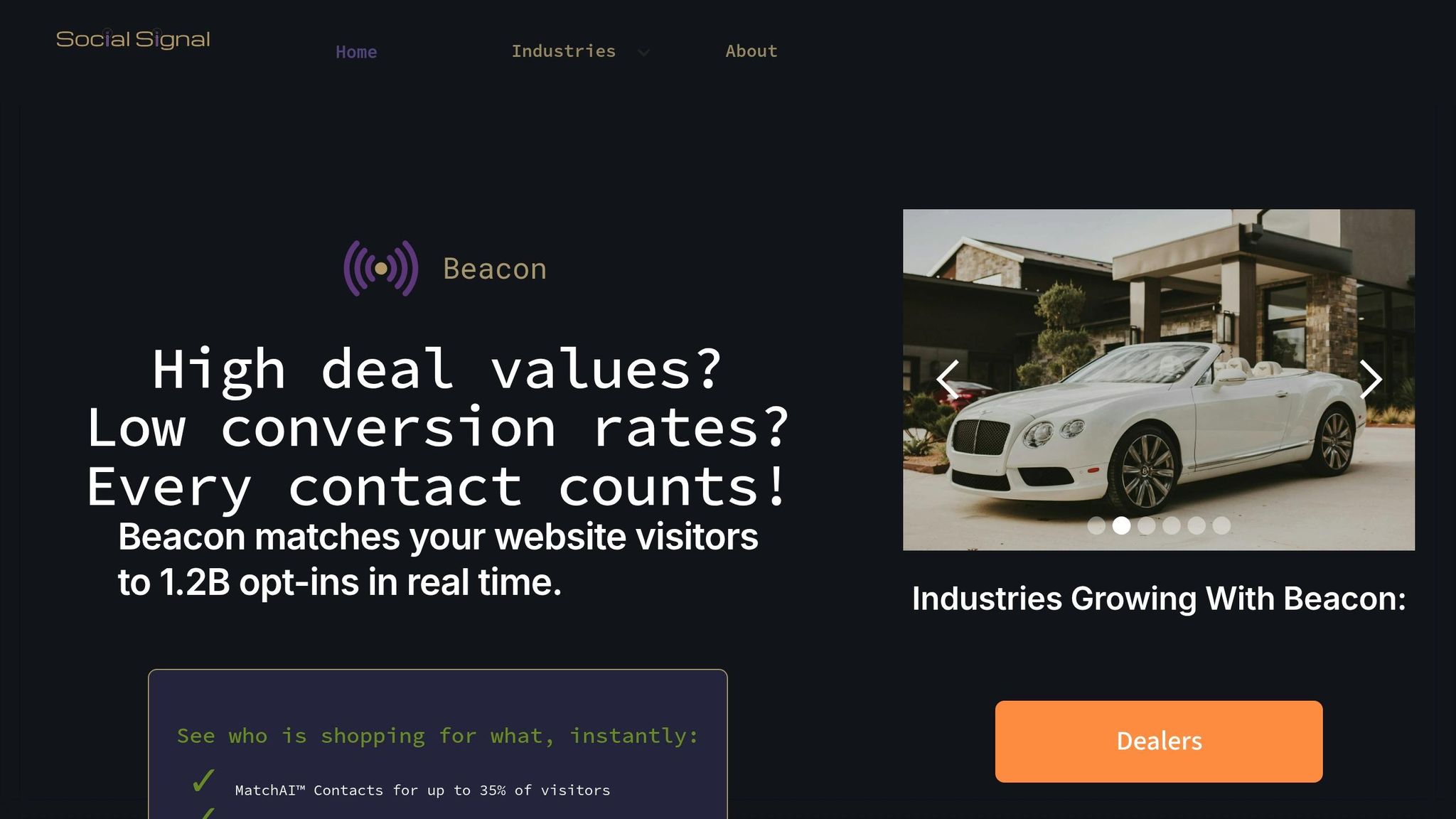
There’s limited verified information available about SocialSignal AI’s features, pricing, or integrations, making it tricky to dive deep into its lead generation strengths. For the most accurate and up-to-date details, it’s best to visit their official website or reach out to their support team directly.
This lack of specifics underscores the importance of going straight to the source for clarity. Now, let’s shift gears and take a closer look at Social Status, a tool built for managing multiple accounts efficiently.
8. Social Status
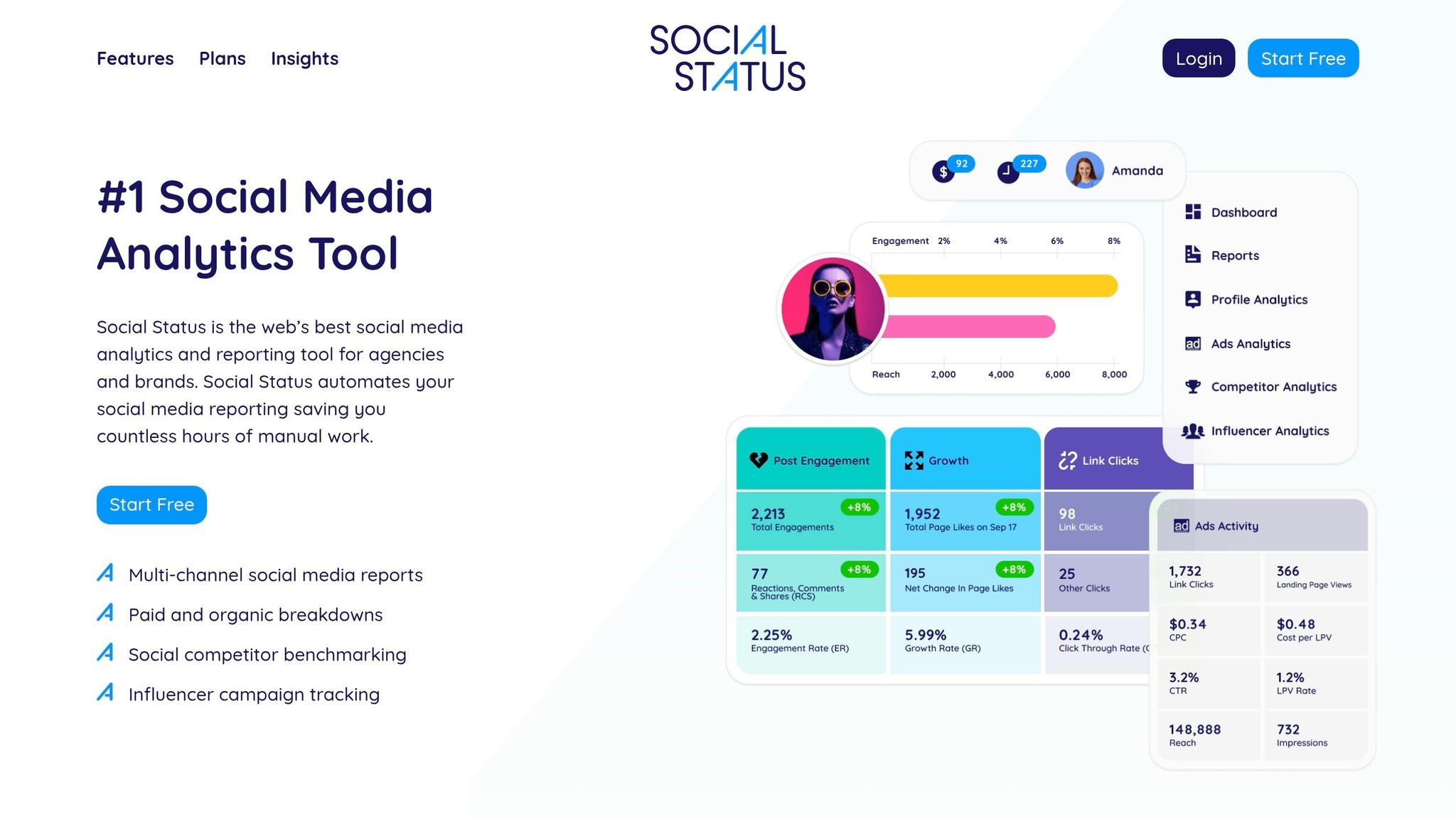
Social Status is built for agencies juggling multiple client accounts. It zeroes in on analytics and reporting, cutting out the fluff of management tools and saving you from the headache of manual exports. With automated client reports delivered on a monthly, weekly, or quarterly basis, it’s a time-saver you didn’t know you needed.
This tool comes with four specialized dashboards: Profile Analytics (for organic performance), Ads Analytics (tracking paid campaigns), Competitor Analytics (benchmarking rivals), and Influencer Analytics (measuring partnerships with creators). Impressively, it supports all 14 Facebook ad objectives and five placements, including Feed, Stories, and Messenger.
"Social Status is the best choice if you need to automate your social media reporting monthly, weekly, quarterly, etc."
– Christopher Benitez, Marketing Software Expert
For agencies, white-label reports are a game-changer. Export them as PDFs, PPTX, CSV, or even Google Slides, and you can add your own commentary to make them client-ready. However, keep in mind that Social Status skips out on publishing, scheduling, and inbox management, so you’ll need another tool to handle those tasks.
Here’s a closer look at why this tool is a standout for agencies.
Best Use Case
This isn’t your one-size-fits-all social suite. Social Status is all about deep data dives, making it perfect for agencies focused on automated, polished reporting, plus robust tracking for paid ads and competitor performance.
Pricing (2026)
Plans start at $9/month for small businesses, with mid-tier options at $29 and $49. For agencies, pricing scales from $99 to $1,499/month, depending on how many profiles and influencer accounts you’re managing. There’s also a free plan for basic tracking and a 14-day free trial of the Pro Plan to test the waters.
Platform Support
Social Status plays well with Facebook, Instagram, TikTok, LinkedIn, X (Twitter), and YouTube. That said, it skips platforms like Threads, Bluesky, and Pinterest, so you’ll need another tool if your clients are active on those networks.
Key Integrations
The tool syncs directly with Facebook Ad Accounts, pulling detailed campaign and ad performance data across Facebook, Instagram, Messenger, and the Audience Network. For reporting, it integrates with Google Slides for seamless presentation exports, alongside PPTX and CSV formats for manual tweaking.
If you’re chasing robust analytics and automated reporting, Social Status might just be your agency’s new best friend. If you need a tool that includes publishing alongside analytics, consider reading our SocialPilot review.
9. Buzzabout
Details about Buzzabout are still under review. We're working to confirm its features, pricing, platform compatibility, and available integrations. Stay tuned - updates will be added as soon as reliable information is verified. Once finalized, these details will also be included in the comparison table to give you a complete picture.
While other tools in this guide are backed by verified insights, Buzzabout's profile will remain a work in progress until accurate data is available. This approach ensures that every recommendation we provide is grounded in trustworthy information, helping you make informed decisions for your social media analytics needs.
Now that we've wrapped up individual tool reviews, let's dive into how these platforms measure up against one another on the key factors that matter most to your goals.
Pros and Cons
Each tool in this lineup brings its own strengths and trade-offs, depending on what you're looking for. Social Insider stands out for its competitive benchmarking, thanks to AI-driven content pillar clustering, but it falls short by not offering publishing features. On the other hand, Rival IQ excels with boosted post detection, letting you see when competitors are throwing cash at ads - but the $239/month starting price might make you think twice.
When it comes to BrandMentions and Mentionlytics, their focus is on web and social listening rather than diving into post performance metrics. Meanwhile, Keyhole delivers access to up to 10 years of historical data on X (formerly Twitter) and provides AI-backed suggestions for captions and post types. However, accessing those historical reports will cost you extra, starting at $50+.
For those prioritizing Meta ads and influencer analytics, Social Status offers a deep dive at just $29/month. But keep in mind, it’s strictly an analytics tool - there’s no scheduling or publishing functionality. If you’re a startup hunting for leads in social conversations, SocialSignal AI is a budget-friendly pick at $12.99/month, though its analytics features are pretty basic compared to its competitors.
These tools generally balance in-depth analytics with streamlined features. Some, like Social Insider and Rival IQ, provide detailed competitive intelligence and historical insights, but you might need separate tools to handle scheduling and publishing. For example, one agency reported saving over $16K annually by reducing the time spent on brand report creation from an entire day to just 1–2 hours.
Here’s a quick comparison table to help you weigh your options:
| Tool | Primary Strength | Main Limitation | Best Use Case |
|---|---|---|---|
| BrandMentions | Comprehensive web and social listening | Higher enterprise pricing | Crisis detection and brand health tracking |
| Social Insider | AI-powered content pillar insights | Lacks publishing features | Competitive benchmarking for agencies |
| Keyhole | 10-year historical data lookback | Additional fees for historical reports | Market research and trend analysis |
| Rival IQ | Detects boosted competitor posts | $239/month starting price | Competitive intelligence for enterprises |
| Facelift Data Studio | Enterprise-grade custom reporting | Custom pricing only | Large-scale multi-brand reporting |
| Mentionlytics | Affordable web and social listening ($39/month) | Focus on brand mentions over post analytics | Budget-conscious reputation monitoring |
| SocialSignal AI | Lead generation from social conversations | Basic analytics compared to rivals | Startups focused on social selling |
| Social Status | Deep analytics for Meta ads and influencer performance | No scheduling or publishing capabilities | ROI-focused performance analysis |
Each tool offers a unique mix of features, so the best choice often comes down to your specific needs - whether that’s competitive intelligence, lead generation, or detailed analytics.
Conclusion
Picking the right social media analytics tool isn’t about grabbing the flashiest option - it’s about finding the one that aligns with your goals. Agencies juggling multiple clients might lean toward Social Status. At $29/month, its white-labeled dashboards and automated reports slash reporting time from a full day to just 1–2 hours.
If you're all about keeping tabs on competitors, Rival IQ (starting at $239/month) and Social Insider (from $83/month) shine with features like boosted post detection and AI-driven content analysis. For those focused on reputation management, tools like BrandMentions or Mentionlytics (starting at $39–$49/month) are great for scanning web mentions and social chatter, complete with sentiment analysis.
On a budget? SocialSignal AI delivers solid lead generation from social discussions for just $12.99/month.
Once you’ve spotted tools that match your needs, take them for a spin. Most platforms offer 14-day free trials, giving you a chance to test reporting features and data accuracy with your own accounts. Pay attention to three key areas: how many platforms the tool covers, whether it automates reporting, and if the price works for your scaling plans.
Use the comparison table at the top of this guide to zero in on your top picks, then put them head-to-head during their trials. Test how quickly they can churn out client-ready reports and see if the insights actually help shape smarter content strategies. Keep in mind, while 91% of marketers say social media boosts brand exposure, only 41% feel confident measuring ROI.
When you’re ready to make the final call, revisit the table for a quick recap. Choose the tool that fits your main objective, sign up for a free trial, and connect your first social account - most platforms have you up and running in under 10 minutes.
FAQs
Which tool fits my main goal (ROI, competitors, or reputation)?
When it comes to picking the right tool, it all boils down to what you’re aiming to achieve:
- Tracking ROI: If you’re all about crunching numbers and measuring how your efforts translate into results, Social Status is your go-to. It breaks down performance metrics and ROI with precision.
- Keeping Tabs on Competitors: Want to see how you stack up against the competition? Socialinsider shines here, offering a clear view of how competitors perform across different platforms.
- Managing Your Reputation: For keeping an eye on what the world is saying about you, BrandMentions has your back. It monitors mentions globally and even throws in sentiment analysis to gauge the tone.
Bottom line? Grab Social Status for ROI insights, Socialinsider for competitive benchmarks, or BrandMentions to stay on top of your reputation.
Do these tools replace scheduling and publishing apps?
Nope, these tools aren’t here to replace your go-to scheduling and publishing apps. Their real game? Analytics. They’re all about digging into performance metrics, keeping tabs on competitors, and tracking brand mentions. Meanwhile, apps like Hootsuite or Buffer stick to what they do best: planning and automating your content rollout. Sure, some platforms try to bundle both features, but let’s be honest - most businesses keep it simple by using analytics tools for insights and scheduling apps to handle the posting grind.
How can I validate ROI during a free trial?
To get the most out of a free trial and gauge its ROI, zero in on outcomes you can actually measure - think engagement rates, follower growth, or how well your content is performing. Start by setting clear, specific goals, like boosting campaign reach or pinpointing which content resonates best. Then, track your progress against these targets.
Leverage the trial's reporting features to dig deeper. Whether it's comparing yourself to competitors or running sentiment analysis, these insights can help you spot opportunities you might have missed. And don't forget to factor in potential savings or revenue gains - does the tool help you cut costs or bring in more cash? The key is making sure it aligns with what you want to achieve and delivers results you can see.
Related Blog Posts
- Social Media Analytics Tools in 2025: Revolutionizing Digital Strategies
- The Topsocialtools Guide to Social Media Listening Tools in 2025
- Uncovering Hidden Insights with Next-Gen Social Media Monitoring Tools
- Ultimate Guide to Real-Time Social Media Analytics in 2026: Tools, Metrics, Strategies & Live Dashboards