If you run a small business in 2026, the best social tools is the one that fixes your main bottleneck fast. After testing 50+ social tools every week for 2+ years at TopSocialTools.com, I've seen the same pattern: most teams don't need more features. They need less daily mess. Often, the right tool is the foundation of a winning social media strategy.
For me, the shortlist is pretty clear:
- Buffer if you want low-cost scheduling
- Later if Instagram and TikTok visuals drive the business
- Hootsuite if you're handling a lot of channels in one place
- Sprout Social if reporting and customer replies matter most
- Sendible if polished reports are part of the job
- Agorapulse if comments, DMs, and mentions are eating your day
- SocialBee if evergreen posts keep your calendar alive
- Zoho Social if you're already inside Zoho CRM or Desk
- CoSchedule if you think in campaigns, promos, and launch dates
- Planoly if you just want simple visual planning for Instagram and TikTok
I've seen solo creators do fine at $6/month per channel with Buffer, while small teams paying $199/user/month for Sprout Social only got their money's worth when social doubled as support and reporting. Sound familiar? That's why I rank these tools by fit, not hype.
I Tested the 6 BEST Social Media Management Tools (Here’s the Winner)
sbb-itb-b3cfc51
Quick Comparison
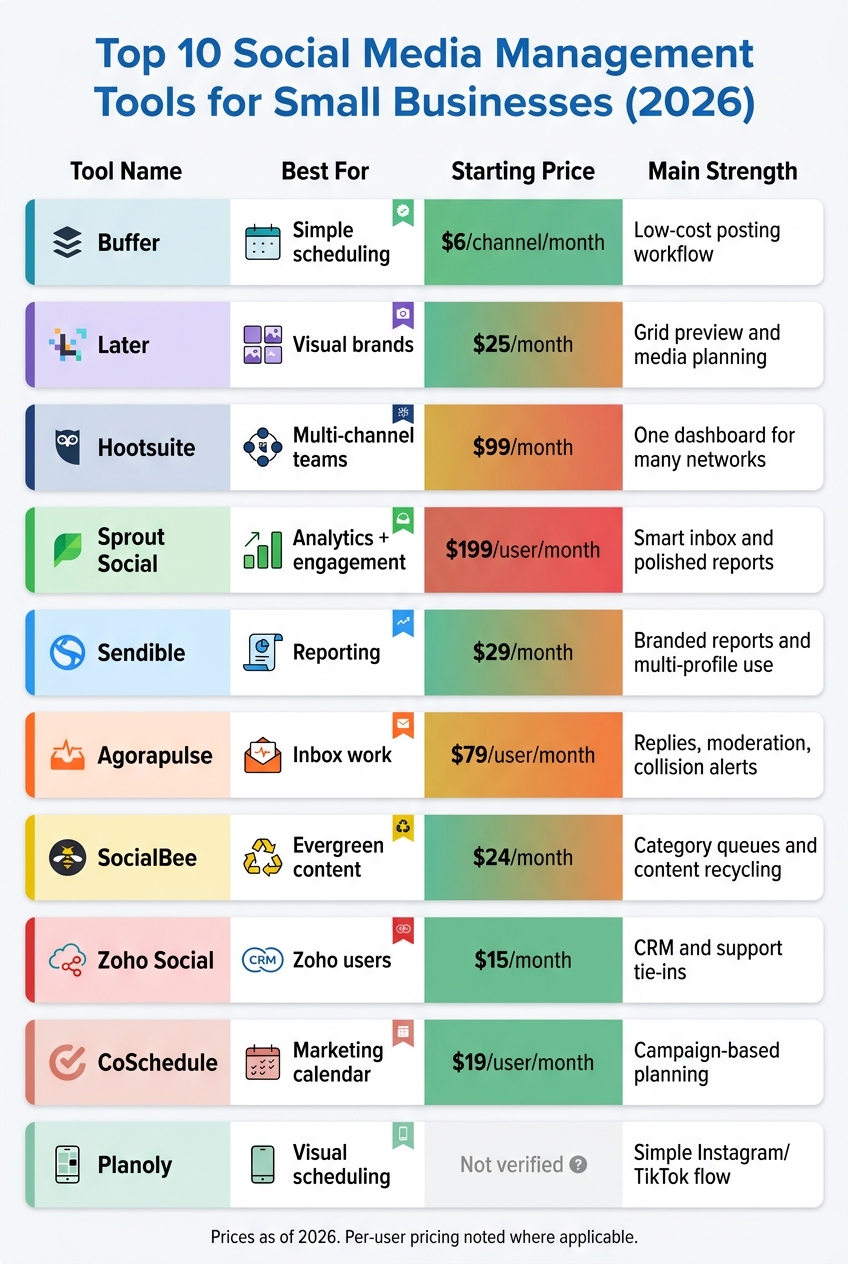
Top 10 Social Media Tools for Small Businesses: Side-by-Side Comparison 2026
| Tool | Best for | Starting price | Main strength |
|---|---|---|---|
| Buffer | Simple scheduling | $6/channel/month | Low-cost posting workflow |
| Later | Visual brands | $25/month | Grid preview and media planning |
| Hootsuite | Multi-channel teams | $99/month | One dashboard for many networks |
| Sprout Social | Analytics + engagement | $199/user/month | Smart inbox and polished reports |
| Sendible | Reporting | $29/month | Branded reports and multi-profile use |
| Agorapulse | Inbox work | $79/user/month | Replies, moderation, collision alerts |
| SocialBee | Evergreen content | $24/month | Category queues and content recycling |
| Zoho Social | Zoho users | $15/month | CRM and support tie-ins |
| CoSchedule | Marketing calendar | $19/user/month | Campaign-based planning |
| Planoly | Visual scheduling | Not verified | Simple Instagram/TikTok flow |
Here's what I noticed in my testing: price matters, but workflow fit matters more. A cheap tool that slows you down costs more in the long run. A pricier one only makes sense if it saves time every week. Bottom line, pick based on what breaks first in your day: posting, planning, replies, or reporting.
Why Small Businesses Need Social Media Management Tools
I’ve seen this over and over at TopSocialTools.com: small teams don’t struggle because they lack ideas. They struggle because social media turns into a daily pileup. In 2026, posting by hand across a bunch of platforms just doesn’t hold up for long.
The bigger headache isn’t only hitting publish. It’s the stuff wrapped around it - replying to comments and DMs, checking analytics, and comparing scheduling tools to keep your posting rhythm from falling apart. That’s where dedicated tools earn their keep. They pull publishing, engagement, and reporting into one workspace, which helps lean teams stay on track without the usual viral chaos.
For me, that’s the part people miss. Consistency is usually the first thing to break when a business tries to juggle everything natively inside each app. I’ve tested plenty of social tools where one clean dashboard saved more time than any fancy extra add-on ever did. A local shop owner using Buffer or SocialPilot, for example, doesn’t just get scheduled posts - they get one place to keep the whole machine moving.
There’s also the budget side, and this is where things get more practical. Many small-business plans start at around $50/month, so automation isn’t locked behind enterprise pricing. That keeps these tools within reach for teams that need help but can’t burn cash on bloated software. Here’s what I noticed: once the price makes sense, the real difference-maker becomes fit - your budget, your workflow, and how your team actually works day to day. Following a social media automation checklist can help you evaluate that fit. The tricky part is picking the tool that matches that reality.
What Small Business Owners Should Look for in a Social Media Tool
I’ve tested enough social tools to know this the hard way: the longest feature list usually loses. For me, the best pick is the one that fits your budget, your team size, the channels you post on, and the way you actually work day to day. A small shop doesn’t need the same setup as a five-person marketing team juggling comments, DMs, and client approvals.
Pricing is where a lot of people get tripped up. The monthly sticker price looks fine, then you find out you’re paying extra for more users, more social channels, or inbox access. I’ve seen tools that looked cheap at first and got pricey fast once a team needed shared replies and approvals. That’s the part most owners miss - the plan cost only tells half the story.
Here’s what I’d put near the top of the list after testing 50+ tools at TopSocialTools.com:
- A visual calendar and alternatives that make posting easy to see at a glance
- Basic analytics so you can spot what’s working without digging through clutter
- A unified inbox if your team handles comments and DMs across platforms
Platform support matters more than most sales pages admit. If your business leans on TikTok, X, LinkedIn, or Threads, check that support before anything else. Same goes for direct publishing for Reels. I’ve run into tools that looked polished in the demo but fell apart once I tried to post where creators and brands are putting most of their energy right now. That’s a fast way to create workflow mess.
The real difference-maker, though, is ease of use. If your team needs a training session just to schedule a week of posts, it’s probably the wrong tool. I’ve seen small teams do better with a simpler setup they can use on day one than with a bloated platform full of stuff they’ll never touch. What I’ve learned: use these filters first, and the field gets a lot easier to sort through.
1. Buffer – Best for Simple, Affordable Scheduling
For me, Buffer is the tool I point people to when they want to stop overthinking social scheduling and just get posts out the door. I’ve seen a lot of small teams burn hours inside bloated platforms, and Buffer usually feels like the reset button. New users can set up an account and schedule their first post in under 20 minutes.
Here’s what Buffer actually gives a small business team without turning setup into a side quest.
Key features:
- A queue that automatically spaces out posts
- Bulk upload via CSV
- First-comment scheduling
- Browser extension for saving content on the fly
- Built-in AI Assistant that generates channel-specific captions and adjusts tone across networks like LinkedIn and Instagram
What I noticed in testing is that Buffer keeps the core workflow clean. If you’re a local business, coach, or one-person brand trying to keep LinkedIn, Instagram, and maybe Facebook alive, that matters. I’ve used tools where even finding the calendar felt like a scavenger hunt. Buffer doesn’t do that.
On pricing, this is where Buffer hits its sweet spot. Per-channel pricing keeps costs predictable, so a three-channel Essentials setup runs about $18/month. The free plan also covers 3 channels with 10 scheduled posts each, which is more useful than it sounds for solo operators who just need steady posting without paying on day one.
The trade-off? Buffer stays lean. If one person handles posting and customer replies, the lack of a unified inbox on lower-tier plans can get annoying fast. I’ve seen this with small creator brands that start in “just schedule content” mode, then suddenly realize DMs and comments are scattered all over the place. Lower-tier analytics are also pretty basic, with no social listening tools or competitive benchmarking, and there are no approval workflows on the Essentials plan.
So who fits Buffer best? Usually:
- Solopreneurs or lean teams that need consistent posting across a few channels without a messy setup
- Budget-conscious businesses that want predictable monthly costs
- Teams that don’t need community management or deep reporting every day
Pricing note: Plans start at $0/month for Free, then move to $6/channel/month for Essentials and $12/channel/month for Team, which adds the unified inbox. That lower price comes with a narrower feature set than all-in-one platforms.
| Plan | Price | Channels | Unified Inbox | Best For |
|---|---|---|---|---|
| Free | $0/mo | 3 channels | No | Solo testing |
| Essentials | $6/channel/mo | Pay per channel | No | Solopreneurs |
| Team | $12/channel/mo | Pay per channel | Yes | Small teams |
Buffer earns a 4.3/5 on G2 from over 1,000 reviews. The praise I see again and again is simple: people like that it’s easy to learn and the pricing doesn’t play games. Bottom line, Buffer works best when you want simple scheduling that stays cheap and doesn’t fight you every step of the way.
2. Later – Best for Visual-First Brands and Instagram Planning
For me, Later is the tool I point to when a brand’s whole vibe lives or dies on how the feed looks. I’ve seen this most with local boutiques, food brands, and travel companies that need Instagram and TikTok to feel tight, polished, and on-brand without turning content planning into a mess.
The big draw is the Instagram grid preview. Later gives you a drag-and-drop planner, so you can see how the grid will look before anything goes live. That matters more than people think. I tested this with a small product brand that kept posting solid photos, but the feed still felt all over the place. Once they mapped posts inside Later, the page looked way more dialed in, and batching got a lot less chaotic.
Another thing I like is the media library. You can upload, tag, and sort brand files like logos, product shots, and campaign assets, which saves time when you’re scheduling in batches. If you’ve ever dug through random folders trying to find the “final-final” image file, you already get why this helps. For e-commerce teams, Linkin.bio is also a strong add-on because it turns your Instagram feed into a shoppable landing page with tappable links.
Later supports Instagram, TikTok, Facebook, Pinterest, LinkedIn, YouTube Shorts, and Threads. In my testing, that makes it a better fit for visual planning than deep reporting. Its analytics lean much harder toward Instagram, while LinkedIn and X insights aren’t as strong. So if your main play is LinkedIn lead gen or heavy cross-channel reporting, I’d look elsewhere.
Pricing note: Later starts at $25/month for the Starter plan. Here’s the full breakdown.
| Plan | Price | Social Sets | Posts per Profile |
|---|---|---|---|
| Free | $0/mo | 1 | 10 |
| Starter | $25/mo | 1 | 30 |
| Growth | $45/mo | 3 | 150 |
| Advanced | $80/mo | 6 | Unlimited |
Later holds a 4.5/5 on G2 from 347 reviews. Users tend to like the visual planner and media library, while the main complaints focus on weaker analytics outside Instagram and some billing friction. What I’ve learned is pretty simple: Later works best for brands that sell through strong visuals, not teams that need serious reporting.
3. Hootsuite – Best for Managing Multiple Channels in One Place
For me, Hootsuite makes sense when a small business has outgrown simple scheduling and needs one dashboard to keep the whole social machine running. If Later is more about visual planning, Hootsuite is the stronger pick when you're juggling posting, replies, and reporting across a messy stack of channels. It supports 10+ networks - including Instagram, Reels, Stories, Facebook, TikTok, LinkedIn, Pinterest, YouTube, Threads, and Google Business Profile - so it covers more ground than most tools in this category.
What I noticed in testing is pretty simple: Hootsuite's big sell is consolidation. Instead of bouncing between apps to publish a post, answer comments, check mentions, and pull results, you handle it all in one place. That's the part busy teams tend to care about most.
Key features
- Supports 10+ social networks, including major platforms and Google Business Profile
- Unified inbox for DMs, comments, and mentions
- Streams for keyword, hashtag, and brand monitoring
- OwlyWriter AI for caption help and repurposing content
- Bulk scheduling via CSV upload
- RSS auto-publishing and approval workflows
Its analytics also cover cross-channel performance, PDF exports, sentiment analysis, and Google Analytics integration. For me, that's where Hootsuite starts to feel less like a posting tool and more like a control center.
I've seen this click with agencies and lean in-house teams that manage a lot of moving parts. One example: a local brand running Instagram, Facebook, LinkedIn, TikTok, and Google Business Profile can use Streams to watch brand mentions while the inbox keeps replies in one queue instead of turning community management into total viral chaos. That "one place" setup is the real difference-maker if your team is active every day.
Pros
- Broadest platform support in the category
- Strong for multi-channel coordination and team workflows
- Useful analytics for cross-channel reporting
- Helpful if you need active community management
- Scales from solo use to small-team collaboration
Cons
- More expensive than simpler scheduling tools
- Interface can feel busy and dated
- Steeper learning curve than beginner-friendly options
- Professional plan is limited to 1 user, so teams may need to upgrade quickly
Pricing is where many small teams pause. The Professional plan starts at $99/month for 1 user and 10 social accounts, while the Team plan jumps to $249/month for 3 users and 20 social accounts. I've seen that jump catch people off guard, especially when they start solo and then need a second or third seat a few months later.
| Plan | Price | Users | Social Accounts |
|---|---|---|---|
| Professional | $99/mo | 1 | 10 |
| Team | $249/mo | 3 | 20 |
| Business | $739/mo | 5 | 35 |
There is a 30-day free trial, which is handy if you want to test Streams before paying. Review-wise, Hootsuite has a 4.3/5 rating on G2 from more than 6,600 reviews, but its Trustpilot score is much lower at 1.8/5 from 511 reviews, with common complaints tied to support on lower-tier plans and billing. That's worth taking seriously. A polished feature set doesn't help much if support gets rough when something breaks.
Best for you if…
- You manage five or more channels.
- You need inbox, scheduling, and reporting in one tool.
- You expect to grow beyond solo use.
For me, Hootsuite fits teams that need heavier coordination and active inbox management, not just a basic scheduler. The tricky part is making sure you'll actually use the extra layers enough to justify the price.
4. Sprout Social – Best for Analytics and Customer Engagement
For me, Sprout Social sits in that premium bucket where the price can sting a bit, but the day-to-day workflow can feel much cleaner if your team uses social for support and reporting. I’ve seen a lot of tools promise “all-in-one” magic, but Sprout’s edge comes down to two things: deep reporting and a very polished inbox. If a small team is answering customers across social every day, that time savings adds up fast.
The Smart Inbox is the part most teams notice first. It pulls comments, DMs, mentions, and reviews from connected profiles into one stream, so you’re not bouncing between tabs like it’s 2019. Sprout also adds duplicate-reply alerts, which sounds small until two people jump on the same angry Instagram comment at once. I’ve tested plenty of social tools where that kind of overlap turns into messy customer care. Here, the system flags when someone’s already replying, and that cuts down the chaos.
On the publishing side, Sprout gives you a drag-and-drop visual calendar, an asset library with tagging and permissions, and best-time recommendations based on your audience data. There’s also an approval workflow for teams that need another set of eyes before posts go live, which helps when brand consistency or compliance matters. For me, that’s the real difference-maker with client-facing teams or any business where one off-brand post can create a headache.
The analytics are where Sprout earns its reputation. Reports come out presentation-ready, which matters more than people admit when you need to show results to a boss, client, or leadership team. You also get competitive benchmarking, sentiment analysis, and tag-level breakdowns. I’ve seen creators and marketers waste hours exporting numbers into slides just to make them readable. Sprout cuts a lot of that busywork.
Pricing is the catch, and it’s a big one. The Standard plan starts at $199 per user per month and includes 5 profiles. That’s not light spend for a small business. Sprout does offer a 30-day free trial, and honestly, that’s the smartest way to judge it. If the inbox and reports save your team enough time each week, the math may work. If not, it can feel like paying premium dollars for features you only half use.
| Plan | Price | Social Profiles | Notable Features |
|---|---|---|---|
| Standard | $199/user/mo | 5 | Smart Inbox, scheduling, standard reports |
| Professional | $299/user/mo | Unlimited | Competitive reports, trend analysis |
| Advanced | $399/user/mo | Unlimited | Chatbots, message spike alerts, asset management |
User feedback tells a mixed but useful story. Sprout holds a 4.4/5 on G2 from over 5,700 reviews, and people keep pointing to the inbox and reporting as the big wins. Trustpilot is much lower at 2.2/5 from 75 reviews, so I’d go in with clear support expectations before signing a long contract. That split isn’t rare with B2B software, but it’s still worth watching.
Best for you if…
- Social media is a main customer service channel for your business.
- You need to show clear ROI from social to stakeholders or leadership.
- You have at least two team members managing social accounts and can handle the per-seat cost.
If you’re a small brand juggling support on Instagram and Facebook every day, Sprout can feel like a cleaner command center than cheaper tools. But if your needs are simpler, paying for all that reporting depth may be overkill. What I’ve learned is that Sprout makes the most sense when social isn’t just posting content - it’s also where customer care and team reporting live.
5. Sendible – Best for Reporting and Multi-Profile Management
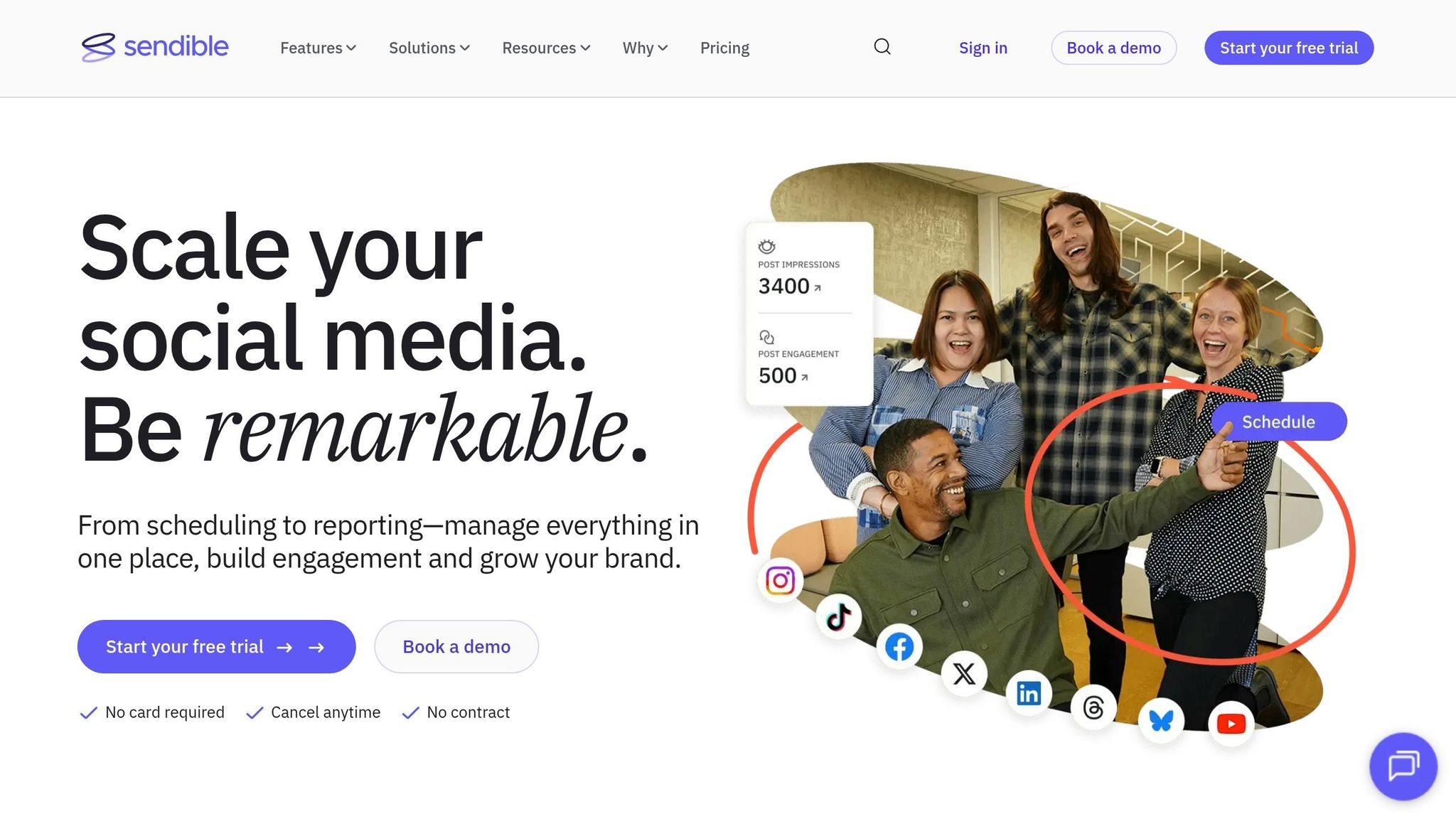
For me, Sendible makes the most sense when a small business cares more about clean reports and smooth multi-profile scheduling than a giant inbox built for nonstop back-and-forth. I’ve seen a lot of tools promise “all-in-one” magic, then fall apart once you need to show results to an owner, a manager, or a client across a few locations. Sendible’s big win is reporting, and that matters more than people think.
It sits in that solid mid-tier range for small businesses that need branded reporting and multi-profile publishing. The standout piece is its white-label reporting, which lets you create polished, branded PDF reports for owners and managers checking results across accounts or locations. If you run social for a local chain, a franchise group, or even a small agency roster, that saves time fast. It also adds RSS automation and Google Analytics integration, which makes content flow and traffic tracking a lot easier.
Here’s what I noticed in testing: that reporting angle works well because the publishing side is built to support it. Sendible gives you a content library for assets and scheduled posts, plus direct integrations with WordPress and Google Business Profile. That’s a nice combo for businesses tying social content to blog posts or local service marketing. I’ve seen setups like this work well for dental clinics, home service brands, and small marketing teams that need blog-to-social distribution without extra duct tape.
The shared inbox covers basic engagement, and the approval workflows plus client dashboards help keep multi-profile work tidy. But I wouldn’t pick Sendible for heavy engagement management. That’s not its lane. It’s better at publishing and reporting, which is exactly why it can be a focused, lower-cost pick for small teams running multiple profiles without paying for a big enterprise stack.
Sendible offers a 14-day free trial and cancel-anytime billing. It holds a 4.5/5 rating on G2 from 899 reviews.
| Plan | Price | Profiles | Users |
|---|---|---|---|
| Creator | $29/month | 6 | 1 |
| Traction | $89/month | 24 | 4 |
| Scale | $199/month | 49 | 7 |
| Advanced | $299/month | 100 | 10 |
Best for you if…
Sendible works best when reporting and multi-profile coordination matter more than deep engagement features.
- You manage social accounts across multiple locations and need branded, presentation-ready reports.
- Your social strategy depends on blogs or steady content that RSS automation can pull in on its own.
- You want approval workflows and manager-facing dashboards without enterprise-level pricing.
What I’ve learned: if polished reporting is the thing your team keeps coming back to, Sendible earns its spot fast. The tricky part is simple - it’s a better fit for publishing and reporting than for high-volume engagement.
6. Agorapulse – Best for Engagement and Inbox Management
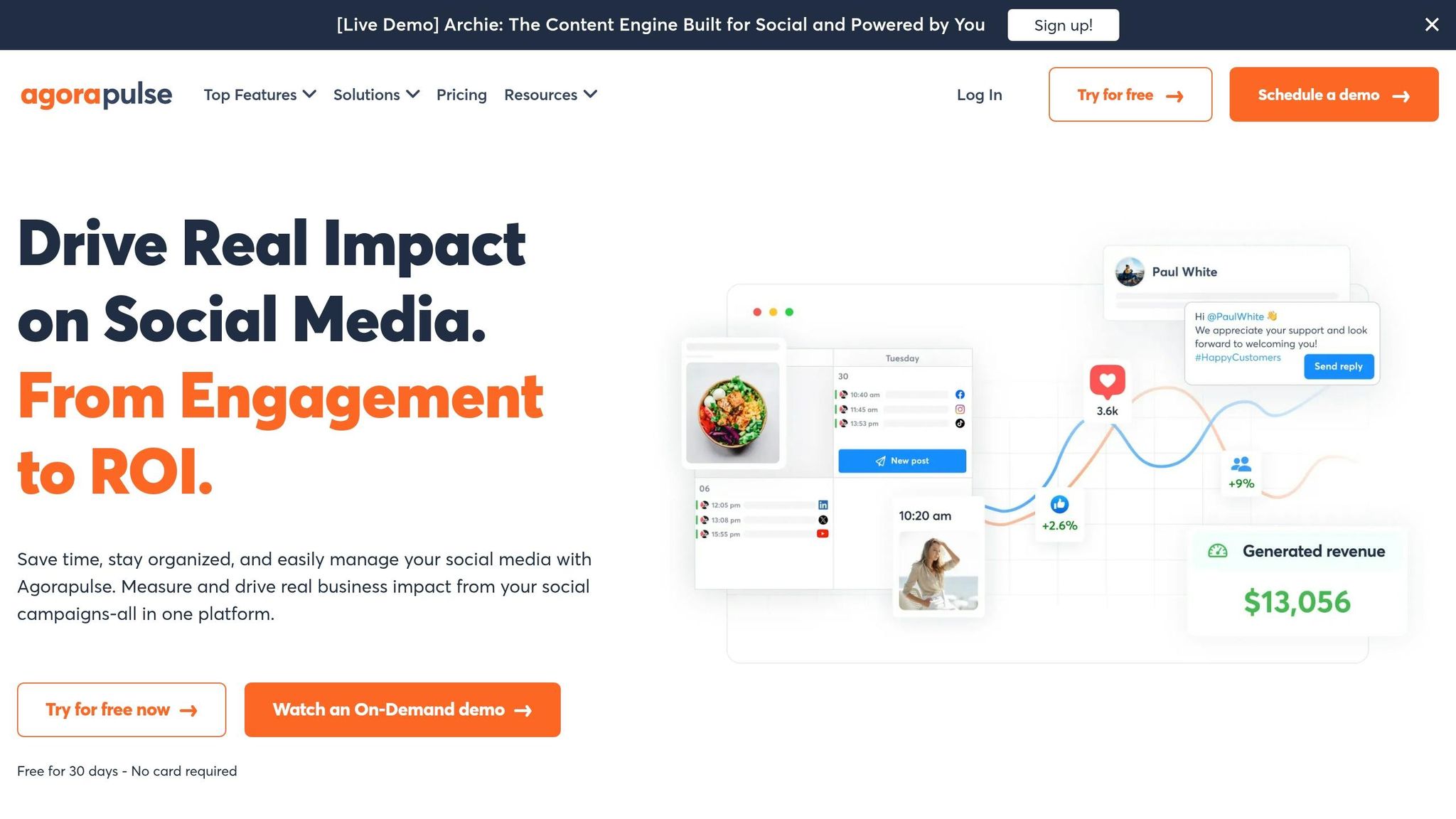
For me, Agorapulse shines when the real problem isn’t posting content - it’s dealing with the flood after you post. I’ve tested a pile of social tools over the last 2+ years at TopSocialTools.com, and this one is built for small businesses that spend half the day buried in comments, DMs, and mentions instead of moving the business forward.
What actually moved the needle here is the inbox setup. Agorapulse pulls messages, comments, and mentions from connected platforms into one queue, so lean teams don’t have to bounce between apps all day. If you’ve ever watched replies slip through the cracks because someone thought another teammate handled it, you’ll get why this matters. It helps cut missed messages, slow replies, and messy handoffs without hiring more people.
Here’s what I noticed in testing:
- Single inbox workflow for comments, DMs, and mentions across connected profiles
- Automated moderation rules that filter spam and label common questions
- Comment monitoring on paid ads
- Collision detection so two team members don’t reply to the same message at the same time
- Support for 11 networks as of 2026, including Reddit, Bluesky, and Google Business Profile
- ROI reporting that ties social activity to business results
The inbox is the big draw, but the team features are what make it hold up under pressure. I’ve seen this play out with busy client-facing brands where one person is handling Instagram, another is in Facebook, and someone else is checking ad comments. Without collision detection, you get duplicate replies fast. Agorapulse fixes that in a clean way. The real difference-maker is that it keeps the whole reply process from turning into viral chaos.
There’s also a nice layer of automation. Moderation rules can knock out spam and sort repeat questions without a bunch of manual work. If you run ads, the paid comment monitoring helps too, since ad comments are one of those things teams forget until a thread gets messy. And support for Reddit, Bluesky, and Google Business Profile gives it more range than a lot of inbox-first tools.
That said, I wouldn’t call it cheap. Per-user pricing adds up fast for small teams. A 3-person team on Standard lands at about $297/month, and a 5-person team on Professional comes in around $745/month. I’ve seen this become the sticking point for smaller brands: they love the workflow, then wince at the team cost. If your main goal is just planning posts and filling a content calendar, this can feel heavier than you need.
The fit is pretty clear if you:
- Handle a high volume of comments, DMs, and mentions every day
- Need collision detection and moderation rules across many profiles
- Want ROI reporting that connects social performance to business results
Pricing runs about $79–$99 per user per month for Standard, $149 per user per month for Professional, and $199 per user per month for Advanced. Agorapulse also holds a 4.5/5 rating on G2 from 967 reviews, which lines up with what I’ve seen - people tend to like it when inbox management is the main pain point. The 30-day free trial with no credit card required is the smart move here, because this is one of those tools you feel pretty fast once your team starts using the inbox. The tricky part is simple: if engagement management is your bottleneck, it makes sense; if content planning is the main job, the next tool will likely fit better.
7. SocialBee – Best for Evergreen Content and Category-Based Scheduling
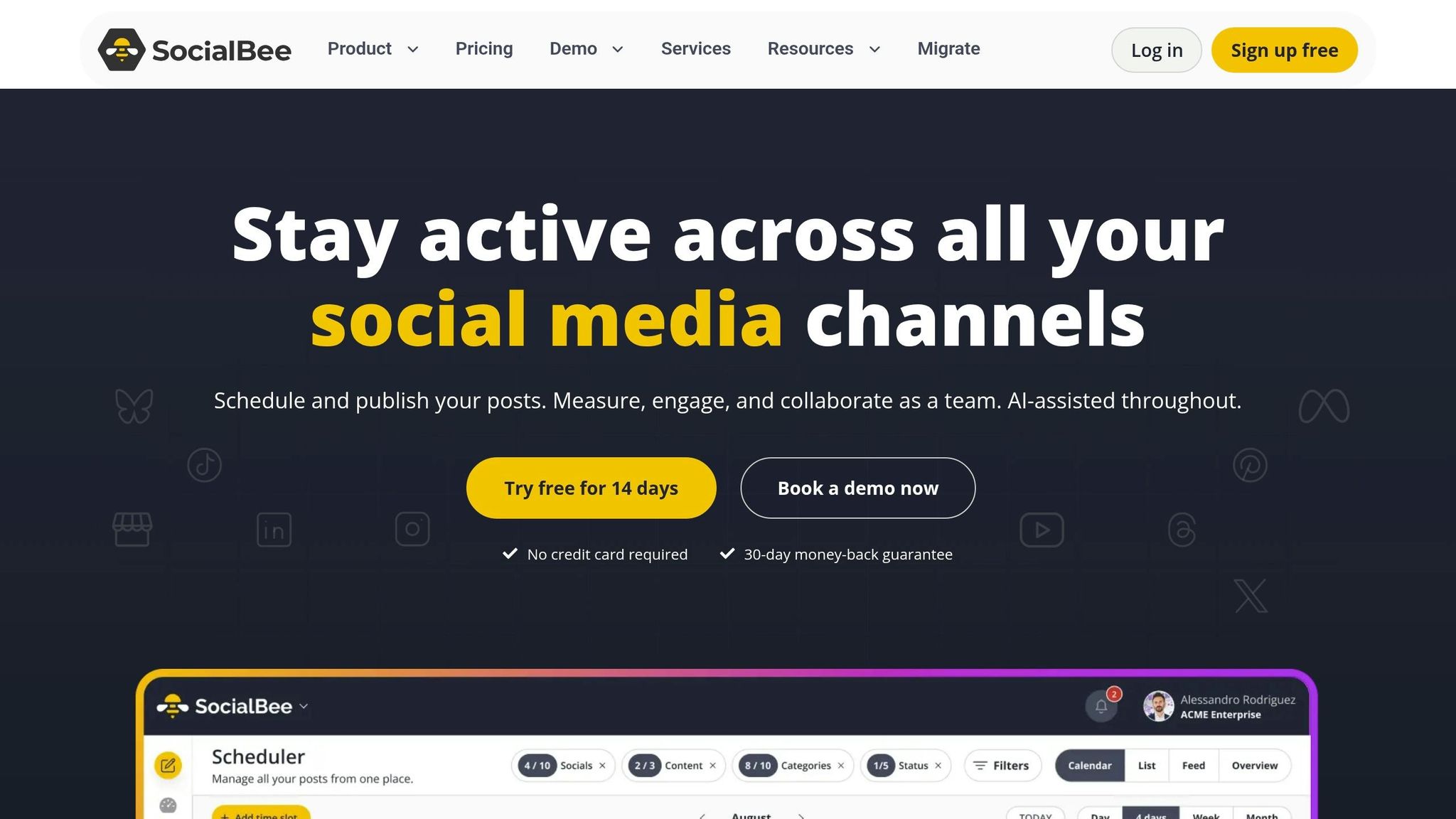
For me, SocialBee starts making sense when engagement isn’t the problem anymore and the empty content calendar is. I’ve seen this a lot with small teams at TopSocialTools.com: they’ve got decent material sitting around: customer reviews, FAQs, quick tips, educational posts, maybe a few promos, but they keep burning time trying to refill the week from scratch.
What SocialBee does well is simple. It turns that pile of useful content into a repeatable posting system. Instead of manually dragging posts around every few days, you sort them into categories like tips, offers, behind-the-scenes, seasonal updates, and FAQs. Then SocialBee rotates through those buckets on its own, which keeps evergreen posts in circulation without you having to babysit the schedule. For me, that makes it much better for consistency than for back-and-forth community work. If you’re a service business, a local brand, or a small team with repeatable themes, that steady rhythm is the whole point.
A quick example from my testing: let’s say a local med spa has 20 FAQ posts, 15 client testimonials, and a batch of skincare tips. In SocialBee, those can each live in their own category queue, and the platform keeps them moving instead of letting them die after one post. That’s where the tool earns its spot.
Key features:
- Category-based content queues for tips, testimonials, FAQs, offers, and behind-the-scenes posts
- Evergreen post recycling to keep useful content circulating automatically
- Visual content calendar with bulk scheduling
- Approval workflows for growing teams
- Scheduling across LinkedIn, Instagram, Facebook, TikTok, Pinterest, and YouTube
Here’s what I noticed in practice: the category system removes a lot of weekly grunt work. You’re not rebuilding the posting plan over and over, and your best content keeps doing its job long after the first publish. The price also helps. Starting at $24/month, it’s one of those tools that solopreneurs and lean teams can actually justify without a long finance meeting.
That said, it’s not built for every kind of workflow. If your content changes all the time, or your whole social plan depends on live replies, comment management, and inbox depth, SocialBee can feel a bit light. Its analytics and engagement side aren’t as strong as tools built around social inbox work, and that matters if conversation management is your main job.
Pros:
- Category-based queues remove the need to manually rebuild the posting schedule each week
- Evergreen recycling keeps high-value content working long after the original publish date
- Affordable entry point makes it accessible for solopreneurs and small teams
- Approval workflows support small teams without adding complexity
Cons:
- Built as a repeatable posting system, not a one-off scheduler - less useful if your content changes constantly
- Analytics and engagement features are lighter than inbox-focused tools
- Not the right fit if active community management is the primary need
Best for you if…
- You run a service business, local brand, or content-light operation with repeatable content themes
- You want a consistent posting rhythm without manually curating the calendar every week
- You have evergreen content - reviews, FAQs, tips - that deserves more than one publish
Pricing: Starts at $24/month; higher plans add approvals and bulk scheduling.
For teams that want a broader content calendar and publishing workflow, the next tools go past evergreen scheduling. The tricky part is deciding whether you need a recycling engine or a more hands-on social system.
8. Zoho Social – Best for Zoho-Connected Teams and CRM-Driven Social Media
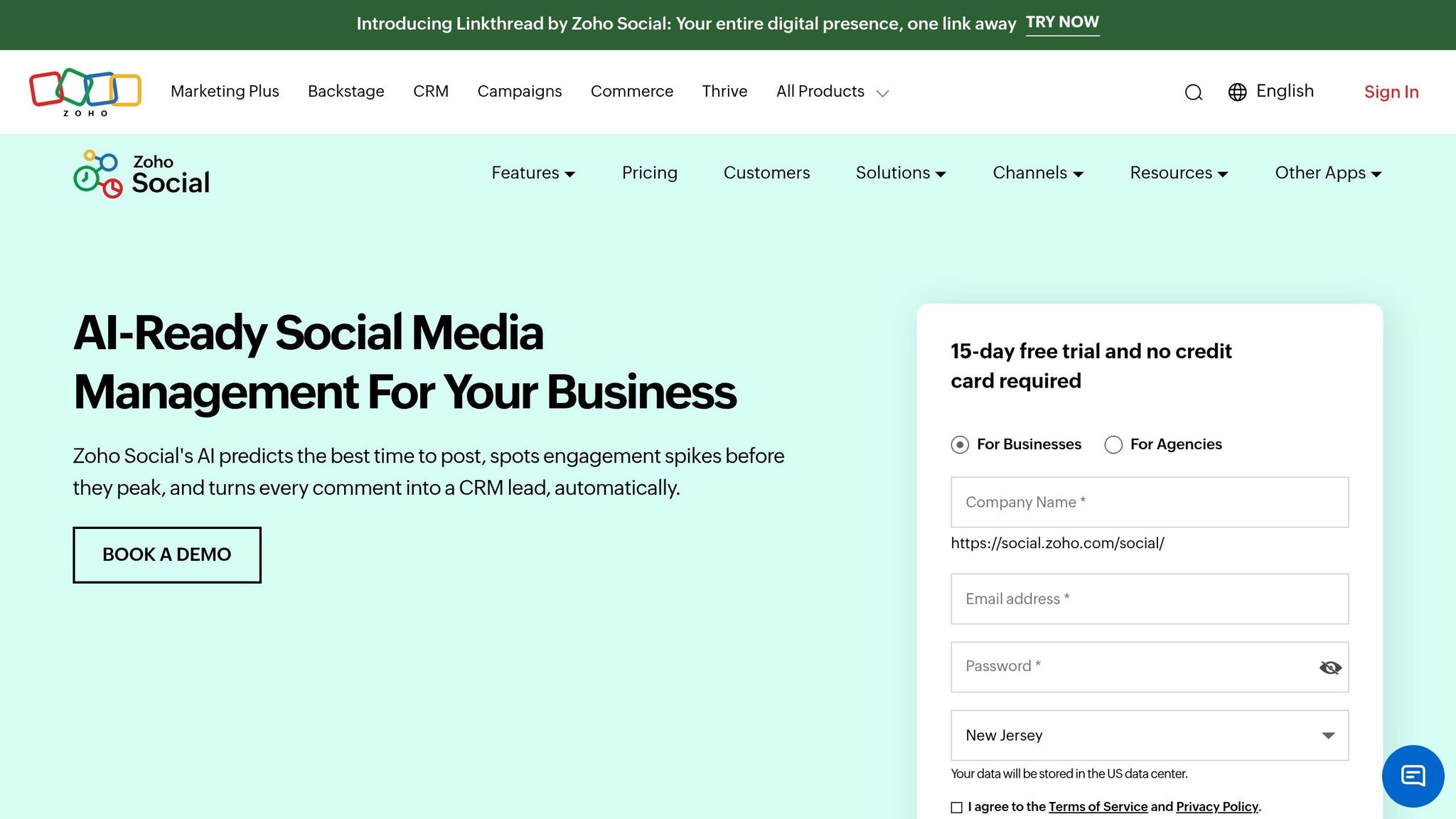
For me, Zoho Social makes the most sense when social media isn't just about posting. It's about getting sales and support in the same room. If you're already using Zoho CRM or Zoho Desk, this tool does a nice job of tying social conversations to leads and support tasks, so your DMs and comments don't just sit in some lonely social inbox.
I've seen this matter a lot for small teams. One local service business I looked at was juggling Facebook messages, Instagram comments, and support follow-ups in separate places. With Zoho Social tied into Zoho Desk, they could route those conversations into actual support work instead of letting them disappear into scroll chaos. That's the part Zoho gets right: it keeps social connected to the rest of the business.
On the daily-use side, the tool stays pretty practical. SmartQ suggests posting times based on when your audience is active, which helps cut down on random scheduling guesses. Zia AI can also help with caption drafts and content ideas, which is handy when the content calendar starts feeling a little dry. Platform support is broad too: Instagram, Facebook, TikTok, LinkedIn, X (Twitter), Pinterest, YouTube, Threads, and Google Business Profile are all included.
Here's what I noticed in testing: the brand-based workspace is one of those simple ideas that saves a bunch of friction. Zoho groups the right channels and team members under one account, which works well if you're running one location, one product line, or a client setup without turning the whole thing into a mess. For a small team, that kind of structure can save more time than flashy extras.
That said, Zoho Social isn't for everyone. It has fewer third-party integrations, and the interface can feel a bit dated next to newer tools. If your setup depends on a big app stack, you'll probably feel those limits. But if you're already inside the Zoho world, the tradeoff can be worth it.
Key features:
- SmartQ scheduling based on audience activity patterns
- Zoho CRM and Zoho Desk integration for lead and support handoffs
- Zia AI assistant for caption generation and content ideas
- Google Business Profile support for local business visibility
- Brand-based workspace for channels and team members
- Support for 9 social platforms, including TikTok and Threads
Pros:
- Strong CRM integration for teams that want social activity tied to customer records
- SmartQ cuts down the guesswork around posting times
- Free plan available, with paid plans starting at $15/month
- Brand-based setup works well for small teams with multiple locations or product lines
- Affordable for SMBs that want structured workflows without enterprise pricing
Cons:
- Best value depends on already using Zoho products
- Fewer third-party integrations
- Interface may feel dated compared with newer tools
Best for you if…
- Your business already uses Zoho CRM or Zoho Desk and wants social media tied into that workflow
- You manage a local business and want Google Business Profile support alongside standard social channels
- You want a structured, affordable tool for small-team social management
Pricing: Free plan available for 1 brand; Standard starts at $15/month; Professional at $40/month; Premium at $65/month. Annual billing is usually lower, and pricing can vary by region.
9. CoSchedule – Best for Solo Operators Who Need a Marketing Calendar
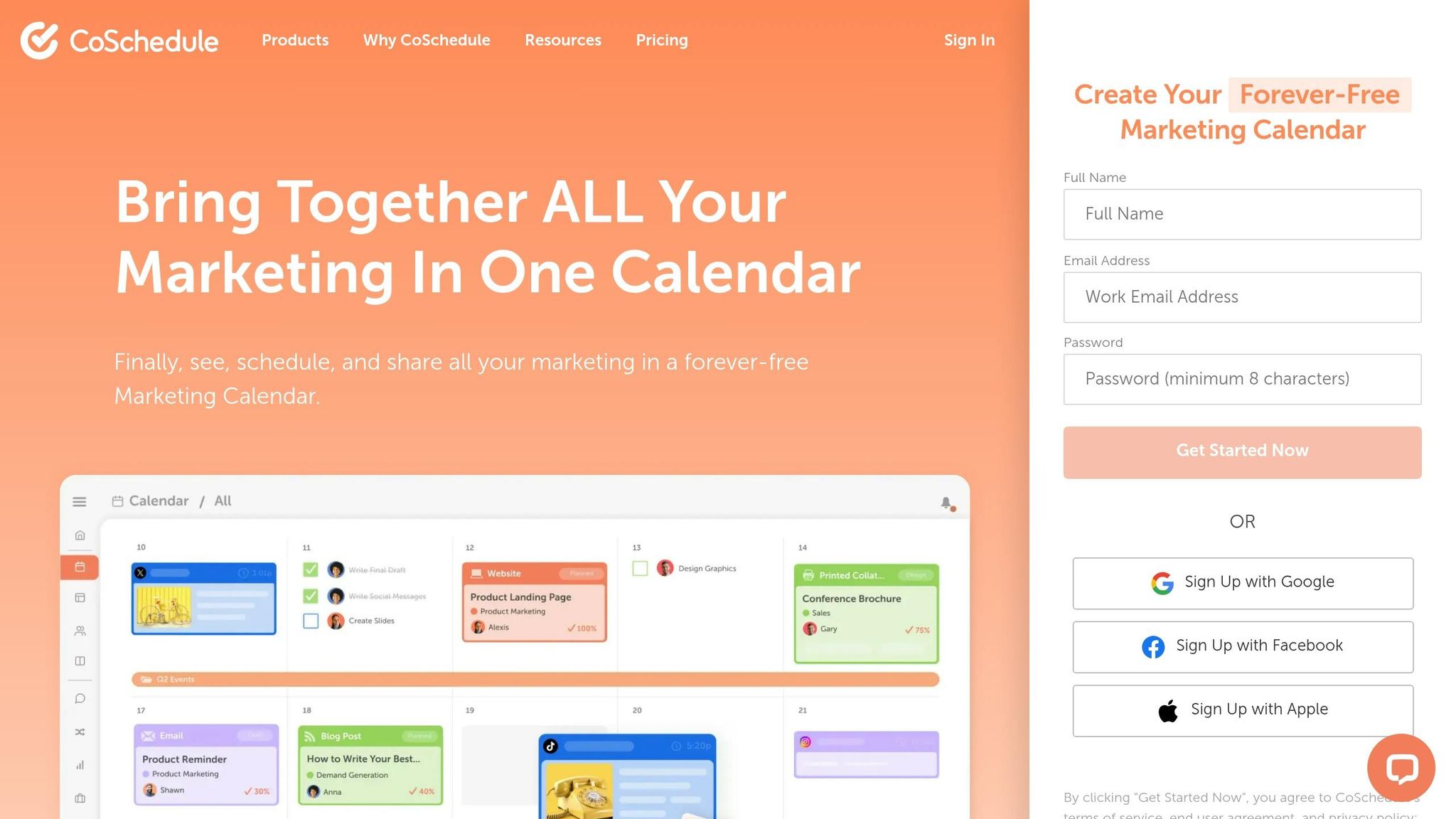
For me, CoSchedule makes the most sense when posting isn't the only problem - planning the whole month is. I've seen a lot of solo creators and small business owners do fine with basic schedulers for a week or two, then fall straight back into chaos because nothing ties their posts to promos, launches, events, or seasonal pushes.
That’s where CoSchedule stands out. It puts social planning inside a marketing calendar, so you can map posts to the stuff that actually drives the business. In my testing, that matters way more than people think. A coffee shop running holiday offers, a local service brand pushing spring specials, or a solo coach lining up webinar promos all need more than a queue. They need a single place to see what’s going live and why.
CoSchedule works best for planning and publishing. It’s not the tool I’d pick for heavy inbox work or deep reporting, so it fits teams that care more about staying on schedule than living inside replies or dashboards.
Key features:
- Calendar-first interface for planning social posts alongside broader marketing activities
- Centralized publishing hub for mapping content to promotions, events, and seasonal needs
- Structured workflow that supports batching and planning content in a single view
Here’s what I noticed after testing a bunch of tools in this lane: CoSchedule helps when your brain works better with a calendar than a content pipeline. You can batch a week or month of posts, line them up with campaigns, and stop guessing what should go out next. For a solo operator juggling client work, sales, and content, that kind of structure can save a ton of mental energy.
Pros:
- Fills a real gap for small businesses that need marketing structure, not just a scheduler
- Works well for businesses that run regular promotions or seasonal campaigns
- Lower cost than enterprise suites
- Supports a repeatable planning routine for busy solo operators
One example: if you're running monthly promos - say, a fitness studio with intro offers, class reminders, and holiday campaigns - CoSchedule makes it easier to see the full picture in one place. That’s a lot cleaner than hopping between a social scheduler, a Google Calendar, and sticky notes on your desk.
Cons:
- Not the right fit if your main need is inbox management
- Entry price is higher than basic schedulers
- Less suited if you want an analytics-heavy workflow
That trade-off matters. If your day revolves around replying to DMs, comments, and mentions, this probably won’t feel like the right home base. Same if you want deep number-crunching. I’d put CoSchedule in the “stay organized and keep posting” camp, not the “run support and reporting” camp.
Best for you if…
- You're a solo operator or small business that struggles to post consistently
- You want social media planning tied to a broader marketing calendar, not just a queue
- You need a structured workflow without paying enterprise-level prices
Pricing: Social Calendar plan starts at $19/user/month. For me, that price makes sense if you want a full marketing calendar setup and not just bare-bones scheduling.
The tricky part is simple: if you think in campaigns, promos, and seasons, CoSchedule clicks fast. If you mostly want visual planning or lighter drag-and-drop content flow, the Social Studio platform will likely feel like a better match.
10. Planoly – Best for Simple Visual Scheduling on Instagram and TikTok
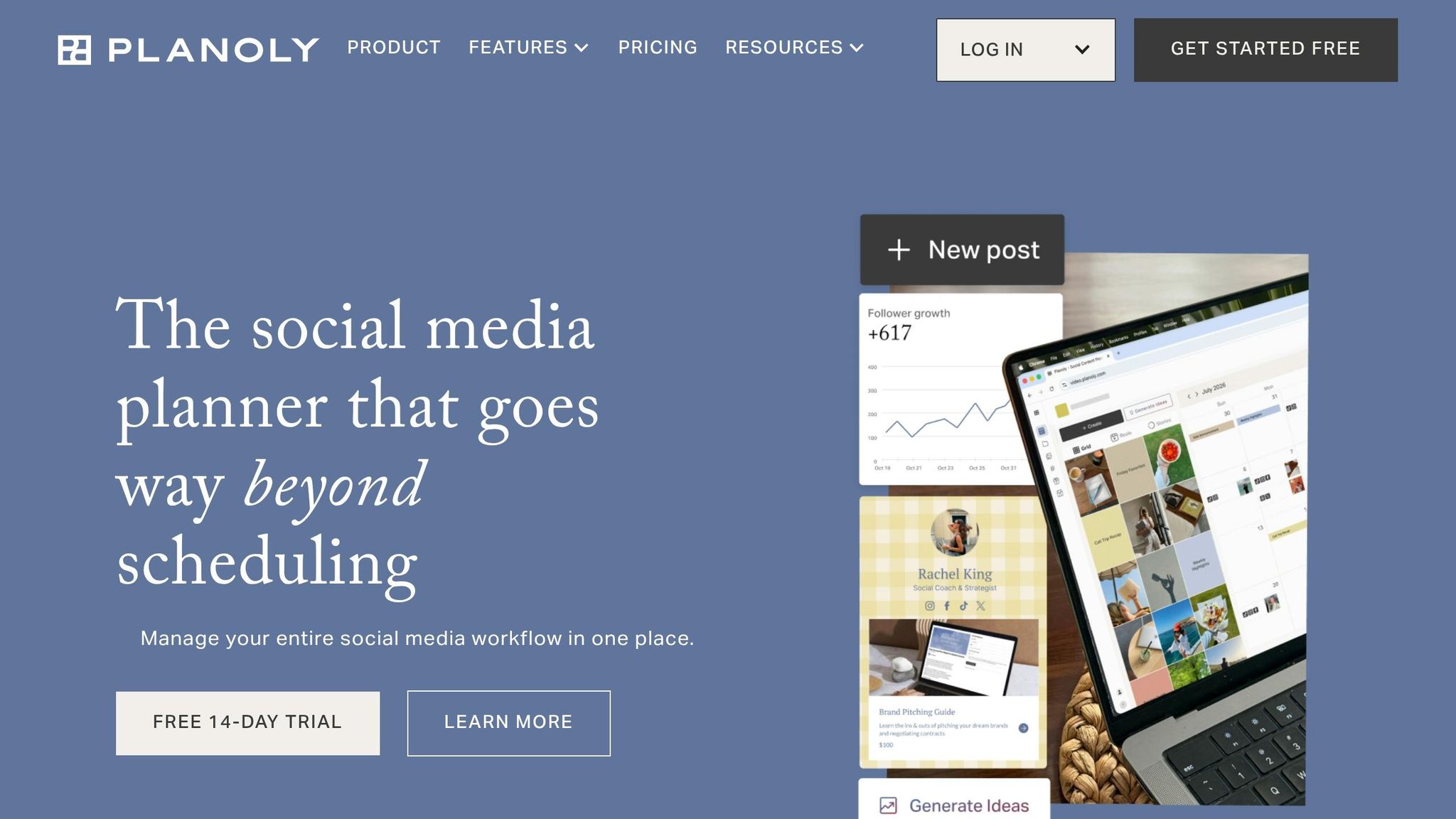
For me, Planoly makes sense when a small brand cares more about how the feed looks than digging through piles of reports. I've seen plenty of creators and shop owners get stuck in bloated social tools, and Planoly usually feels lighter when the main job is lining up Instagram and TikTok posts without the extra mess.
It sits firmly in the visual-first planning lane for small businesses using Instagram and TikTok. Compared with Later, its scope is narrower, and that’s kind of the point. You’re not coming here for deep reporting or heavy inbox workflows. You’re coming here because feed layout, posting rhythm, and a clean workflow matter most. For a tiny brand, that lighter learning curve can save a lot of time.
Here’s what I noticed in testing: when a skincare founder or boutique owner wants to preview a grid before anything goes live, tools like Planoly feel less like software and more like a mood board with scheduling built in. That’s a big deal if your brand lives or dies on visuals.
Key features:
- Basic visual scheduling for Instagram and TikTok
- Visual feed preview before posts go live
- Link in Bio support
The tradeoff is pretty clear. Planoly isn’t the strongest pick if you need deeper analytics or more hands-on engagement features. If you're the kind of marketer who wants to track every click, reply at scale, or run a broader multi-channel setup, you’ll probably outgrow it faster than you expect.
There’s also one thing I’d be careful about: the source set does not verify deeper feature or pricing details. So if you’re comparing final options, I’d keep Planoly in the running mainly as a visual-planning tool, not as an all-in-one social command center.
Best for you if…
- Your brand depends on visual content and feed consistency on Instagram or TikTok
- You want a simple scheduling workflow without the complexity of broader multi-channel tools
Pricing: No verified pricing information was available in the source material.
If you're weighing Planoly against the other tools in this list, match your workflow to the feature set first. That’s what actually moved the needle for me.
How to Choose the Best Tool for Your Small Business
For me, this choice gets a lot easier when I stop looking at feature lists and start with the one thing slowing the team down the most. If your biggest pain is posting on time, don’t buy a heavy platform built for giant reporting workflows. Start with the bottleneck, not the hype.
Budget usually narrows the field fast. In my testing at TopSocialTools.com, I’ve seen a lot of small teams overpay for tools they barely touch after week two. Entry-level tools like Buffer and SocialBee start under $25/month, mid-tier picks like Sendible and Zoho Social run $15–$89/month, and premium platforms like Sprout Social and Hootsuite start at $99–$199/user/month. That spread matters. A solo creator or small shop can do a lot with a lean tool, while a larger team may need inbox workflows, approvals, and deeper reporting.
Here’s what I noticed: the best tool usually isn’t the one with the longest feature page. It’s the one your team will use every day without friction. I’ve tested setups where Buffer handled a local business’s weekly posting just fine, while another brand needed Agorapulse because comment management was eating hours. The price only makes sense if the workflow saves time or brings in more business.
Use the matrix below to line up your main need with the right fit.
| Your Main Need | Best Fit | Why |
|---|---|---|
| Simple scheduling and affordability | Buffer, SocialBee | Low entry cost, easy setup, evergreen content recycling |
| Visual planning for Instagram/TikTok | Later, Planoly | Grid preview and visual-first workflow |
| Broad platform coverage | Hootsuite, Sprout Social | 10+ networks, unified inbox, cross-channel reporting |
| Engagement and reporting | Agorapulse, Sendible | Inbox management, moderation, branded reports |
| All-in-one marketing workflow | CoSchedule, Zoho Social | Campaign calendar, CRM integration, structured planning |
Trials are where the truth shows up. Most platforms offer 14–30 day trials, and I always tell people to use that window to run a normal week of content, not some polished demo version of their process. Schedule posts, reply to comments, pull reports, and see where the tool feels smooth or annoying. I’ve seen plenty of tools look slick on the sales page, then fall apart once the daily grind kicks in.
Use the quick comparison table below for a side-by-side check. What I’ve learned is pretty simple: the right pick should feel like relief within the first week, not extra admin work.
Quick Comparison Table
When I’m narrowing down social tools fast, I don’t start with feature overload. I start with budget, then I look at how the tool fits the day-to-day workflow. That usually cuts through a lot of the noise.
I’ve seen this play out over and over at TopSocialTools.com. A solo creator doesn’t need the same setup as a small team juggling approvals, reporting, and inbox replies across five channels. Fit beats feature bloat almost every time.
| Tool | Best Use Case | Starting Price | Why it stands out | Ideal Business Type |
|---|---|---|---|---|
| Buffer | Budget-conscious scheduling | $6/month per channel | Simple per-channel scaling | Solo creators, lean teams |
| Later | Visual grid planning | $25/month | Drag-and-drop feed preview | E-commerce, visual brands |
| Hootsuite | Multi-channel management | $99/month | Broad platform support and listening | Small teams managing multiple channels |
| Sprout Social | Advanced reporting and ROI | $199/user/month | Deep analytics and Smart Inbox | Larger small-business teams with reporting needs |
| Sendible | Client deliverables | $29/month | White-label branded reporting | Boutique agencies, freelancers |
| Agorapulse | Community engagement | $79/user/month | Unified inbox and collision detection | High-engagement brands |
| SocialBee | Evergreen content | From $24/month | Content recycling and category queues | Content-heavy small businesses |
| Zoho Social | CRM-integrated social | Free plan; paid plans start at $15/month | Native Zoho CRM and Desk connection | Businesses already using Zoho |
| CoSchedule | Marketing coordination | $19/user/month | Unified marketing and social calendar | Multi-person marketing teams |
| Planoly | Visual storytelling | Not verified in source material | Visual planning for Instagram and TikTok | Visual-first small businesses |
Here’s what I noticed in my testing: the cheapest tool isn’t always the best deal if your workflow gets clunky after a week. Buffer, for example, works well when you want low-cost scheduling without a pile of extras. On the flip side, if a team needs reporting and inbox control, Sprout Social can make more sense even with the much higher monthly cost.
Use the table to trim your shortlist fast: pick by budget first, then by workflow. If two tools look close, go with the one that fits what you can spend, then test how it feels in actual use. That’s usually where the tricky part shows up.
Final Verdict
After putting these tools side by side, the choice usually gets a lot less messy. For me, small businesses don't need the longest feature list. They need the tool that fixes the part of the workflow that's slowing everything down.
I've seen teams get stuck chasing shiny extras when the real issue was simple: they couldn't post on time, they couldn't plan content visually, or they kept missing DMs. That's the stuff that actually matters day to day. At TopSocialTools.com, when I'm testing 50+ social tools in a week, that's always the filter I come back to.
Start by narrowing it down to 2–3 tools based on your biggest bottleneck, then test them for 7 to 14 days inside your actual workflow before you pay for anything long term. If consistency keeps falling apart, start with Buffer or CoSchedule. If visual planning is the big thing, try Later. If your team is buried in messages and needs stronger inbox control, Agorapulse makes a lot of sense. Buffer has a free plan, and Later, Hootsuite, and Sprout Social offer trials .
Don't judge a platform by the sales page. Use the trial to watch what happens in real life: how much time you save, whether posting gets more steady, how engagement shifts, and whether those posts bring in leads. I tested this with a small creator brand last year, and the winner wasn't the tool with the most bells and whistles. It was the one they kept opening every morning without friction.
What I've learned: the best tool is the one your team will actually use every day - because in 2026, posting on a steady rhythm and tracking growth clearly is what moves the needle.